
Manual of product KX-P3151
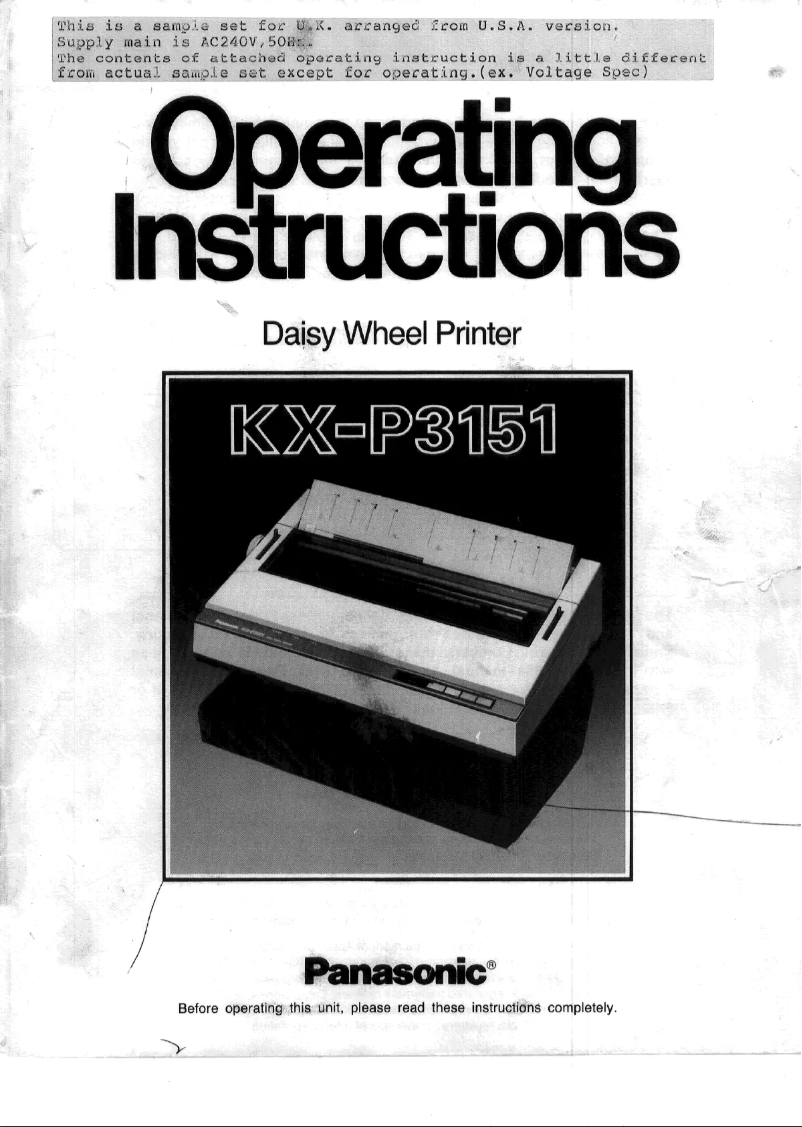
Editorial note
The Panasonic KX-P3151 printer stands out for the reliability of its brand, known for its quality and innovation. It offers optimal performance with fast, high-quality printing while ensuring an enhanced user experience thanks to its ergonomic features. The available user manual makes it easy to get started, which is an asset for new users. Additionally, its versatility makes it suitable for various needs, whether personal or professional. However, there are some drawbacks to consider. The printing speed is lower than that of newer models, which can slow down workflow in a busy office. The lack of wireless connectivity limits usage flexibility, requiring a direct connection to the computer. Furthermore, the cost of ink cartridges and paper can be relatively high, which may affect the overall value perception of the product. Finally, its design may seem outdated compared to more contemporary models, and it lacks additional features such as scanning or photocopying, thus restricting its use to simple printing tasks. Overall, the Panasonic KX-P3151 is a solid option for those seeking a reliable and efficient printer, but it may not be suitable for those who need more advanced features or increased printing speed.Score details
User experience
The user experience is enhanced by ergonomic features, making the use of the printer intuitive and enjoyable.
Performance
Performance is optimal for high-quality prints, but the printing speed may be lower than that of newer models, which can slow down the workflow.
Support
A user manual is available, making it easier for new users to set up and use the printer.
Design
The design of the printer may seem outdated and unattractive compared to more modern contemporary models.
Value for money
The cost of ink cartridges or paper can be relatively high, which may affect the overall value perception of the product.
Features
The lack of wireless connectivity and additional features like scanning or copying limits usage options.
Advantages
Brand reliability of Panasonic
Fast and high-quality printing performance
Intuitive and simplified use
User manual included for assistance
Suitable for various printing needs
Disadvantages
Print speed lower than recent models.
No wireless connectivity, wiring required.
Cost of cartridges and paper relatively high.
Outdated and unappealing design.
No scanning or photocopying features.
Technical Specifications KX-P3151
General Information
-
ModelKX-P3151
-
Brand
-
Category
-
Type
-
SKU1094313
-
MPN1094313
Frequently Asked Questions
What is the best method to remove a jammed paper from the printer?
Why is my printer not recognizing the original cartridges?
What could be the reasons for poor print quality?
How does a laser printer differ from an inkjet printer?
Why does my inkjet printer leave black streaks on prints?
What does the acronym DPI mean?
Is the manual for the Panasonic KX-P3151 available in French?
Similar products


More product categories from brand Panasonic
Home appliances Panasonic
Phones Panasonic
Audio Panasonic
Camera and photography Panasonic
Personal care Panasonic
Other Panasonic
Tools Panasonic
Interior Panasonic
More product types from brand Panasonic








Presentation of product KX-P3151 specifications from brand Panasonic
General Information
The Panasonic KX-P3151 is a printer from the renowned brand Panasonic, known for its reliability and innovation in the electronics sector. This model, the KX-P3151, is designed to provide efficient printing performance, thus meeting the varied needs of users, both personally and professionally.
As a printer, the KX-P3151 stands out for its ability to produce quality prints while ensuring intuitive use thanks to its ergonomic features. Users will also appreciate the support provided, including a user manual that makes it easy for newcomers to the printing field to get started.
Advantages
- Brand reliability: Panasonic is synonymous with quality, instilling confidence in the durability and performance of the KX-P3151 printer.
- Optimal performance: The KX-P3151 is designed for fast, high-quality printing, making it a wise choice for daily use.
- Enhanced user experience: Its ergonomic design facilitates use, making the printing process more enjoyable.
- User support: A detailed manual is included, helping users quickly familiarize themselves with the printer's features.
- Versatility of use: This model is suitable for different types of printing needs, whether for personal or professional documents.
Disadvantages
- Printing speed: The speed may be lower than that of some newer models, which could slow down workflow in dynamic office environments.
- Lack of wireless connectivity: This model requires a direct cable connection to the computer, limiting usage flexibility.
- Cost of consumables: Ink cartridges and paper can be relatively expensive compared to other options available on the market.
- Design: The aesthetic of the printer may seem outdated compared to more contemporary models.
- Functional limitations: The printer does not offer advanced features such as scanning or photocopying, which restricts its use to simple printing tasks.


