

Manual of product DP-MB300
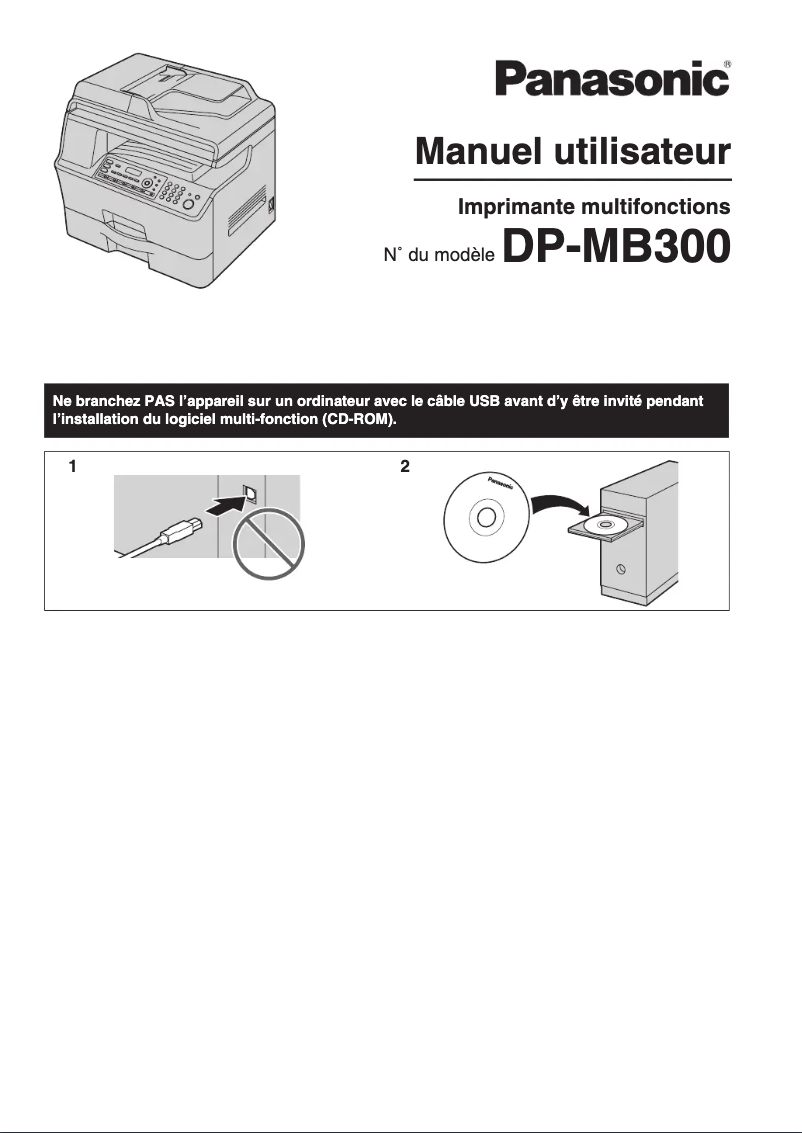
Editorial note
The Panasonic DP-MB300 stands out for its all-in-one functionality, combining printing, scanning, copying, and faxing, making it an ideal choice for professional environments. Its printing speed of 32 pages per minute and a maximum resolution of 2400 x 1200 DPI ensure high-quality prints, both for text documents and color images. Additionally, the high input capacity of 1040 sheets allows for handling large volumes of documents without requiring frequent reloading, thus optimizing office work efficiency. However, the printer has some drawbacks. The lack of Wi-Fi connectivity limits usage flexibility, requiring a wired connection to print from mobile devices. Furthermore, its weight of 21.8 kg can make installation and handling difficult in tight spaces. The internal memory of 64 MB may also prove insufficient for complex printing tasks, leading to slowdowns. Finally, the cost of toners and replacement parts can quickly increase the overall operating cost. In terms of ratings, the user experience is rated positively due to the simplicity of the built-in functions, with a score of 80. The printer's performance is satisfactory, but the memory could be a hindrance, earning it a score of 75. Regarding the design, although it is suitable for professional use, its weight received a score of 70. The value for money is considered average, with a score of 65, due to potentially high operating costs. Finally, the features add notable value, although the lack of Wi-Fi limits flexibility, which earns it a solid score of 85. In summary, the Panasonic DP-MB300 is a high-performing and versatile printer that meets the needs of professionals but could benefit from improvements in connectivity and memory management.Score details
User experience
The user experience is positive thanks to the all-in-one feature that simplifies printing, scanning, copying, and faxing tasks.
Performance
The printing speed of 32 ppm and the print quality of 2400 x 1200 DPI are satisfactory, but the internal memory of 64 MB may limit the handling of large volumes.
Design
The design is suitable for professional use, although its weight of 21.8 kg may complicate its installation in tight spaces.
Value for money
The cost of toners and replacement parts can be high, which increases operating costs, despite the printer's competitive features.
Features
Features such as duplex printing and Ethernet connectivity add value, although the lack of Wi-Fi limits flexibility.
Advantages
Fast printing at 32 pages per minute
Print quality of 2400 x 1200 DPI
All-in-one functionality: printing, scanning, copying, faxing
Double-sided printing for paper savings
Input capacity of up to 1040 sheets
Ethernet connectivity for stable network
Disadvantages
No Wi-Fi for wireless printing.
Weight of 21.8 kg difficult to handle.
64 MB memory insufficient for large jobs.
High cost of toners and replacement parts.
Maximum resolution limited to 2400 x 1200 DPI.
Technical Specifications DP-MB300
General Information
-
ModelDP-MB300
-
Brand
-
Category
-
Type
-
SKU149407
-
MPN149407
Print speed
-
Maximum resolution2400 x 1200 DPI
-
Print speed (black, normal quality, A4/US Letter)32 ppm
-
Printing technologyLaser
-
PrintingNo
-
Double-sided printingYes
Digitization
-
Type of scannerFlat scanning
-
DigitizationMono scanning
Copier
-
Max. resolution of copies600 x 600 DPI
-
Copy speed (normal quality, black, A4)32 cpm
-
Maximum number of copies99 copies
-
CopySingle copy
Fax
-
Modem speed33.6 Kbit/s
-
Fax memory450 pages
-
Fax Memory6 MB
-
FaxSimple fax
Input and output capacity
-
Maximum input capacity1040 sheets
-
Total output capacity520 sheets
-
Maximum input capacity1040 sheets
-
Automatic document feeder capacity50 sheets
-
Total power capacity250 sheets
-
Total number of power supply units5
-
Automatic Document Feeder (ADF)Yes
Representation / realization
-
Internal memory64 MB
-
Built-in memory card readerNo
-
Sound pressure level (impression)- dB
Paper management
-
Type of paper tray supportPlain paper
-
Maximum print formatRecycled paper
-
Maximum ISO A series paper size216 x 297 mm
-
Maximum ISO A series paper sizeA4
-
A4
Other features
-
Compatible operating systemsWindows 98 / Me / 2000 / XP / Vista
-
Network featuresEthernet, Fast Ethernet
-
Power requirements220-240V AC, 50-60Hz
-
Dimensions (LxWxH)533 x 459 x 478 mm
-
All-in-one functionsCopy, Fax, Scan
-
All-in-one color functionsNo
Network
-
Ethernet/LANYes
-
WifiNo
-
Support for network protocols (IPv4)GDI
Connectivity
-
Standard interfacesUSB 2.0
-
USB portYes
-
Quantity of USB 2.0 Ports1
-
USB portYes
Power
-
Electricity consumption (average operation)W
Weight and dimensions
-
Weight21800 g
Features
-
Digital senderNo
Design
-
Market positionProfessional
Frequently Asked Questions
What is the weight of the Panasonic DP-MB300 model?
What is the recommended method for removing paper jammed in the printer?
Why does my printer not recognize the original cartridges?
What could be the reasons for poor print quality?
How does a laser printer differ from an inkjet printer?
Why does my inkjet printer leave black streaks on prints?
What does the acronym DPI mean?
Is the manual for the Panasonic DP-MB300 available in French?
Similar products


More product categories from brand Panasonic
Home appliances Panasonic
Phones Panasonic
Audio Panasonic
Camera and photography Panasonic
Personal care Panasonic
Other Panasonic
Tools Panasonic
Interior Panasonic
More product types from brand Panasonic








Presentation of product DP-MB300 specifications from brand Panasonic
General Information
The Panasonic DP-MB300, from the renowned brand Panasonic, is a multifunction device that combines quality and innovation. Designed to meet the demands of work environments, this device is easily identifiable by its unique EAN code, 5025232528509. It is optimized to provide a smooth and efficient user experience.
Print Speed
With a maximum resolution of 2400 x 1200 DPI, the Panasonic DP-MB300 ensures sharp and precise prints, ideal for professional and personal documents. Its print speed of 32 pages per minute allows for efficient management of daily printing tasks. Equipped with laser printing technology, this device guarantees high-quality results, whether for black and white or color prints. Additionally, its duplex printing function contributes to economical paper usage.
Scanning
The flatbed scanner of the Panasonic DP-MB300 allows for quick and accurate scanning of various documents. Its color scanning capability ensures faithful and vibrant reproductions, thus facilitating the management of digital files.
Copier
This model offers a maximum copy resolution of 600 x 600 DPI, ensuring quality prints. With a copy speed of 32 copies per minute in black and white mode, it proves effective for repeated printing needs. The Panasonic DP-MB300 allows for up to 99 copies simultaneously, while also offering the option to make color copies.
Fax
The Panasonic DP-MB300 is equipped with a fast modem of 33.6 Kbit/s, facilitating the sending and receiving of faxes. Its fax memory can store up to 450 pages, simplifying document management. With 6 MB of dedicated memory, this device efficiently handles faxing tasks.
Input and Output Capacity
The input capacity of the DP-MB300 is impressive, able to hold up to 1040 sheets, reducing the need for frequent reloading. The output capacity reaches 520 sheets, while the automatic document feeder can handle 50 sheets at a time, ideal for high volumes. With a total of 5 paper trays, this device optimizes document management.
Representation / Performance
Equipped with 64 MB of internal memory, the Panasonic DP-MB300 allows for smooth application use. Although it does not have a memory card reader, it operates quietly, which is an advantage in noise-sensitive work environments.
Paper Management
The paper tray of the DP-MB300 is compatible with various types of media, including plain paper and recycled paper. It supports standard paper sizes like A4, while allowing for maximum print sizes of 216 x 297 mm.
Other Features
Compatible with several operating systems such as Windows XP, Vista, and 7, this device ensures easy integration into different digital environments. Its Ethernet connectivity guarantees a stable connection, although the lack of Wi-Fi may limit certain uses. With dimensions of 533 x 459 x 478 mm and a weight of 21.8 kg, the Panasonic DP-MB300 is designed to fit efficiently into office spaces.
Connectivity
The Panasonic DP-MB300 offers standard interfaces, allowing for simple and effective connections with various devices. It includes a USB 2.0 port for direct printing, although it does not have Wi-Fi functionality.
Power
The average power consumption during operation is optimized to ensure efficient performance, although exact figures are not specified.
Design
Primarily intended for professional use, the Panasonic DP-MB300 is designed to meet the specific requirements of work environments.


