

Manuals of product MX30+

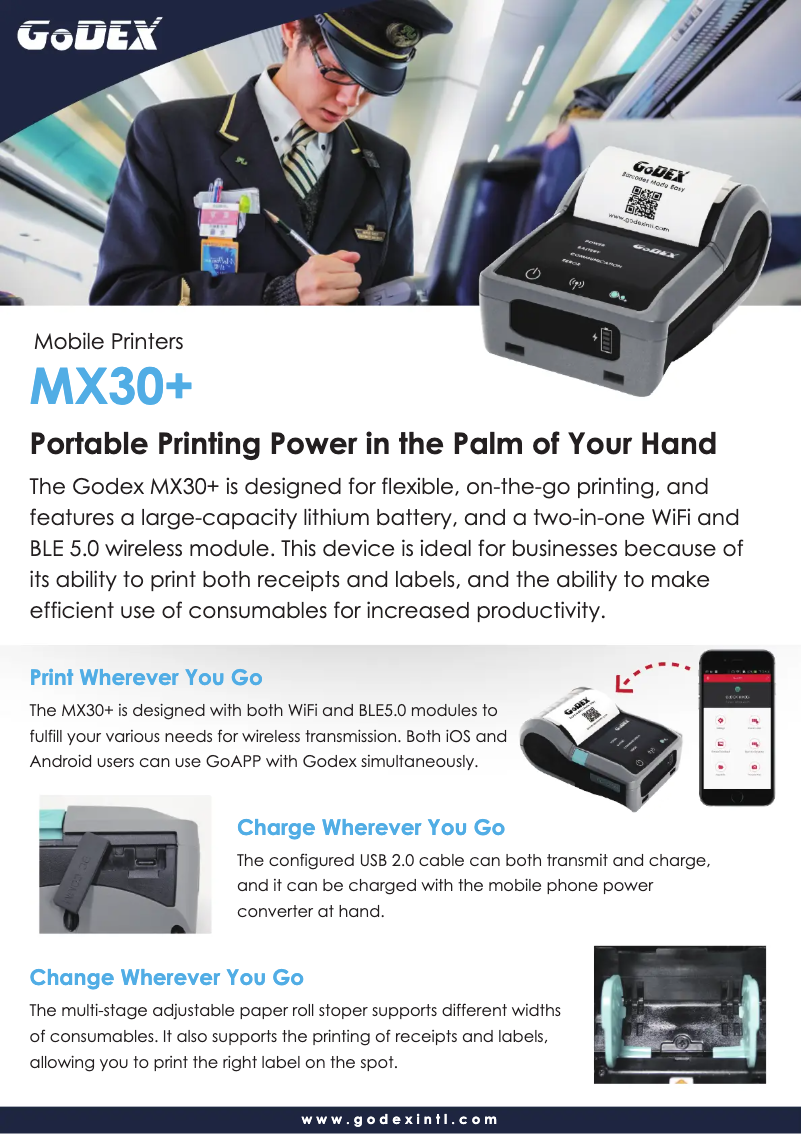
Editorial note
The Godex MX30+ printer stands out for its optimal performance, offering fast and high-quality printing, ideal for professional users. Its user-friendly and intuitive interface contributes to an enhanced user experience, making the printing process smooth and enjoyable. However, it is important to note that the price of this printer may be high compared to other models on the market, which could deter some potential buyers. Additionally, its bulky size may pose installation issues in small workspaces. Although the interface is intuitive, some advanced features require a learning curve, which can frustrate less experienced users. Regarding robustness, Godex is known for the reliability of its products, ensuring durability and performance over time. However, the availability of consumables and spare parts may be limited in certain regions, making maintenance more complex. Overall, the Godex MX30+ is a solid option for professionals looking for a high-performing printer, but one must consider its potential drawbacks in terms of price and space.Score details
Performance
The Godex MX30+ printer offers optimal performance, ensuring fast and high-quality printing for professional users.
User experience
The user experience is enhanced by a user-friendly and intuitive interface, making the printing process smoother and more enjoyable.
Value for money
The price of the printer may be high compared to other models, which could deter some users, despite the quality offered.
Usability
Although the interface is intuitive, some advanced features may require a learning curve, which can frustrate less experienced users.
Robustness
Godex is known for the reliability of its products, ensuring durability and consistent performance over time.
Design
The size of the printer can be cumbersome for small workspaces, making installation difficult.
Support
The availability of consumables and spare parts may be limited in certain regions, complicating maintenance.
Advantages
Fast and high-quality printing.
User-friendly and easy-to-use interface.
Brand recognized for its reliability.
Manual and brochure included for assistance.
Suitable for various work environments.
Disadvantages
High price compared to other models
Bulky for small workspaces
Advanced features requiring a learning curve
Noticeable operating noise in silence
Limited availability of consumables and parts
Technical Specifications MX30+
General Information
-
ModelMX30+
-
Brand
-
Category
-
Type
-
SKU1819456
-
MPN1819456
Frequently Asked Questions
What is the recommended method for removing paper jammed in the printer?
Why is my printer not recognizing the original cartridges?
What could be the reasons for poor print quality?
How does a laser printer differ from an inkjet printer?
Why is my inkjet printer producing black streaks in my prints?
What does the acronym DPI mean?
Is the user manual for the Godex MX30+ available in French?
Similar products


More product categories from brand Godex


Presentation of product MX30+ specifications from brand Godex
General Information
The Godex MX30+ printer is an iconic model from the Godex brand, known for its commitment to quality and innovation in the office equipment sector. Designed to ensure optimal performance, the MX30+ offers a high-level printing experience, tailored to the needs of professional users.
This model stands out for its user-friendly and intuitive interface, making it easy to use on a daily basis. Users will appreciate the simplicity of accessing various features, which makes the printing process smoother and more enjoyable. Additionally, the reliability of the Godex brand ensures users durability and consistent performance over time.
To assist users in getting started, the printer comes with a user manual and a brochure detailing its features. Furthermore, the Godex MX30+ is designed to easily integrate into various work environments, whether in small offices or large companies, thus offering a valuable flexibility of use.
Advantages and Disadvantages
Advantages
- Optimal performance: Fast and high-quality printing, meeting the needs of demanding users.
- Improved user experience: Intuitive interface facilitating use.
- Brand reliability: Godex is synonymous with durability and consistent performance.
- Supporting documents: Manual and brochure included for easy handling.
- Flexibility of use: Suitable for various work environments.
Disadvantages
- High price: May be discouraging for some users compared to other models.
- Bulky size: The printer may pose space issues in small offices.
- Learning curve: Some advanced features may require an adjustment period.
- Operating noise: May be noticeable and disruptive in a quiet environment.
- Availability of consumables: May vary by region, making maintenance more complex.


