

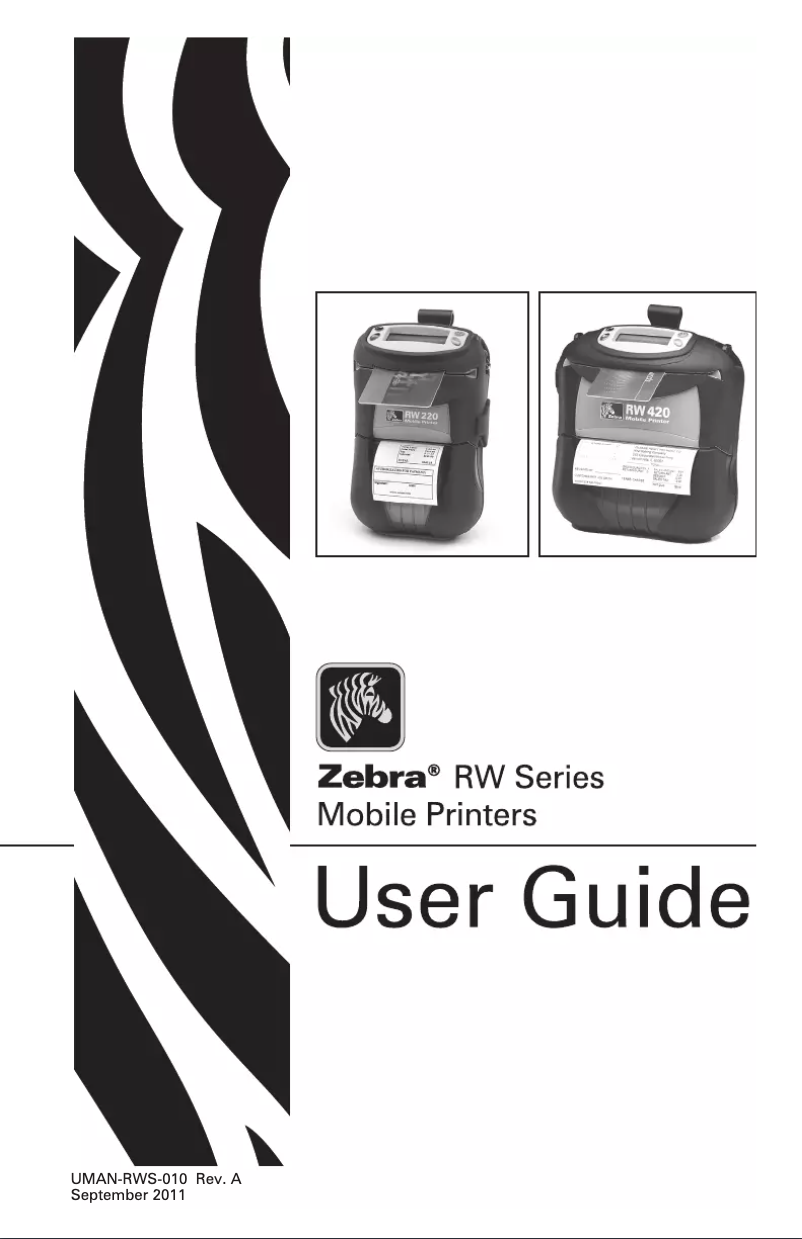
Manual of product RW 220
Editorial note
The Zebra RW 220 printer stands out for its printing speed, reaching 76 mm/sec, making it an ideal choice for users looking for efficiency. Its compatibility with various types of barcodes, such as QR Code and UPC, facilitates information management, which is a major asset for professional environments. However, some limitations must be taken into account. Although the print resolution of 203 x 203 DPI is adequate for many applications, it may not be suitable for prints requiring a high level of detail. Additionally, the 2000 mAh battery capacity, while reasonable, may require frequent recharges in intensive work situations, which could become a major drawback. The compact and lightweight design of the printer, weighing 658 g, makes it easy to transport. However, this may be seen as a disadvantage for those seeking an ultra-portable model. In terms of connectivity, while the printer offers both wireless and wired options, having only one USB 1.1 port may limit its compatibility with modern devices. Finally, although the printer's features are varied, the lack of color printing may restrict its use for applications requiring color prints, such as labels or marketing documents. In summary, the Zebra RW 220 is an efficient printer for specific needs, but it has limitations that deserve consideration.Score details
User experience
The user experience is positive thanks to a simple interface and practical features, such as compatibility with various types of barcodes.
Performance
The printing speed of 76 mm/sec is fast, but the resolution of 203 x 203 DPI may not be suitable for prints requiring a high level of detail.
Battery life
The battery life of 2000 mAh is good, but may require frequent recharges in intensive work environments.
Design
The compact and lightweight design of the printer makes it easy to transport, although a weight of 658 g may be considered a disadvantage for some users.
connectivity
Connectivity is flexible thanks to both wireless and wired options, but the presence of only one USB 1.1 port may limit compatibility with some modern devices.
Features
The printer's features are varied, but the lack of color printing may restrict its use for applications requiring color prints.
Advantages
Fast printing at 76 mm/sec
Compatible with various barcodes
Wireless and wired connectivity
Lightweight and compact for transport
2000 mAh battery for long battery life
Disadvantages
Insufficient print resolution for details
Limited battery, frequent recharges needed
High weight for a portable model
USB 1.1 connectivity, limited compatibility
No color printing available
Technical Specifications RW 220
General Information
-
ModelRW 220
-
Brand
-
Category
-
Type
-
SKU240439
-
MPN240439
Representation / realization
-
Internal memory16 MB
-
Flash memory8 MB
-
Languages of the page descriptionCPCL-native, EPL, EPL2, XML, ZPL
-
Certification-FCC Part 15 Class B,
-
Embedded barcodes-Canadian ICES-003,
-
-VCCI,
-
-NOM/NYCE,
-
-CE compliance (Class B),
-
-C-Tick,
-
-CSA.
-
Code 39, Code 93, MaxiCode, Postnet, QR Code, UPC-A, UPC-E
Print speed
-
Print speed (metric measurement)76 mm/sec
-
Maximum resolution203 x 203 DPI
-
Printing technologyDirect thermal
-
ColorNo
Paper management
-
Thickness of the support/media (imperial)0.002 - 0.0063 "
-
Thickness of the support
-
Main diameter0.05 - 0.16 mm
-
Max. diameter of the roll
-
34.9 mm
-
-
57 mm
Connectivity
-
RS-232 port1
-
Standard interfacesEthernet
-
Connectivity technologyWired & wireless
-
RS-232 port1
Power
-
Battery capacity2000 mAh
-
Battery technologyLithium-Ion (Li-Ion)
Other features
-
Dimensions (LxWxH)76.2 x 74 x 173 mm
-
Weight (imperial)1.45 kg
Weight and dimensions
-
Weight658 g
Environmental conditions
-
Storage temperature-22 - 149 °F
-
Relative humidity rate (storage)10 - 90 %
-
Operating temperature-20 - 55 °C
-
Relative humidity rate (storage)10 - 90 %
-
Temperature out of operation-30 - 65 °C
Frequently Asked Questions
What is the weight of the Zebra RW 220?
What is the recommended method for removing jammed paper from the printer?
Why is my printer not recognizing the original cartridges?
What are the possible reasons for poor print quality?
What are the distinctions between a laser printer and an inkjet printer?
Why does my inkjet printer leave black streaks on prints?
What does the acronym DPI mean?
What certifications does the Zebra RW 220 have?
Is the manual for the Zebra RW 220 available in French?
Similar products


More product categories from brand Zebra
More product types from brand Zebra





Presentation of product RW 220 specifications from brand Zebra
General Information
The Zebra RW 220 is a printer from the Zebra brand, known for its excellence and innovation in the printing device sector. This model, identified by the reference RW 220 | R2A-0UFA000E-00, ensures high performance and an optimized user experience.
Representation / Realization
Equipped with an internal memory of 16 MB, the Zebra RW 220 printer allows sufficient storage for various data and applications, thus promoting smooth usage. Additionally, its flash memory of 8 MB complements this storage capacity. The printer supports several page description languages, including CPCL-native, EPL, EPL2, XML, and ZPL, offering linguistic flexibility. It is certified compliant with several standards, including FCC Part 15 Class B, CE compliance (Class B), and CSA, ensuring its safety and performance. Furthermore, it integrates barcodes such as Code 39, QR Code, and UPC, ensuring quick and efficient reading of information.
Print Speed
The Zebra RW 220 stands out with its print speed of 76 mm/sec, significantly improving the efficiency of printing tasks. Its maximum resolution of 203 x 203 DPI allows for clear prints, suitable for everyday needs. Utilizing direct thermal printing technology, it guarantees precise results, although the lack of color printing may limit its use in certain contexts.
Paper Management
This printer is compatible with media thickness ranging from 0.002 to 0.0063 inches (0.05 to 0.16 mm), ensuring optimal print quality. Its core diameter is 34.9 mm, while the maximum roll diameter is 57 mm, ensuring effective paper management.
Connectivity
The Zebra RW 220 is equipped with a USB 1.1 port for simple connection with compatible devices. It also offers standard interfaces, facilitating its integration into various systems. Thanks to its wired and wireless connectivity technology, it provides appreciated usage flexibility, although it is limited to a single USB port, which could pose integration challenges.
Power
With a battery capacity of 2000 mAh, the printer ensures prolonged use without frequent interruptions. Its nickel-metal hybrid (NiMH) battery is designed to provide optimal performance and durability suited to daily needs.
Other Features
The dimensions of the Zebra RW 220 printer are 76.2 x 74 x 173 mm, ensuring a practical fit in various spaces. Lightweight at 658 g, it is easy to carry and handle, making it a suitable choice for daily use.
Environmental Conditions
The Zebra RW 220 is designed to operate in a storage temperature ranging from -22 to 149 °F and can function in relative humidity conditions of 10 to 90 %. Its operating temperature range extends from -20 to 55 °C, ensuring optimal operation in various environments. Additionally, it can withstand extreme conditions with a non-operating temperature range of -30 to 65 °C.


