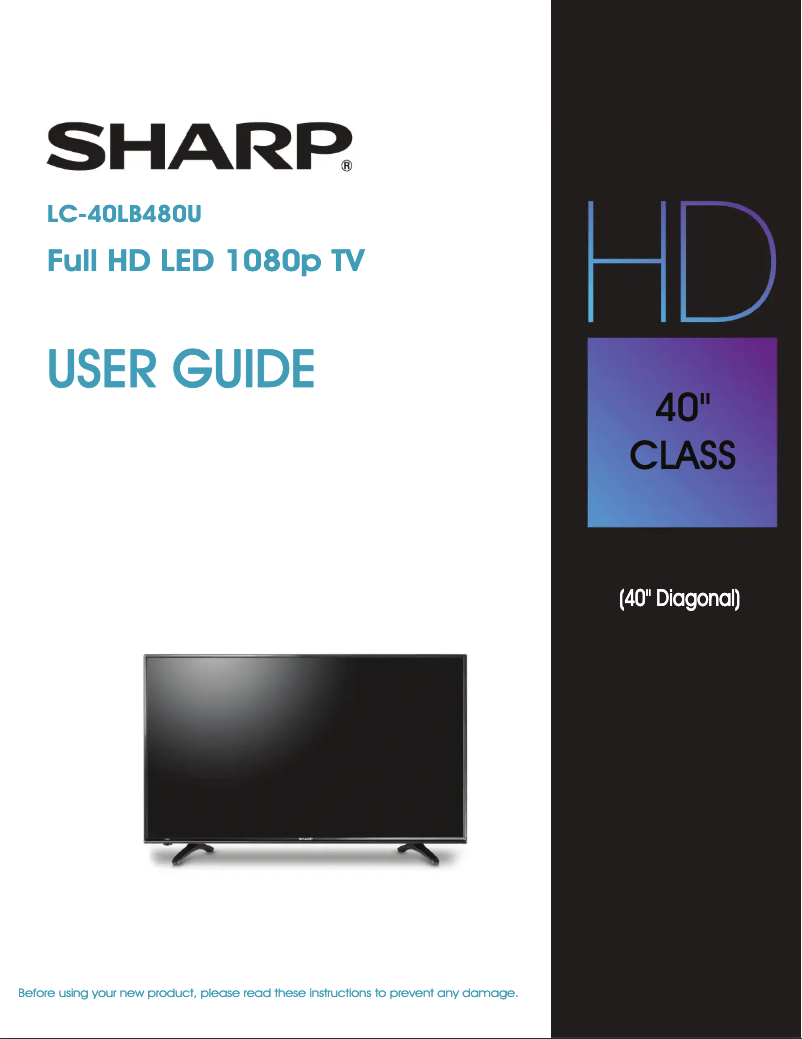
Thumbnail of product LC-40LB480U from brand Sharp
Logo of brand Sharp

Television Sharp LC-40LB480U

Discover the Sharp LC-40LB480U television, a model that combines quality and innovation, true to the reputation of the Sharp brand in the field of multimedia devices. With a 40-inch diagonal, this television offers an immersive visual experience suited to all your entertainment needs.

The Sharp LC-40LB480U is designed to ensure optimal performance, allowing you to enjoy sharp images and vibrant colors. This model is ideal for watching your favorite movies, series, and sporting events in the best conditions.

In addition to its picture quality, this television is equipped with user-friendly features that enhance the user experience. You will also find a user manual included to help you get the most out of your device.
In summary, the Sharp LC-40LB480U is a wise choice for those looking for a television that is both high-performing and practical, while benefiting from the reputation of a trusted brand.

Manual of product LC-40LB480U
8 10

Editorial note

The Sharp LC-40LB480U television stands out for its reputation for quality and innovation, characteristic of the Sharp brand. With optimal performance, it offers a satisfying visual experience for watching movies, series, and games. Its contemporary design allows it to be easily integrated into various environments, adding a modern touch to your living space. However, the model has some limitations. Its Full HD resolution may not be suitable for users seeking 4K image quality. Additionally, the restricted viewing angle can lead to color and contrast degradation. The built-in audio system also lacks power and clarity, which might encourage investment in external speakers. Finally, the limited number of HDMI ports could pose a problem for those wishing to connect multiple devices. The user experience is enhanced by modern technical features, although the interface may be considered unintuitive and slow. The included user manual facilitates installation and setup, but additional information could prove beneficial. In summary, the Sharp LC-40LB480U is a solid choice for those looking for a quality television with an attractive design, but it is important to consider its limitations in terms of resolution and connectivity.

Score details

User experience

The user experience is enhanced by modern technical features, although the interface may be considered unintuitive and slow.

Performance

The performance of the LC-40LB480U model is optimal for viewing, but the Full HD resolution may not satisfy those looking for 4K image quality.

Design

The contemporary design of the television fits well in various environments, adding a modern touch to your living space.

Value for money

Although the Sharp brand is known for its quality, some drawbacks like the limited number of HDMI ports and the audio system may affect the value for money.

Support

The included user manual makes installation and setup easy, but additional information could be beneficial.


Advantages

Reliable and recognized brand

High visual performance

Simplified and enjoyable use

User manual included

Modern and elegant design

Disadvantages

Resolution limited to Full HD only

Restricted viewing angles

Weak and unclear built-in audio

Few HDMI ports available

Unintuitive user interface

Technical Specifications LC-40LB480U

General Information

Frequently Asked Questions

What is the recommended viewing distance for my Sharp TV?
The optimal viewing distance for your Sharp TV depends on its size. Generally, it is advised to sit about 2.4 times the diagonal size of the screen.
What should I do if my TV is no longer receiving a signal?
If your TV is not picking up a signal, check the following: - Make sure your TV is set to the correct source. - Check that the connections via HDMI or SCART are properly established.
What are the dimensions of my TV screen?
The size of your TV is indicated in inches, where 1 inch equals 2.54 centimeters. This size corresponds to the diagonal measurement of the screen, which you should take from the bottom left corner to the top right corner.
What does the acronym HDMI stand for?
HDMI stands for High-Definition Multimedia Interface. An HDMI cable allows for the transmission of audio and video signals between different devices.
Is it possible to connect devices from different brands via Bluetooth?
Yes, Bluetooth technology is universal and allows devices from different brands to connect to each other.
Why won't my TV turn on when I press the power button?
If your Sharp LC-40LB480U TV does not turn on when you press the power button, try the following steps: 1. Check that the power cord is properly plugged into the TV and a working outlet. 2. If the TV is connected to a power strip or surge protector, ensure it is turned on. Test the TV directly on a wall outlet. 3. Unplug the power cord, wait 60 seconds, then plug it back in to temporarily reset the power. 4. Make sure all devices connected to the TV are also turned on. If the problem persists, contact Sharp customer support for assistance.
How do I connect external devices like a DVD player or gaming console to the Sharp LC-40LB480U TV?
To connect external devices to the Sharp LC-40LB480U TV, follow these steps: 1. For a DVD player: - Use an HDMI cable to connect the HDMI output of the player to one of the HDMI inputs on the TV. - Ensure the TV is on and select the correct HDMI input using the remote. - Turn on the DVD player and choose the appropriate input to display the content. 2. For a gaming console: - Connect the HDMI output of the console to an HDMI input on the TV with an HDMI cable. - Turn on the TV and select the correct HDMI input. - Turn on the console and select the appropriate input. Note that steps may vary depending on the devices; consult their manual for specific instructions.
Why does the TV image appear blurry or distorted?
To resolve a blurry or distorted image issue on the Sharp LC-40LB480U TV, follow these steps: 1. Check the connection of the antenna or cable. 2. Adjust the brightness and contrast settings. Refer to the manual for detailed instructions. 3. Ensure the appropriate picture mode is selected. 4. If using an antenna, check the digital signal strength of the channel. The manual explains how to do this. 5. If the signal is weak, adjust the antenna or consider using an external antenna. 6. Check that the video cables are properly connected. 7. Change the channel to see if the problem persists. If this does not resolve the issue, contact Sharp customer support.
How do I adjust the volume on the Sharp LC-40LB480U TV?
To adjust the volume on the Sharp LC-40LB480U TV, follow these steps: 1. Find the volume buttons on the TV or remote, usually marked with '+' and '-'. 2. Press '+' to increase the volume or '-' to decrease it. 3. If using the remote, ensure it is pointed at the TV. 4. You can also adjust the volume via the on-screen menu by pressing the MENU button and navigating to the audio settings. 5. If you encounter sound issues, check the audio settings to ensure they are correctly configured.
Why won't my TV turn on when I press the power button?
There may be several reasons why your Sharp LC-40LB480U TV won't turn on. Here are troubleshooting steps: 1. Check the power cord to ensure it is properly connected. Unplug it, wait 60 seconds, then plug it back in. 2. Other devices may cause interference. Turn them off one by one to identify the source. 3. Ensure the remote is working by checking the power cord and replacing the batteries if necessary. If the problem persists, consult the manual or contact customer support.
How do I adjust the volume on the Sharp LC-40LB480U TV?
To adjust the volume on the Sharp LC-40LB480U TV: 1. Press the MENU button on the remote to open the on-screen menu. 2. Use the arrows to navigate to 'Sound' and press ENTER. 3. Highlight 'Volume' and press ENTER. 4. Adjust the volume with the arrows. 5. Exit the menu by pressing MENU. You can also use the volume buttons on the remote. If you connect headphones, plug them into the AUDIO OUT jack and the sound from the speakers will stop.
How do I connect external devices like a DVD player or gaming console to the Sharp LC-40LB480U TV?
To connect external devices to the Sharp LC-40LB480U TV, follow these steps: 1. For a DVD player: - Use an HDMI cable to connect the HDMI output of the player to an HDMI input on the TV. - Remember the input number used. - Turn on the DVD player and select the corresponding HDMI input on the TV. 2. For a gaming console: - Connect the HDMI output of the console to an HDMI input on the TV. - Remember the input number and turn on the console. Select the appropriate HDMI input on the TV. 3. For other devices, use the appropriate cables and select the correct input on the TV. Ensure the external device is turned on and that you choose the correct input on the TV.
Is the manual for the Sharp LC-40LB480U available in French?
Unfortunately, the manual for the Sharp LC-40LB480U is not available in French. It is only offered in English.

Similar products


Discover the technical sheet of 55LED1600 from Salora and its manuals...
Available manuals:
Discover the technical sheet of 28LED1600 from Salora and its manuals...
Available manuals:
Discover the technical sheet of LC-42LE772EN from Sharp and its manuals...
Available manuals:
Discover the technical sheet of 43LED1600 from Salora and its manuals...
Available manuals:
Discover the technical sheet of LC-70UD20KN from Sharp and its manuals...
Available manuals:
Discover the technical sheet of LC-70UD20EN from Sharp and its manuals...
Available manuals:
Discover the technical sheet of LC-50LE771K from Sharp and its manuals...
Available manuals:
Discover the technical sheet of 20LED1600 from Salora and its manuals...
Available manuals:
Discover the technical sheet of LC-50LE772EN from Sharp and its manuals...
Available manuals:
Discover the technical sheet of 22LED1600 from Salora and its manuals...
Available manuals:
Discover the technical sheet of LC-60UD20KN from Sharp and its manuals...
Available manuals:
Discover the technical sheet of 32LED1600 from Salora and its manuals...
Available manuals:

Presentation of product LC-40LB480U specifications from brand Sharp

General Information

The Sharp LC-40LB480U is a television from the Sharp brand, which is widely recognized for its commitment to quality and innovation in the electronics sector. This model, the LC-40LB480U, is designed to provide a satisfying visual experience, tailored to the modern needs of users.

Equipped with high-performance technical features, this television allows for enjoyable viewing, whether for movies, series, or video games. It also stands out for its contemporary design, which integrates harmoniously into various environments, adding a modern touch to your interior.

To facilitate use, the Sharp LC-40LB480U comes with a comprehensive user manual, allowing users to fully enjoy its features and simplify installation and setup.

Technical Specifications

The Sharp LC-40LB480U is equipped with a Full HD resolution screen, providing satisfactory image quality for multimedia content. However, some users may find the resolution limited compared to modern standards, such as 4K. Additionally, it is worth noting that the viewing angle can be restrictive, with color and contrast degradation when the television is viewed from different angles.

Regarding sound, the built-in audio system may lack power, which could lead users to consider adding external speakers for a more immersive audio experience. Furthermore, the number of HDMI ports is limited, potentially inconvenient for those wishing to connect multiple devices simultaneously. Finally, the user interface may seem unintuitive and sometimes slow, which could hinder smooth navigation between different options.