Thumbnail of product 25R-S100 from brand Sharp
Logo of brand Sharp

Television Sharp 25R-S100

The Sharp 25R-S100 is a television from the renowned brand Sharp, known for its innovations and quality in the field of multimedia devices. This model, the 25R-S100, offers optimal performance for an enhanced viewing experience.

Designed to meet the needs of modern users, the Sharp 25R-S100 stands out with excellent picture quality and features suitable for viewing various content. Whether it's for watching movies, series, or playing video games, this television will meet your expectations.

Additionally, the Sharp 25R-S100 comes with a user manual to guide you in the installation and use of your device. In summary, this television is a wise choice for those looking for a high-performing and reliable product in the multimedia field.

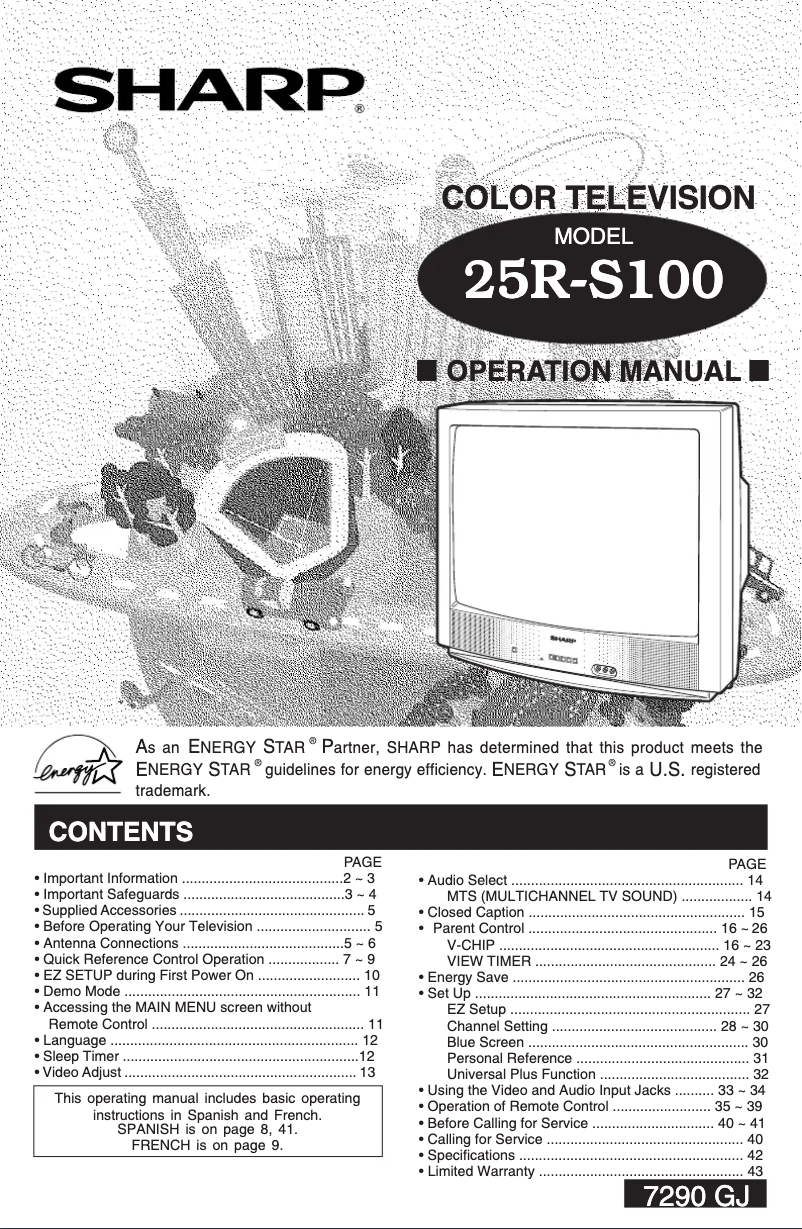
Manual of product 25R-S100
7 10

Editorial note

The Sharp 25R-S100 stands out for its compactness and lightness, making it an ideal choice for small spaces such as bedrooms or kitchens. Its picture quality is satisfactory, and the reputation of the Sharp brand ensures durable and reliable construction. Additionally, this model is designed to provide an enhanced user experience with intuitive features, making navigation and daily use more accessible. Delivered with a simple user manual, even less experienced users can quickly set up and configure the television. However, the Sharp 25R-S100 also has some drawbacks. With a screen size of only 25 inches, it may seem too small for living rooms or larger viewing spaces, thus limiting the overall experience. Furthermore, it lacks advanced features such as smart connectivity or built-in streaming apps, which could disappoint those looking for a modern television. Sound quality is another weak point, often requiring an external audio system for a satisfactory multimedia experience. Finally, the absence of additional HDMI ports may restrict connectivity with other devices. In summary, the Sharp 25R-S100 offers good value for a compact television, but it may not be suitable for all users, particularly those seeking a more immersive viewing experience or modern features.

Score details

User experience

The Sharp 25R-S100 offers an enhanced user experience thanks to its intuitive features, making navigation and daily use easier.

Performance

The performance is satisfactory for everyday use, but the 25-inch screen size may be limited for an optimal viewing experience in large spaces.

Design

The design is sleek and modern, although it may seem basic to some users compared to other contemporary models.

Value for money

For a compact and lightweight television, the Sharp 25R-S100 offers good value for money, especially for small spaces.

Features

The model may lack advanced features such as smart connectivity or built-in streaming apps, which could disappoint users looking for these options.

sound_quality

The sound quality may be insufficient, requiring an external audio system for a satisfactory multimedia experience.

connectivity

The lack of additional HDMI ports may limit connectivity with other devices, complicating the use of multiple media sources.


Advantages

Compact and lightweight for small spaces

Reputable brand for durability

Intuitive user interface

Simple installation with included manual

Modern and aesthetic design

Disadvantages

25-inch screen too small.

No smart features.

Insufficient sound quality.

Few HDMI ports available.

Basic and unappealing design.

Technical Specifications 25R-S100

General Information

Frequently Asked Questions

What is the recommended viewing distance for my Sharp television?
For your Sharp television, the optimal viewing distance depends on the screen size. Generally, it is advised to sit about 2.4 times the diagonal size of the screen.
What should I do if my television is not receiving a signal?
If your television is not receiving a signal, check the following: - Make sure your television is set to the correct source. - Ensure that your television is properly connected via the HDMI or SCART input.
What are the dimensions of my television screen?
The size of your television is usually indicated in inches, with 1 inch equal to 2.54 centimeters. This size corresponds to the measurement of the screen's diagonal, which you should measure from the bottom left to the top right.
What does HDMI stand for?
HDMI stands for High-Definition Multimedia Interface. An HDMI cable allows for the transmission of audio and video signals between various devices.
Is it possible to connect Bluetooth devices from different brands?
Yes, thanks to Bluetooth technology, you can connect different Bluetooth devices to each other.
How do I activate the warranty for my Sharp 25R-S100 television in case of a defect?
To activate the warranty for your Sharp 25R-S100 television in case of a defect, follow these steps: 1. Contact a Sharp Authorized Repairer: If a defect occurs during the warranty period, contact a Sharp Authorized Repairer. To find the nearest one, call Sharp's toll-free number at 1-800-BE-SHARP. 2. Prepare your proof of purchase: Have your proof of purchase ready when contacting the repairer, as this will facilitate the validation of your claim. 3. Explain the problem: Describe the defect of your television in detail to the repairer so they fully understand the situation. 4. Home service: If necessary, the repairer can arrange for home service for your television. 5. Warranty details: The warranty for the Sharp 25R-S100 television covers one year for parts and 90 days for labor, as well as an additional one-year warranty for picture tubes, but only for parts. Follow these steps to claim the warranty for your television in case of a problem.
What are the specifications and features of the Sharp 25R-S100 television?
The Sharp 25R-S100 television has several features and specifications: 1. Quick remote: It comes with a remote control that has buttons for power, volume, channel changing, menu access, mute, etc., as well as a sensor area on the front panel. 2. Easy initial setup: Upon first power-up, a simple setup process guides you to quickly adjust the basic settings. 3. Language selection: You can select the on-screen display and menu language for easy navigation. 4. Sleep timer: The timer function allows you to program the television to turn off automatically. 5. Video settings: Options are available to adjust brightness, contrast, color, and sharpness. 6. Audio selection: The television supports MTS sound and allows you to choose the audio mode for optimal broadcasting. 7. Closed captions: A function to enable closed captions is included, useful for the hearing impaired or in noisy environments. 8. Parental control: Parental control options, such as the V-Chip and a viewing timer, allow you to restrict access to certain content. 9. Energy saving: The television is designed to consume less energy, with an energy-saving mode. These features enhance your viewing experience while providing convenience and customization.
How do I set up the channels on my Sharp 25R-S100 television?
To set up the channels on your Sharp 25R-S100 television, follow these steps: 1. Press the MENU button on the remote to access the MAIN MENU. 2. Use the CH UP (8) or CH DOWN (9) buttons to navigate to "SETUP" and press VOL (+) or VOL (-) to enter SETUP mode. 3. Navigate to "CHANNEL SETUP" and press VOL (+) or VOL (-) to enter. 4. Access EASY SETUP mode using the VOL (+) or VOL (-) buttons. 5. Press VOL (+) to start the automatic channel search. The television will search for broadcast and cable channels, and channel numbers will display as they are found. 6. To stop the search, press VOL (-). 7. At the end of the process, the lowest stored channel number will be displayed. If not all channels are stored, you can proceed with manual memorization by following additional steps. 8. Press MENU to exit. Note: The available channels are VHF channels 2 to 13 and UHF channels 14 to 69 in AIR mode, as well as channel 1 (HRC and IRC only) and channels 2 to 125 (STD, HRC, and IRC) in CABLE mode.
How can I get information about compatible accessories for the Sharp 25R-S100 television?
To get information about compatible accessories for your Sharp 25R-S100 television, follow these steps: 1. Check the connection ports on the back of the television to connect various external devices. 2. To connect video equipment, use the available video and audio inputs on the television. 3. Refer to the television manual for a list of recommended and compatible accessories. 4. Consider your personal preferences to determine which accessories you might need, such as external speakers or HDMI cables. By following these steps, you can find the appropriate accessories for your Sharp 25R-S100 television.
Is it possible to connect external devices like a DVD player or game console to my Sharp 25R-S100 television?
Yes, you can connect external devices such as a DVD player or game console to your Sharp 25R-S100 television. Here’s how: 1. Identify the input ports on the back or side of the television, such as those labeled "HDMI," "AV," or "Component." 2. Choose the appropriate cable based on your device's outputs: use an HDMI cable for HDMI outputs, an AV cable for AV outputs, or a component cable for component outputs. 3. Connect the cable to the corresponding ports on your television. 4. Select the input source using the "Input" or "Source" button on your remote. 5. Turn on the external device and ensure it is set to transmit the signal to the television. By following these steps, you can enjoy your external content on your Sharp 25R-S100 television.
How do I activate the warranty for my Sharp 25R-S100 television in case of a defect?
To activate the warranty for your Sharp 25R-S100 television if you notice a defect, proceed as follows: 1. Contact a Sharp Authorized Repairer. If your television has a problem during the warranty period, call Sharp's toll-free number at 1-800-BE-SHARP to locate the nearest repairer. 2. Have your proof of purchase ready to facilitate the validation of your request. 3. Describe the problem encountered with your device to the repairer, providing as many details as possible. 4. If necessary, the repairer can arrange for home service for your television, handling its removal and reinstallation. 5. The warranty covers one year for parts and 90 days for labor, with an additional one-year warranty for picture tubes, but only for parts. Make sure to follow these steps to claim your warranty.
What are the specifications and features of the Sharp 25R-S100 television?
The Sharp 25R-S100 television has several specifications and features, including: 1. Quick remote: A remote control with buttons for power, volume, channel changing, menu access, mute, and more. 2. Easy initial setup: A setup process guides the user during the first power-up. 3. Language selection: Option to select the language for display and menu. 4. Sleep timer: Functionality to program the television to turn off automatically. 5. Video settings: Adjustment options for brightness, contrast, color, and sharpness. 6. MTS sound: Supports multichannel sound for an enhanced audio experience. 7. Closed captions: Function to display subtitles for the hearing impaired. 8. Parental control: Options to restrict access to certain content. 9. Energy saving: An energy-saving mode is available. 10. Detailed specifications: The manual includes information on dimensions, weight, and power requirements. These features contribute to a better viewing experience and offer customization options.
How do I set up the channels on my Sharp 25R-S100 television?
To set up the channels on your Sharp 25R-S100 television, follow these steps: 1. Press the MENU button on the remote to access the MAIN MENU. 2. Use CH + (8) or CH - (9) to navigate to "SETUP." 3. Press VOL + or VOL - to enter SETUP mode. 4. Navigate to "CHANNEL SETUP" and press VOL + or VOL - to access it. 5. Access EASY SETUP mode using VOL + or VOL -. 6. Press VOL + to start the automatic channel search. Broadcast and cable channels will be searched, with automatic numbering. 7. To interrupt, press VOL -. 8. At the end, the lowest stored channel number will be displayed. If not all channels are stored, you can continue manually by following additional steps. 9. To exit, press the MENU. By following these steps, you can set up the channels on your television, whether in EASY SETUP mode or manually.
What should I do if I cannot receive channels on my Sharp 25R-S100 television?
If your Sharp 25R-S100 television is not receiving channels, try these steps: 1. Check the antenna connection: Ensure that the antenna cable is properly connected. 2. Check the signal strength: If signals in your area are weak, this may affect reception. Try repositioning the antenna or using an amplifier. 3. Perform EASY SETUP: If not done, turn on the television, select the language, and follow the instructions to complete the setup. 4. Manually memorize channels if necessary: Access the SETUP menu and select the desired mode (AIR or CABLE). 5. Check for interference: Ensure that no electronic devices are disrupting reception. By following these tips, you can identify and resolve the channel reception issue on your Sharp 25R-S100 television.
Is the manual for the Sharp 25R-S100 available in French?
Unfortunately, the manual for the Sharp 25R-S100 is not available in French; it only exists in English.

Similar products


Discover the technical sheet of 55LED1600 from Salora and its manuals...
Available manuals:
Discover the technical sheet of 28LED1600 from Salora and its manuals...
Available manuals:
Discover the technical sheet of LC-42LE772EN from Sharp and its manuals...
Available manuals:
Discover the technical sheet of 43LED1600 from Salora and its manuals...
Available manuals:
Discover the technical sheet of LC-70UD20KN from Sharp and its manuals...
Available manuals:
Discover the technical sheet of LC-70UD20EN from Sharp and its manuals...
Available manuals:
Discover the technical sheet of LC-50LE771K from Sharp and its manuals...
Available manuals:
Discover the technical sheet of 20LED1600 from Salora and its manuals...
Available manuals:
Discover the technical sheet of LC-50LE772EN from Sharp and its manuals...
Available manuals:
Discover the technical sheet of 22LED1600 from Salora and its manuals...
Available manuals:
Discover the technical sheet of LC-60UD20KN from Sharp and its manuals...
Available manuals:
Discover the technical sheet of 32LED1600 from Salora and its manuals...
Available manuals:

Presentation of product 25R-S100 specifications from brand Sharp

General Information

The Sharp 25R-S100 is a television from the Sharp brand, known for its expertise and innovations in the multimedia device sector. This model, with its 25-inch size, is designed to provide reliable performance while enhancing the viewing experience for users.

This compact and lightweight television is particularly suitable for small spaces such as bedrooms or kitchens, while ensuring satisfactory image quality. Its modern and elegant design blends harmoniously into various interior decors, adding an aesthetic touch to your space.

The Sharp 25R-S100 is also designed for easy use, with intuitive features that facilitate navigation. Supplied with a user manual, it allows for simple installation, even for those who are not familiar with modern technologies.

Advantages

  • Compact and lightweight, ideal for small spaces.
  • Brand reputation ensuring durability and reliability.
  • Enhanced user experience thanks to intuitive features.
  • Simple installation and setup, accompanied by a user manual.
  • Elegant design that easily adapts to different decors.

Disadvantages

  • 25-inch screen size may be insufficient for living rooms or large viewing spaces.
  • Lack of advanced features such as smart connectivity or built-in streaming apps.
  • Sound quality may require the addition of an external audio system for an optimal multimedia experience.
  • Absence of additional HDMI ports limiting connectivity with other devices.
  • Design may appear basic compared to other contemporary models.