

Manuals of product MX-C357F
Editorial note
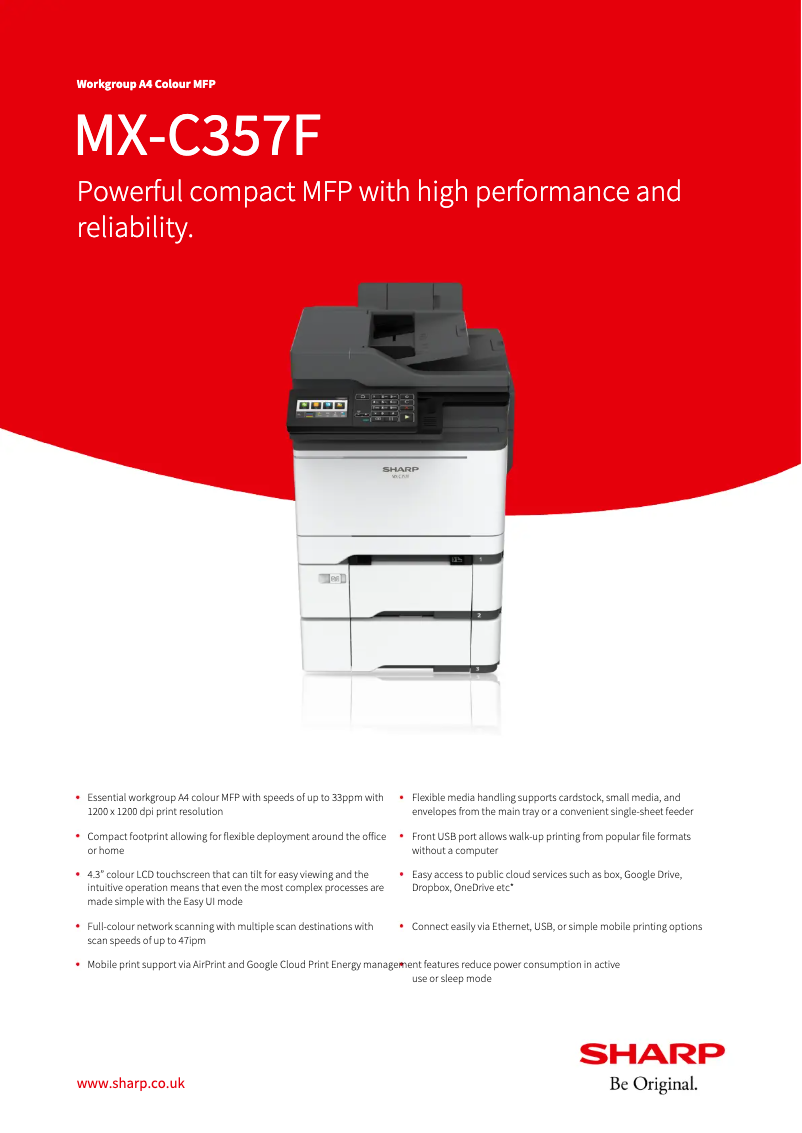
The Sharp MX-C357F printer stands out for its high-quality printing technology, ensuring clear and professional documents, which is essential for various office uses. Its user-friendly and intuitive interface makes daily use easy, making this device accessible to all levels of users. Additionally, its versatile features allow for printing, copying, and scanning, making it a comprehensive tool for work environments. However, several drawbacks deserve mention. The cost of ink cartridges can be high, increasing long-term expenses for regular users. The size of the printer may also pose a problem in small workspaces, making installation difficult. Furthermore, although its performance is generally satisfactory, the first print time may be longer than desired, a crucial aspect in an environment where speed is essential. On the support side, the comprehensive documentation, including a user manual, is a major asset for better understanding of the product. However, firmware updates can be complicated, potentially leading to compatibility issues with certain operating systems. In summary, the Sharp MX-C357F is a reliable printer offering quality performance, but it has some limitations that should be considered, particularly in terms of costs and space.Score details
User experience
The user-friendly and intuitive interface of the printer makes it easy to use daily for users of all levels.
Performance
The printing technology delivers clear and professional documents, although the first print time can be relatively long.
Value for money
The cost of ink cartridges can be high, which increases long-term expenses for regular users.
Design
The size of the printer can be cumbersome for small workspaces, making installation difficult.
Features
The versatile features allow for printing, copying, and scanning, but some advanced options may be lacking.
Support
The technical support and comprehensive documentation provided, including a user manual, are major assets for better understanding of the product.
repairability
Firmware updates can be complicated to perform, which can cause compatibility issues with certain operating systems.
Advantages
High-quality printing for professional documents.
Reliable and durable brand: Sharp.
Intuitive interface for all users.
Versatile printing, copying, and scanning.
Technical support and comprehensive documentation included.
Disadvantages
High cost of ink cartridges.
Bulky size for small spaces.
Limited advanced features.
Long first print time.
Complicated firmware updates.
Technical Specifications MX-C357F
General Information
-
ModelMX-C357F
-
Brand
-
Category
-
Type
-
SKU1570520
-
MPN1570520
Frequently Asked Questions
What is the recommended method for removing jammed paper from the printer?
Why is my printer not recognizing the original cartridges?
What could be the reasons for poor print quality?
How does a laser printer differ from an inkjet printer?
Why is my inkjet printer leaving black streaks on prints?
What does the acronym DPI mean?
Is the manual for the Sharp MX-C357F available in French?
Similar products


More product categories from brand Sharp
Television and multimedia Sharp
Home appliances Sharp
Household appliances Sharp
Audio Sharp
Phones Sharp
Other Sharp
Interior Sharp
More product types from brand Sharp


Presentation of product MX-C357F specifications from brand Sharp
General Information
The Sharp MX-C357F printer is a model from the Sharp brand, known for its excellence and innovation in the electronics sector. This model stands out for its advanced printing capabilities, delivering high-quality results that ensure documents are both clear and professional. Designed to optimize the user experience, the MX-C357F meets the varied demands of modern work environments.
Advantages
This model has several advantages, including:
- High-quality printing technology, ensuring flawless results for all your documents.
- Reliability of the Sharp brand, known for its durability and commitment to innovation.
- User-friendly interface that simplifies its use, making it accessible to users of all levels.
- Versatile features allowing printing, copying, and scanning, making it a complete and practical device for offices.
- Comprehensive technical support, including a user manual, a brochure, and a technical sheet for better understanding of all features.
Disadvantages
However, the Sharp MX-C357F also has some disadvantages:
- The cost of ink cartridges can be high, leading to additional expenses for regular users.
- Its bulky size can be problematic in small workspaces, making installation complicated.
- Some advanced features, such as double-sided scanning or wireless connectivity options, may be limited compared to other competing models.
- The first print time can be relatively long, which could be a disadvantage in environments where speed is crucial.
- Firmware updates can sometimes be difficult to perform, causing compatibility issues with certain operating systems.
In summary, the Sharp MX-C357F presents itself as a comprehensive printing solution, well-suited for professional use, while requiring consideration of the mentioned points for optimal use.


