

Manuals of product MX-7081

Editorial note
The Sharp MX-7081 is a printer that stands out for its superior print quality, delivering professional results with vibrant colors. Its versatility allows for handling various types of media and formats, making it an ideal choice for a multitude of applications, ranging from simple documents to complex graphic work. Ease of use is also a plus, thanks to the availability of a user manual and a quick start guide, although the complexity of the interface may require some adjustment time. However, this model has some drawbacks. Its high purchase price and the cost of consumables can be a barrier for some businesses or individual users, thus affecting the perception of value for money. Additionally, its weight and dimensions can complicate installation in tight spaces. Although the printer is designed to be energy-efficient, its energy consumption can be high, leading to additional long-term costs. Finally, the specific cartridges can be expensive and less available on the market. In summary, the Sharp MX-7081 is a high-performing and versatile printer, ideal for users seeking quality, but it requires a significant initial investment and some adaptation to its advanced features.Score details
User experience
The ease of use is a strong point thanks to the available documents, but the complexity of the interface may require an adjustment period.
Performance
The superior print quality and versatility of the Sharp MX-7081 make it suitable for a wide range of applications, ensuring professional results.
Value for money
The high purchase price and the cost of consumables can be a barrier for some users, affecting the perception of value for money.
Design
Although the design is modern, its weight and dimensions can complicate installation in tight spaces.
Battery life
Energy efficiency is appreciated, but energy consumption can be high, leading to additional long-term costs.
Features
The advanced features and modern connectivity are an asset, but may require a learning curve for users.
Advantages
High-quality printing and vibrant colors
Versatile for various types of media
Simplified and quick handling
Energy-saving and reduced ecological footprint
Multiple connectivity for easy integration
Disadvantages
High purchase cost for some companies.
Difficult installation in tight spaces.
Complex interface requiring a learning curve.
Potentially high energy consumption.
Expensive and scarce toner cartridges.
Technical Specifications MX-7081
General Information
-
ModelMX-7081
-
Brand
-
Category
-
Type
-
SKU1570556
-
MPN1570556
Frequently Asked Questions
What is the recommended method for removing jammed paper from the printer?
Why is my printer not recognizing the original cartridges?
What are the possible reasons for poor print quality?
How does a laser printer differ from an inkjet printer?
Why does my inkjet printer leave black streaks on my prints?
What does the acronym DPI mean?
Is the manual for the Sharp MX-7081 available in French?
Similar products


More product categories from brand Sharp
Television and multimedia Sharp
Home appliances Sharp
Household appliances Sharp
Audio Sharp
Phones Sharp
Other Sharp
Interior Sharp
More product types from brand Sharp


Presentation of product MX-7081 specifications from brand Sharp
General Information
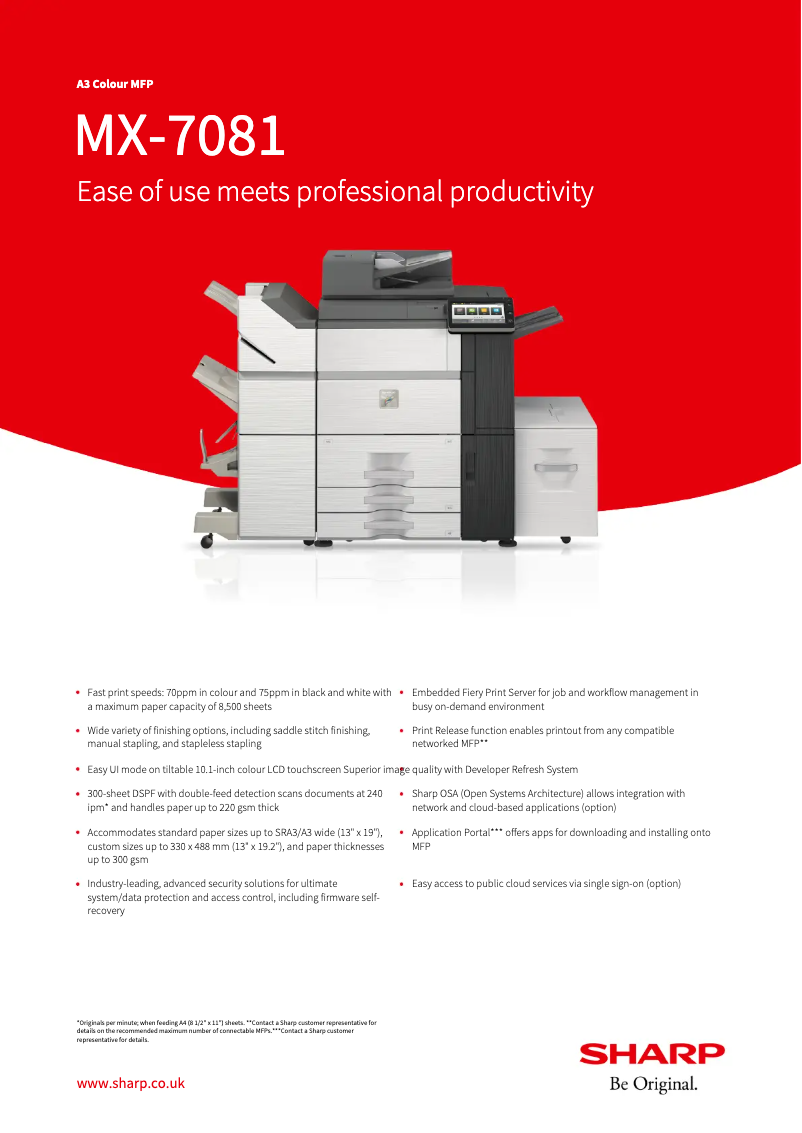
The Sharp MX-7081 is a printer from the renowned brand Sharp, known for its commitment to quality and innovation in the technology device sector. This model, the MX-7081, is designed to deliver exceptional performance while enhancing the user experience through advanced features.
Advantages
Superior print quality: The Sharp MX-7081 stands out for its ability to produce prints with remarkable sharpness and vibrant colors, ideal for professional documents and graphic materials.
Versatility: This printer is capable of handling a wide range of media and formats, making it suitable for various applications, from simple prints to more complex projects.
Ease of use: With a detailed user manual and a quick start guide, getting started with the Sharp MX-7081 is simplified, allowing users to begin printing without delay.
Energy efficiency: Designed to minimize energy consumption, this printer helps reduce electricity costs while having a lower environmental impact.
Advanced connectivity: The MX-7081 model supports multiple connectivity options, facilitating its integration into modern work environments and allowing easy printing from different devices.
Disadvantages
Purchase cost: The Sharp MX-7081 represents a significant investment, which may be a barrier for some businesses or individual users.
Weight and dimensions: Its weight and dimensions can pose challenges during installation or relocation, particularly in tight spaces.
Interface complexity: Although feature-rich, the interface may seem complex for some users, requiring an adjustment period that could slow initial productivity.
Energy consumption: Despite its efficiency, energy consumption can be relatively high, leading to additional costs in the long term for those monitoring their energy budget.
Consumable costs: The ink or toner cartridges specific to the model can be expensive and less readily available, which may increase the overall cost of using the printer.


