
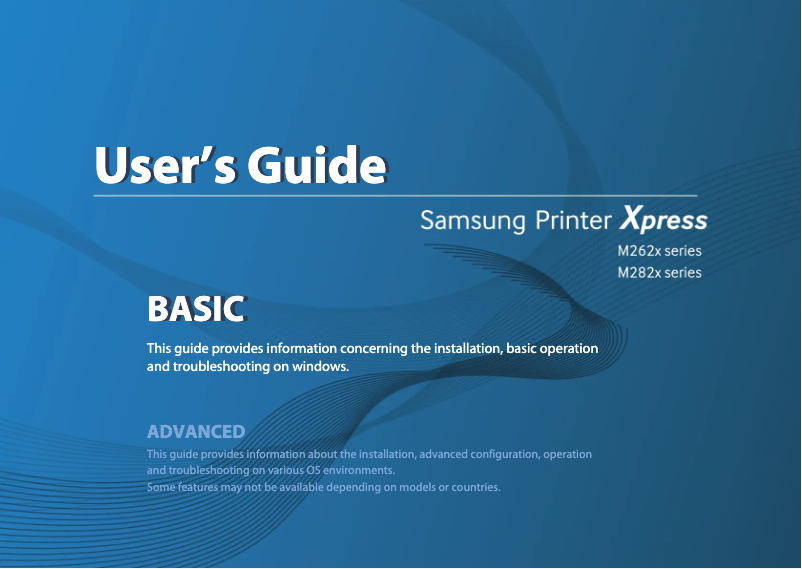
Manual of product Xpress SL-M2620
Editorial note
The Samsung Xpress SL-M2620 printer stands out for its exceptional print quality, producing sharp and professional documents suitable for both personal and professional use. Its compact design makes it an ideal choice for tight workspaces while ensuring robust performance. Additionally, the Samsung brand is known for its reliability, providing users with peace of mind regarding the device's durability. However, this device has some limitations. The lack of scanning and copying features makes it less versatile, especially in an office environment where these options are often needed. Furthermore, connectivity is limited to a USB port, complicating remote use. Although the printer is designed to be energy-efficient, the high cost of toners can represent a significant expense in the long run, especially for heavy use. Finally, the print speed may not satisfy users with high demands, and it can be relatively noisy in operation. Overall, the Samsung Xpress SL-M2620 is a reliable and efficient printer, but it is better suited for users with moderate printing needs who do not require advanced features.Score details
User experience
The user experience is pleasant thanks to an intuitive interface, allowing for easy use even for non-tech-savvy users.
Performance
The print quality is exceptional, providing sharp documents, but the printing speed may not be sufficient for high-demand users.
Design
The compact design easily fits into tight workspaces while maintaining robust performance.
Value for money
Although the printer is energy-efficient, the high cost of toners can increase long-term operating costs.
Features
The lack of scanning and copying features limits its usefulness in an office environment.
Support
The Samsung brand is known for its reliability, providing some peace of mind to users.
Usability
The intuitive interface and ease of setup enhance daily usability.
Robustness
The durability and reliability of the brand are major assets, ensuring longevity in the use of the printer.
Documentation
The user manual is comprehensive and helps with setup and troubleshooting.
Advantages
Professional quality printing
Reduced energy consumption
Compact design for small spaces
Reputable brand for reliability
Intuitive user interface
Disadvantages
No scanning or photocopying.
Limited connection to USB only.
High cost of toners.
Noisy during printing.
Insufficient printing speed for some.
Technical Specifications Xpress SL-M2620
General Information
-
ModelXPRESS SL-M2620
-
Brand
-
Category
-
Type
-
SKU860430
-
MPN860430
Frequently Asked Questions
What is the recommended method for removing jammed paper from the printer?
Why is my printer not recognizing the original cartridges?
What could be the reasons for poor print quality?
What is the difference between a laser printer and an inkjet printer?
Why is my inkjet printer leaving black streaks on my prints?
What does the acronym DPI mean?
Is the manual for the Samsung Xpress SL-M2620 available in French?
Similar products




More product categories from brand Samsung
Television and multimedia Samsung
Home appliances Samsung
Household appliances Samsung
Phones Samsung
Audio Samsung
Other Samsung
Interior Samsung
Tools Samsung
Software Samsung
More product types from brand Samsung


Presentation of product Xpress SL-M2620 specifications from brand Samsung
General Information
The Samsung Xpress SL-M2620 printer is a model from the renowned brand Samsung, known for its commitment to quality and innovation in the electronics sector. This specific model stands out for its reliable performance and enhanced user experience, making document printing easy and efficient.
Advantages
This printer offers exceptional print quality, producing clear and professional documents suitable for both personal and professional use. It is also distinguished by its energy efficiency, designed to minimize energy consumption, making it a wise choice for environmentally conscious users.
Its compact design allows for easy integration into small workspaces while ensuring robust performance. Additionally, the reliability of the Samsung brand ensures appreciable durability and longevity, providing peace of mind to users. Finally, the intuitive user interface simplifies setup and daily use, even for those who are not familiar with technology.
Disadvantages
However, the Samsung Xpress SL-M2620 has some limitations. It does not offer scanning or copying features, which may restrict its use in an office environment where these options are often required. Furthermore, connectivity is limited, allowing only USB options and excluding the possibility of Wi-Fi connection, complicating remote use.
It is also worth noting that the cost of toners can be high, increasing long-term operating expenses, especially for heavy use. The printer can be relatively noisy during operation, which may disrupt a quiet work environment. Finally, while its print speed is acceptable, it may not meet the needs of users with very high printing demands.


