

Manual of product SCX-4521FG
Editorial note
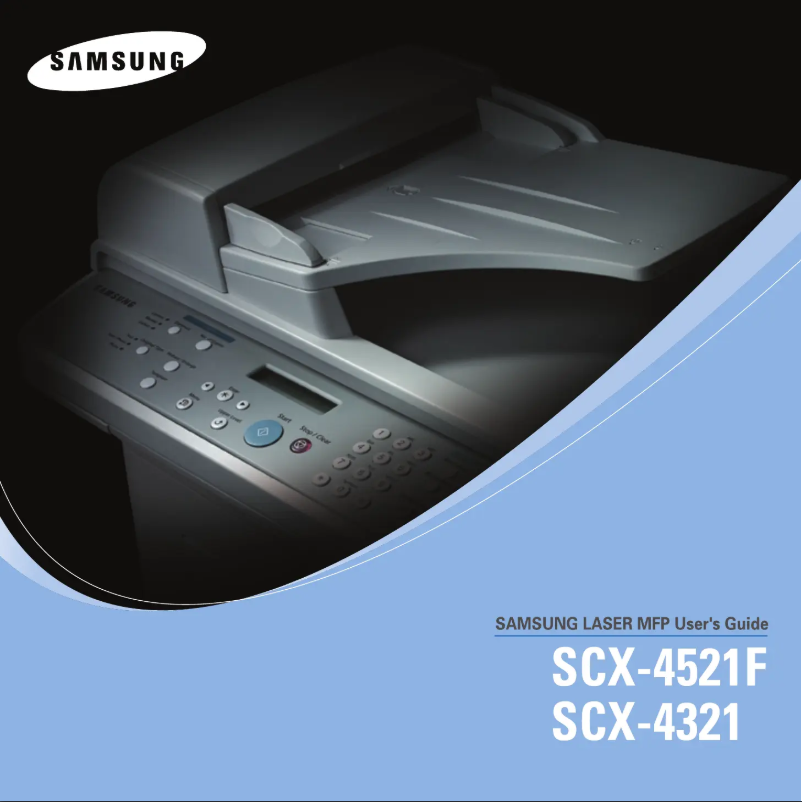
The Samsung SCX-4521FG printer stands out for its superior print quality, delivering sharp and professional documents thanks to its high resolution. In addition to its printing function, it proves versatile with copying and scanning capabilities, making it ideal for both office and home use. The reputation of the Samsung brand also ensures appreciable reliability and durability, and its functional design, although bulky, allows it to be integrated into various work environments. However, some drawbacks deserve to be highlighted. The lack of wireless connectivity limits its usage options, and the cost of ink and toner cartridges can quickly become a deterrent, especially for those who print frequently. Furthermore, while print performance is generally satisfactory, the printing speed is lower than that of some competing models, which could slow down workflow. Finally, the absence of advanced features, such as automatic duplex printing, may not meet the expectations of professional users. Overall, despite some limitations, the Samsung SCX-4521FG remains a solid choice for those seeking a reliable and efficient printer, provided that its practical aspects and operating costs are taken into account.Score details
User experience
The user experience is very positive thanks to a well-designed user manual that facilitates access to the printer's features.
Performance
The printing performance is good with high resolution, but the printing speed may be lower than that of some competitors.
Design
The design of the printer is functional, but it can be bulky in small workspaces.
Value for money
The cost of ink and toner cartridges can be high, which may increase operating costs for frequent users.
Features
Although the printer is versatile, the lack of wireless connectivity features and automatic duplex printing may disappoint some professional users.
Battery life
The printer is designed to be energy-efficient, thus helping to reduce operating costs in the long term.
Advantages
Clear and professional impression.
Multifunction: prints, copies, scans.
Reliable brand with good durability.
Intuitive and easy to use.
Energy efficient and economical.
Disadvantages
Bulky for small workspaces.
No wireless connectivity.
High cost of cartridges and toners.
Print speed lower than the competition.
Lack of advanced features.
Technical Specifications SCX-4521FG
General Information
-
ModelSCX-4521FG
-
Brand
-
Category
-
Type
-
SKU1385529
-
MPN1385529
Frequently Asked Questions
What is the recommended method for removing paper jammed in the printer?
Why does my printer not recognize original cartridges?
What are the possible reasons for poor print quality?
What are the differences between an inkjet printer and a laser printer?
Why does my inkjet printer leave black streaks on prints?
What does the acronym DPI mean?
Is the manual for the Samsung SCX-4521FG available in French?
Similar products




More product categories from brand Samsung
Television and multimedia Samsung
Home appliances Samsung
Household appliances Samsung
Phones Samsung
Audio Samsung
Other Samsung
Interior Samsung
Tools Samsung
Software Samsung
More product types from brand Samsung


Presentation of product SCX-4521FG specifications from brand Samsung
General Information
The Samsung SCX-4521FG printer, from a brand known for its innovation and quality, stands out for its ability to deliver reliable performance. This model, identified by the EAN code 0635753610567, is designed to meet the varied needs of offices and homes. As a multifunction device, it not only allows for printing but also copying and scanning, making its use particularly versatile.
Advantages
The Samsung SCX-4521FG is distinguished by its superior print quality, thanks to its high resolution that ensures clear and professional documents. Its reliability is a major asset, as the Samsung brand is synonymous with durability and optimal performance. Additionally, this device is energy-efficient, thus helping to reduce operating costs. The accessibility of its features, facilitated by a clear user manual, allows any user to take advantage of its capabilities without difficulties.
Disadvantages
However, the SCX-4521FG printer has some limitations. Its bulkiness can be an issue in restricted workspaces. Furthermore, the lack of wireless connectivity limits its use to wired connections, which may not suit all users. The cost of ink and toner cartridges can also be high for those who print frequently. Finally, while its printing speed is acceptable, it may be lower than that of some competing models, and the absence of advanced features such as automatic duplex printing may not satisfy professionals looking for more sophisticated solutions.


