

Manual of product ProXpress SL-M4580FX
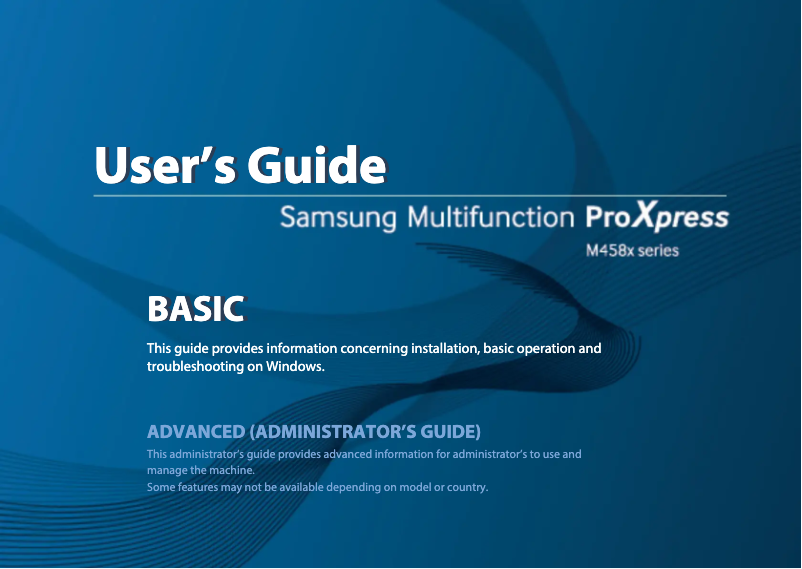
Editorial note
The Samsung ProXpress SL-M4580FX stands out for its optimal performance, offering fast and high-quality printing, making it an ideal choice for demanding work environments. The reliability of the Samsung brand ensures confidence in the durability and performance of this model, while an ergonomic design and user-friendly features enhance the user experience, although the interface may seem complex for some. However, it is important to note that the initial purchase cost can be a barrier for small budgets, not to mention that toner cartridges are also expensive to replace, which increases the long-term cost of use. The size of the printer may pose space issues in small work areas. Additionally, the noise level during printing can be relatively high, which could disrupt a quiet environment. Despite these drawbacks, the Samsung ProXpress SL-M4580FX comes with a detailed user manual, making installation and use easier while allowing for quick troubleshooting. In summary, this printer offers good value for money for professionals looking for an efficient and robust printing solution.Score details
Performance
The performance of the Samsung ProXpress SL-M4580FX printer is optimal due to its fast and high-quality printing, making it ideal for demanding work environments.
User experience
The user experience is enhanced by user-friendly features and an ergonomic design, although the interface may be complex for some users.
Value for money
The initial purchase cost is relatively high, which can be a barrier for small budgets, and the toner cartridges are also expensive to replace.
Design
The design is modern and ergonomic, but the size of the printer can be bulky, making its integration into smaller workspaces more difficult.
Support
A detailed user manual is provided, which facilitates the installation and use of the printer, allowing for quick troubleshooting.
Robustness
The reliability of the Samsung brand inspires confidence in the product's durability, although care is needed to avoid issues related to heavy use.
noise_level
The noise level during printing can be relatively high, which can be disruptive in a quiet work environment.
Advantages
Fast and high-quality printing
Recognized reliability of the Samsung brand
Ergonomic and user-friendly design
Simplified traceability thanks to the EAN code
Clear user manual included
Disadvantages
High initial purchase cost.
Bulky size for small spaces.
Expensive toner cartridges to replace.
Complex user interface to master.
High noise level during printing.
Technical Specifications ProXpress SL-M4580FX
General Information
-
ModelPROXPRESS SL-M4580FX
-
Brand
-
Category
-
Type
-
SKU1385538
-
MPN1385538
Frequently Asked Questions
What is the recommended method for removing paper jammed in the printer?
Why does my printer not recognize original cartridges?
What are the possible reasons why my prints are of poor quality?
What is the difference between a laser printer and an inkjet printer?
Why does my inkjet printer leave black streaks on prints?
What does the abbreviation DPI mean?
Is the manual for the Samsung ProXpress SL-M4580FX available in French?
Similar products




More product categories from brand Samsung
Television and multimedia Samsung
Home appliances Samsung
Household appliances Samsung
Phones Samsung
Audio Samsung
Other Samsung
Interior Samsung
Tools Samsung
Software Samsung
More product types from brand Samsung


Presentation of product ProXpress SL-M4580FX specifications from brand Samsung
General Information
The Samsung ProXpress SL-M4580FX is a printer from the renowned brand Samsung, known for its commitment to quality and innovation in the electronics sector. This model is specifically designed to meet the needs of demanding work environments, offering fast and high-quality printing performance. With the EAN code 0191628389179, the product benefits from a unique identification, facilitating its traceability in distribution systems.
Advantages
- Optimal performance: The printer is capable of producing prints efficiently, which is essential in high-demand offices.
- Brand reliability: As a Samsung product, it inspires confidence due to its durability and efficiency.
- Improved user experience: User-friendly features and ergonomic design simplify document management, thus optimizing workflow.
- User support: A comprehensive user manual is included, providing clear instructions for installation and use, making it easy to get started.
Disadvantages
- Initial cost: The purchase price may seem high for some users, especially those with a limited budget.
- Bulky size: Its volume may pose space issues, making the printer less suitable for small offices.
- Cost of toner cartridges: Replacing cartridges can be expensive, thus increasing long-term usage costs.
- User interface: Some users may find the interface complex, requiring an adjustment period to fully benefit from it.
- Noise level: During operation, the printer may emit a relatively loud noise, which can be disruptive in a quiet environment.


