

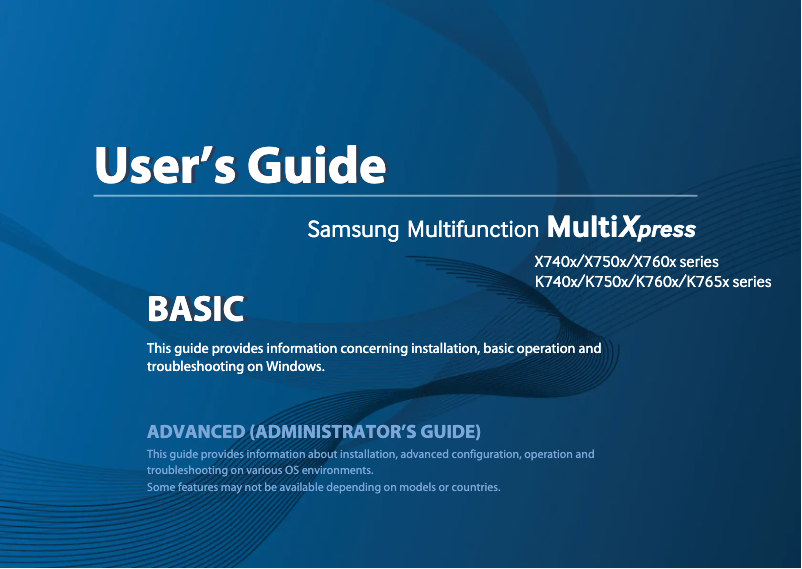
Manual of product MultiXpress SL-K7600GX
Editorial note
The Samsung MultiXpress SL-K7600GX stands out for its exceptional print quality, offering precise resolution that perfectly meets the demands of professionals. Its ability to print different formats and types of documents makes it a versatile choice, ideal for reports, presentations, and brochures. Additionally, its energy-efficient features help reduce energy consumption, which is beneficial for both the environment and users' budgets. However, it is worth noting that the price of the printer as well as the cost of ink cartridges can quickly add up, which may deter some buyers. The dimensions of the device may also pose installation issues in tight spaces. Although the user interface is intuitive, some users may encounter a learning curve to master the advanced features. Furthermore, the operating noise can be disruptive in quiet environments, impacting the overall user experience. In summary, the Samsung MultiXpress SL-K7600GX is a robust and high-performing printer, but its cost and dimensions should be considered when making a purchase.Score details
User experience
Ease of use is a major asset thanks to an intuitive interface, allowing for quick handling even for less experienced users.
Performance
The print quality is exceptional, offering precise resolution that meets the demands of professionals, making it an ideal choice for presentations and reports.
Value for money
Although the performance is high, the price of the printer and the cost of cartridges may be considered too high, which could limit its appeal to some users.
Features
The versatility of supported formats and document types, as well as advanced connectivity via Wi-Fi, adds considerable value to this device.
Design
The dimensions of the device can be bulky, which may pose installation issues in small spaces.
Robustness
The model is designed to be robust, but some advanced features may require a learning curve, affecting the user experience initially.
Usability
Despite an intuitive user interface, the operating noise can be disruptive in quiet work environments, affecting overall usability.
Advantages
High and precise print quality.
Supports various formats and types of documents.
Reduction in energy consumption.
Intuitive and easy-to-use interface.
Wi-Fi connectivity for wireless printing.
Disadvantages
High price compared to the competition.
Bulky dimensions for small spaces.
High cost of cartridges and maintenance.
Learning curve for advanced features.
Disturbing operating noise in silence.
Technical Specifications MultiXpress SL-K7600GX
General Information
-
ModelMULTIXPRESS SL-K7600GX
-
Brand
-
Category
-
Type
-
SKU1385524
-
MPN1385524
Frequently Asked Questions
What is the recommended method for removing paper jammed in the printer?
Why does my printer not recognize the original cartridges?
What could be the reasons for poor print quality?
What is the difference between a laser printer and an inkjet printer?
Why does my inkjet printer leave black streaks on prints?
What does the acronym DPI mean?
Is the manual for the Samsung MultiXpress SL-K7600GX available in French?
Similar products




More product categories from brand Samsung
Television and multimedia Samsung
Home appliances Samsung
Household appliances Samsung
Phones Samsung
Audio Samsung
Other Samsung
Interior Samsung
Tools Samsung
Software Samsung
More product types from brand Samsung


Presentation of product MultiXpress SL-K7600GX specifications from brand Samsung
General Information
The Samsung MultiXpress SL-K7600GX printer is a product from the renowned brand Samsung, which stands out for its innovation and quality in the office equipment sector. This model, SL-K7600GX, is designed to deliver superior performance and an enhanced user experience, thus meeting the demands of professionals and users seeking reliability.
Advantages
Exceptional print quality: The Samsung MultiXpress SL-K7600GX produces prints with remarkable clarity, with a resolution that meets the expectations of demanding users, whether for professional documents or marketing materials.
Versatility: This printer supports various paper sizes and document types, making it ideal for a multitude of applications, including report creation, presentations, or brochures.
Energy efficiency: With its energy-saving features, the SL-K7600GX helps reduce energy consumption, thus contributing to environmental protection while allowing savings on electricity bills.
Ease of use: Equipped with an intuitive user interface, this printer allows simplified access to its functions, promoting quick handling, even for novices.
Advanced connectivity: The SL-K7600GX model offers several connectivity options, including Wi-Fi, facilitating wireless printing from various devices and thus promoting collaborative work.
Disadvantages
Cost: The price of the printer may be high compared to other similar models, which may not suit all budgets.
Dimensions: The dimensions of the device can be bulky, making installation difficult in tight spaces.
Consumable costs: The expenses related to ink cartridges and maintenance can quickly add up, impacting long-term cost-effectiveness.
Learning curve: Some advanced features may require learning, which could make initial use less intuitive for new users.
Operating noise: The noise level of the printer can be disturbing, especially in quiet work environments.


