

Manual of product SP 377DNwX
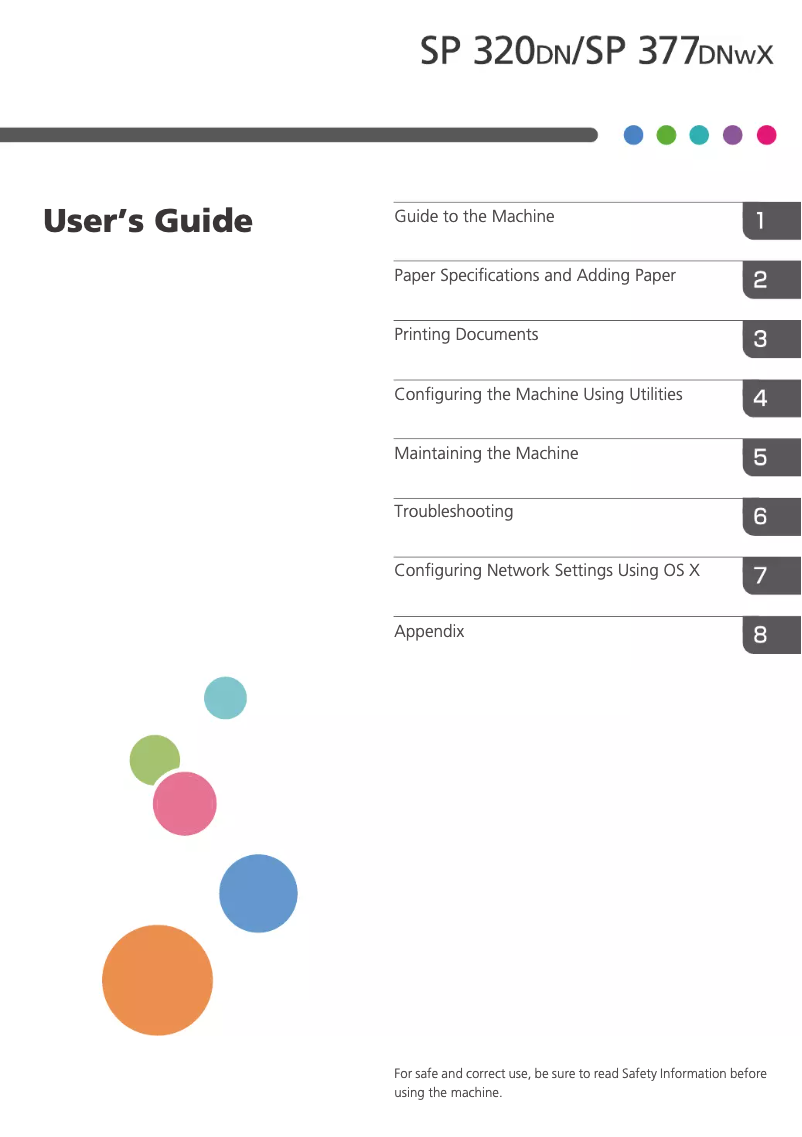
Editorial note
The Ricoh SP 377DNwX printer stands out for its solid performance, offering a print speed of 28 pages per minute and an impressive resolution of 1200 x 1200 DPI, ensuring prints of exceptional clarity. Its wireless connectivity and 300-sheet paper capacity are notable assets, allowing for effective integration into demanding work environments while reducing interruptions due to frequent reloading. Additionally, its reduced energy consumption in sleep mode contributes to better energy efficiency, which is advantageous for operating costs. However, this device also has some limitations. The lack of color printing functionality may restrict its use for documents requiring attractive visuals. The 26-second warm-up time may seem long in a setting where speed is crucial. Furthermore, the 128 MB internal memory might prove insufficient for handling complex print tasks, leading to slowdowns. Finally, while the paper capacity is reasonable, it may not be suitable for high-volume printing offices, and the weight of 13 kg can make the printer difficult to move. Overall, the Ricoh SP 377DNwX is an interesting choice for users looking for an efficient and high-performing printer, but it is important to consider its limitations regarding color printing and capacity for intensive use.Score details
User experience
The user experience is satisfactory, with a built-in screen that facilitates use, but the lack of color may limit appeal for some users.
Performance
Performance is good with a printing speed of 28 ppm and a high resolution of 1200 x 1200 DPI, but the warm-up time of 26 seconds can be a drawback.
Battery life
Reduced energy consumption in sleep mode contributes to better energy efficiency, which is a positive point for operating costs.
Value for money
The value for money is satisfactory, but the lack of color printing and the 300-sheet paper capacity may pose problems for high-volume offices.
Usability
The internal memory of 128 MB may be insufficient for complex printing tasks, leading to slowdowns, which can harm the user experience.
Design
The design is modern with a sleek finish, but the weight of 13 kg can make the printer difficult to move.
Advantages
Fast printing: 28 pages per minute
High resolution: 1200 x 1200 DPI
Easy wireless and network connectivity
300-sheet capacity for fewer reloads
Energy saving in sleep mode
Disadvantages
No color printing available
Long preheating time
Limited internal memory
Insufficient power capacity
Heavy weight, difficult to move
Technical Specifications SP 377DNwX
General Information
-
ModelSP 377DNWX
-
Brand
-
Category
-
Type
-
SKU1096734
-
MPN1096734
Print speed
-
Double-sided printing-
-
ColorNo
-
Maximum resolution1200 x 1200 DPI
-
Preheating time26 s
-
Copy time for the first page (Black, normal)8 s
-
Print speed (black, normal quality, A4/US Letter)28 ppm
-
Printing technologyLaser
Features
-
Service cycle (Maximum)35000 pages per month
-
Number of print cartridges1
-
Languages of the page descriptionPCL 5e, PCL 6
-
Printing colorsBlack
Representation / realization
-
Integrated into the processor-
-
Internal memory128 MB
-
Maximum internal memory- MB
Weight and dimensions
-
Width376 mm
-
Depth392 mm
-
Height262 mm
-
Weight13000 g
Power
-
AC input voltage220 - 240 V
-
AC input frequency50 - 60 Hz
-
Consumption (max)890 W
-
Energy consumption (loan)120 W
-
Electricity consumption (stop)1 W
-
Average power consumption in Print mode- W
Paper management
-
Maximum ISO A series paper sizeA4
-
ISO, Format Series A (A0...A9)A4, A5, A6
-
Weight of paper tray support52 - 162 g/m²
-
Support weight supported in duplex mode60 - 105 g/m²
-
Type of paper tray supportPlain paper, Thin paper
Input and output capacity
-
Total power capacity300 sheets
-
Total output capacity125 sheets
Connectivity
-
Quantity of USB 2.0 Ports1
-
Standard interfacesEthernet, USB 2.0, Wireless LAN
Network
-
Ready-to-use network-
-
Mobile printing technologies-
-
Support for network protocols (IPv4)TCP/IP
-
WifiYes
-
WifiYes
-
Wifi standards802.11b, 802.11g, Wi-Fi 4 (802.11n)
Minimum system requirements
-
Support for the Windows operating systemWindows 10 Education
-
Support for the server operating systemWindows 10 Education x64
-
Support for the Mac operating systemWindows 10 Enterprise
-
Windows 10 Enterprise x64
-
Windows 10 Home
-
Windows 10 Home x64
-
Windows 10 IOT Core
-
Windows 10 Pro
-
Windows 10 Pro x64
-
Windows 7 Enterprise
-
Windows 7 Enterprise x64
-
Windows 7 Home Basic
-
Windows 7 Home Basic x64
-
Windows 7 Home Premium
-
Windows 7 Home Premium x64
-
Windows 7 Professional
-
Windows 7 Professional x64
-
Windows 7 Starter
-
Windows 7 Starter x64
-
Windows 7 Ultimate
-
Windows 7 Ultimate x64
-
Windows 8
-
Windows 8 Enterprise
-
Windows 8 Enterprise x64
-
Windows 8 Pro
-
Windows 8 Pro x64
-
Windows 8 x64
-
Windows 8.1
-
Windows 8.1 Enterprise
-
Windows 8.1 Enterprise x64
-
Windows 8.1 Pro
-
Windows 8.1 Pro x64
-
Windows Server 2008
-
Windows Server 2008 R2
-
Windows Server 2008 R2 x64
-
Windows Server 2008 x64
-
Windows Server 2012
-
Windows Server 2012 R2
-
Windows Server 2012 R2 x64
-
Windows Server 2012 x64
-
Mac OS X 10.8 Mountain Lion
-
Mac OS X 10.9 Mavericks
Design
-
Product colorBlack
-
Built-in screenWhite
-
No
Frequently Asked Questions
What is the weight of the Ricoh SP 377DNwX printer?
What is the recommended method for removing paper jammed in the printer?
Why is my printer not recognizing the original cartridges?
What are the possible reasons for poor print quality?
What is the difference between a laser printer and an inkjet printer?
Why is my inkjet printer producing black streaks?
What does the acronym DPI mean?
How many cartridges can be installed in the Ricoh SP 377DNwX?
What is the height of the Ricoh SP 377DNwX printer?
What is the width of the Ricoh SP 377DNwX printer?
What is the depth of the Ricoh SP 377DNwX?
Is the manual for the Ricoh SP 377DNwX available in French?
Similar products


More product categories from brand Ricoh
More product types from brand Ricoh



Presentation of product SP 377DNwX specifications from brand Ricoh
General Information
The model Ricoh SP 377DNwX is manufactured by Ricoh, a brand renowned for its innovation and quality in the printing device sector. This model is designed to deliver optimal performance and enhance the user experience. The product is identifiable by its unique EAN code, 4961311916243 and 4961311916250, thus facilitating its identification in distribution systems.
Print Speed
The Ricoh SP 377DNwX is a monochrome printer, offering no color printing option. Its maximum resolution of 1200 x 1200 DPI ensures prints of remarkable clarity, suitable for both professional needs and personal prints. Although it does not have duplex printing functionality, it guarantees fast printing with a warm-up time of 26 seconds and a first page out time of 8 seconds. With a print speed of 28 pages per minute for A4 documents, it effectively meets the demands of high-pressure work environments. Additionally, its laser printing technology ensures precise and high-quality results.
Features
The Ricoh SP 377DNwX is designed for a maximum service cycle of 35,000 pages per month, making it suitable for heavy users. It uses a single print cartridge, simplifying consumable management. The page description languages include PCL 5e and PCL 6, providing flexibility to adapt to language preferences. The print color is exclusively black, ensuring satisfactory visual quality.
Performance / Execution
With an internal memory of 128 MB, the Ricoh SP 377DNwX allows for efficient data and application management. This capacity is sufficient for common printing tasks but may be limited for more complex jobs.
Weight and Dimensions
This printer measures 376 mm wide, 392 mm deep, and 262 mm high, allowing it to fit easily into various workspaces. Its weight of 13 kg may, however, make it somewhat difficult to move, which is something to consider for those who need flexibility in their work environment layout.
Power
The Ricoh SP 377DNwX operates with an AC input voltage of 220 - 240 V and a frequency of 50 - 60 Hz, ensuring compatibility with standard electrical systems. Its maximum consumption is 890 W during use, while in standby mode, it reduces its consumption to 120 W and to 1 W in off mode, contributing to better energy efficiency.
Paper Management
This printer supports ISO A series paper sizes, including A4, A5, and A6. The weight of the paper tray media ranges from 52 to 162 g/m², allowing for optimal print quality. For duplex printing, the supported weight is 60 to 105 g/m², which is suitable for various types of paper, including plain and fine paper.
Input and Output Capacity
The Ricoh SP 377DNwX has a total feed capacity of 300 sheets, allowing for long print runs without interruption. Its output capacity is 125 sheets, ensuring efficient management of produced prints.
Connectivity
This printer is equipped with a USB 2.0 port, facilitating a quick connection with other devices. It also supports standard interfaces for easy integration into various work environments.
Network
The Ricoh SP 377DNwX supports network protocols IPv4 such as TCP/IP, and is equipped with Ethernet/LAN and Wi-Fi connectivity for fast and reliable network connection. It supports Wi-Fi standards 802.11b, 802.11g, and Wi-Fi 4 (802.11n), allowing for efficient mobile printing from various devices.
Minimum System Requirements
The Ricoh SP 377DNwX is compatible with a wide range of operating systems, including several versions of Windows (10, 8, 7, and servers), as well as Mac OS X (10.8 and 10.9). This compatibility ensures seamless integration into various computing environments.
Design
This model features a black and white finish, giving it a modern and professional look. It also includes a built-in display that facilitates the use and control of the printer's functions.


