

Manual of product M C251FW
Editorial note
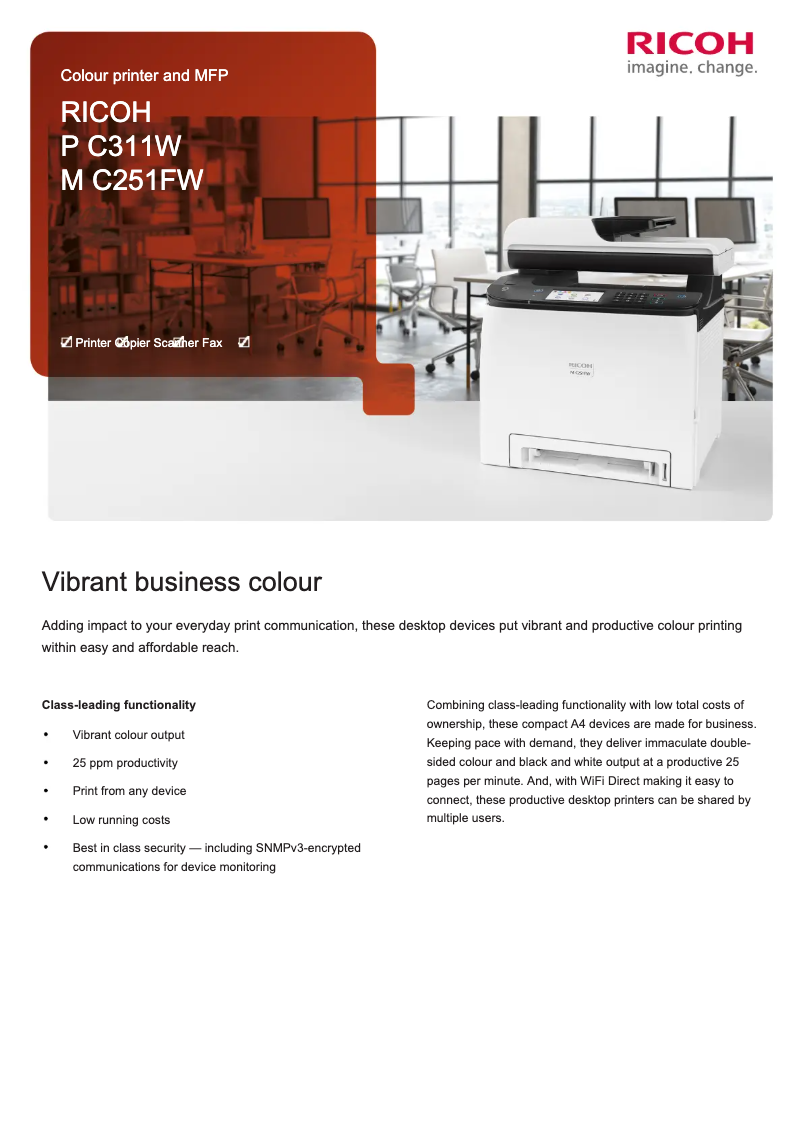
The Ricoh M C251FW printer stands out for its exceptional print quality, offering a maximum resolution of 2400 x 600 DPI that ensures clear documents and vibrant images. Its compatibility with various operating systems, such as Windows, Mac, and Linux, provides appreciated flexibility for all types of users. Additionally, its eco-friendly features, like duplex printing, help reduce paper waste. However, a few drawbacks deserve mention. The lack of automatic duplex copying may be a hindrance for those looking to optimize paper usage. Although the print speed of 26 pages per minute is adequate, it may seem insufficient for high-volume office environments. Furthermore, its weight of 30 kg can complicate its movement and installation, especially in tight spaces. In terms of capacity, the Ricoh M C251FW can handle up to 751 sheets, which may be limiting for businesses with very high printing needs. Finally, its internal memory of 256 MB could pose issues for processing complex or large documents. Overall, this printer is a solid option for users seeking high print quality and versatile features, although it has some limitations to consider.Score details
User experience
The user experience is generally positive due to the extensive compatibility with various operating systems like Windows, Mac, and Linux, providing flexibility for all users.
Performance
Although the printing speed is satisfactory at 26 ppm, some users may find it insufficient for high-volume office environments where faster printers are needed.
Design
The weight of 30 kg can make its movement and installation difficult, especially in tight spaces or for users without assistance.
Value for money
The product offers high-quality printing with a maximum resolution of 2400 x 600 DPI, ensuring clear documents and vibrant images.
Features
Eco-friendly features like duplex printing help reduce paper waste and optimize resources.
Usability
The paper capacity of 751 sheets may be limited for businesses with very high printing needs, leading to frequent interruptions to reload paper.
Documentation
The available user manual provides clear and helpful information for a quick understanding of the product.
Advantages
High-quality printing 2400 x 600 DPI
Compatibility with Windows, Mac, and Linux
Double-sided printing to save paper
Duty cycle up to 65,000 pages
Built-in Wi-Fi and Ethernet connectivity
Disadvantages
No automatic double-sided copying
Insufficient printing speed for busy offices
Weight of 30 kg, difficult to move
Paper capacity limited to 751 sheets
Insufficient internal memory of 256 MB
Technical Specifications M C251FW
General Information
-
ModelM C251FW
-
Brand
-
Category
-
Type
-
SKU1811253
-
MPN1811253
Minimum system requirements
-
Support for the Windows operating systemWindows 10
-
Support for the Mac operating systemWindows 8.1
-
Support for the Linux operating systemMac OS X 10.13 High Sierra
-
Mac OS X 10.14 Mojave
-
Mac OS X 10.15 Catalina
-
Mac OS X 10.15.3 Catalina
-
Mac OS X 11.0 Big Sur
-
Mac OS X 12.0 Monterey
-
Mac OS X 13.0 Ventura
-
Yes
Features
-
Number of print cartridges4
-
Printing colorsBlack, Cyan, Magenta, Yellow
-
Languages of the page descriptionPCL 5c, PCL 6, PDF, PostScript 3
-
Service cycle (Maximum)65000 pages per month
-
Printer fontsPCL
-
Double-sided functionsCopy, Fax, Print, Scan
Print speed
-
Maximum resolution2400 x 600 DPI
-
Printing technologyLaser
-
PrintingColor printing
-
Print speed (black, normal quality, A4/US Letter)26 ppm
-
Double-sided printingYes
-
Copy time for the first page (Black, normal)9.4 s
-
Copy time for the first page (color, normal)9.8 s
Weight and dimensions
-
Width420 mm
-
Depth493 mm
-
Height473 mm
-
Weight30000 g
Power
-
Consumption (max)1300 W
-
Energy consumption (loan)34.5 W
-
Energy consumption (in standby mode)0.7 W
-
AC input voltage120 - 127 V
-
AC input frequency60 Hz
-
Energy Star, typical electrical consumption (TEC)0.32 kWh/week
Paper management
-
Weight of paper tray support60 - 163 g/m²
-
Maximum ISO A series paper sizeA4
-
ISO, Format Series A (A0...A9)A4, A5, A6
-
ISO, Formats Series-B (B0...B9)B5, B6
-
Non-ISO print support sizesLegal (media size), Letter (media size)
-
Type of paper tray supportBond paper, Envelopes, Labels, Letterhead, Plain paper, Recycled paper
Copier
-
CopyColor copy
-
Duplex copyYes
-
Max. resolution of copies- DPI
-
Maximum number of copies99 copies
Input and output capacity
-
Total number of power supply units1
-
Total power capacity751 sheets
-
Total output capacity- sheets
Representation / realization
-
Internal memory256 MB
-
Processor frequency400 MHz
Design
-
Product colorBlack, White
-
Market positionProfessional
-
Built-in screenNo
Network
-
Ethernet/LANYes
-
Ethernet/LANYes
-
Wiring technology10/100/1000Base-T(X)
-
Wifi standards802.11a, 802.11b, 802.11g, Wi-Fi 4 (802.11n)
Digitization
-
Type of scanner-
-
DigitizationColor scanning
-
Double-sided scanningYes
-
Optical scanning resolution1200 x 300 DPI
-
Support for text formatsPDF
-
Supported image formatsJPEG, TIFF
-
Scan toE-mail, USB
Fax
-
FaxColor fax
-
Modem speed33.6 Kbit/s
Connectivity
-
USB portYes
-
USB portYes
-
Quantity of USB 2.0 Ports1
Frequently Asked Questions
What is the weight of the Ricoh M C251FW?
What is the recommended method for removing paper jams from the printer?
Why is my printer not recognizing the original cartridges?
What are the possible reasons for poor print quality?
What are the differences between a laser printer and an inkjet printer?
Why is my inkjet printer leaving black streaks?
What does the acronym DPI mean?
How many cartridges can be inserted into the Ricoh M C251FW?
What is the height of the Ricoh M C251FW?
What is the width of the Ricoh M C251FW?
What is the depth of the Ricoh M C251FW?
Is the Ricoh M C251FW compatible with Windows operating systems?
Can I use the Ricoh M C251FW with Mac operating systems?
Does the Ricoh M C251FW support Linux?
What page description languages are supported by the Ricoh M C251FW?
What is the maximum resolution of the Ricoh M C251FW printer?
What should I do if the color touch panel of the Ricoh M C251FW printer is not working?
What should I do if the Ricoh M C251FW printer is not compatible with my operating system?
How can I diagnose frequent paper jam issues in the Ricoh M C251FW printer?
Is the manual for the Ricoh M C251FW available in French?
Similar products


More product categories from brand Ricoh
More product types from brand Ricoh



Presentation of product M C251FW specifications from brand Ricoh
General Information
The Ricoh M C251FW is a printer model from the Ricoh brand, known for its innovation and quality in the office equipment sector. This model, referenced M C251FW | 9P02222, is designed to deliver optimal performance and an enhanced user experience. Its EAN code, 4961311963186, allows for precise identification in the distribution system.
Minimum System Requirements
This printer is compatible with several operating systems, including Windows 10 and 8.1, ensuring a smooth user experience. For Mac users, it supports versions ranging from Mac OS X 10.13 High Sierra to Mac OS X 13.0 Ventura. Additionally, the Ricoh M C251FW is also compatible with Linux environments, offering extended usability flexibility.
Features
The Ricoh M C251FW uses four print cartridges, providing exceptional print quality in Black, Cyan, Magenta, and Yellow colors. It supports multiple page description languages, including PCL 5c, PCL 6, PDF, and PostScript 3, allowing customization according to user preferences. With a maximum service cycle of 65,000 pages per month, this printer is suitable for intensive and demanding work environments. It is also equipped with duplex printing functions, contributing to more eco-friendly paper management.
Print Speed
With a maximum resolution of 2400 x 600 DPI, the Ricoh M C251FW ensures prints of remarkable clarity, ideal for professional documents. The laser printing technology delivers precise results, while the print speed reaches 26 pages per minute (ppm) in black. For color prints, the first page copy time is 9.8 seconds, which is suitable for daily use.
Weight and Dimensions
With dimensions of 420 mm in width, 493 mm in depth, and 473 mm in height, the Ricoh M C251FW easily fits into various workspaces. Its weight of 30 kg may require assistance for installation and movement, especially in confined environments.
Power
The maximum power consumption of the printer is 1300 W, while its power consumption in standby mode is only 0.7 W, contributing to efficient energy management. The AC input voltage is 120 - 127 V with a frequency of 60 Hz, ensuring compatibility with standard electrical systems.
Paper Management
The Ricoh M C251FW accepts a variety of paper weights, from 60 to 163 g/m², and is compatible with A series paper sizes up to A4. It can handle non-ISO formats such as Legal and Letter, offering great flexibility for different printing needs. The paper tray can hold up to 751 sheets, making it suitable for continuous use.
Copier
This printer includes a color copying function, providing vibrant results. Although it does not have an automatic duplex copying function, it allows for up to 99 copies, thus meeting common printing needs.
Input and Output Capacity
The Ricoh M C251FW is equipped with a single feed tray capable of handling a total capacity of 751 sheets, facilitating the processing of a high volume of documents without requiring frequent reloads.
Representation / Performance
With an internal memory of 256 MB and a processor frequency of 400 MHz, the Ricoh M C251FW is capable of storing data and executing printing tasks smoothly, although users with more complex needs may find this capacity limited.
Design
The design of the Ricoh M C251FW, with its black and white colors, gives it a modern and professional look. It is primarily designed for professional use and features a built-in display, making it easy to operate.
Network
This printer offers advanced connectivity options, including Wi-Fi and Ethernet, allowing for easy integration into different networks. It supports multiple Wi-Fi standards, including 802.11a, 802.11b, 802.11g, and Wi-Fi 4 (802.11n), ensuring a fast and reliable connection.
Scanning
The Ricoh M C251FW allows for color scanning, ensuring faithful reproductions of documents and images, although it does not offer a duplex scanning function. Its optical scanning resolution of 1200 x 300 DPI ensures precise details, and it supports text formats like PDF as well as image formats JPEG and TIFF.
Fax
The integrated fax machine allows sending and receiving documents in color, with a modem speed of 33.6 Kbit/s for fast transmission.
Connectivity
The Ricoh M C251FW supports direct printing and includes a USB 2.0 port, facilitating connection to various devices for simplified use.


