

Manuals of product P2502W
Editorial note
The Pantum P2502W printer stands out for its wireless connectivity, offering appreciated flexibility for printing from various devices, whether mobile or stationary. Its compact and lightweight design facilitates integration into tight workspaces while allowing for some portability. Moreover, the print quality is remarkable, ensuring sharp texts and clear graphics, which is essential for professional documents. However, it is important to note a few drawbacks. The printer can be noisy during printing, which may disrupt a quiet environment. The wireless connectivity, while convenient, can sometimes prove unstable, leading to interruptions. Additionally, the model is limited to monochrome printing, which may not suit all users. The lack of advanced features, such as automatic duplex printing, also limits its appeal. Finally, although the operating cost is generally advantageous due to long-lasting toners, the high price of toner cartridges could affect long-term profitability. Overall, the Pantum P2502W offers a satisfactory user experience, supported by a good level of performance and a practical design. However, potential users should consider the limitations in terms of features and noise before making their choice.Score details
User experience
The user experience is generally positive due to the ease of use, with a manual and FAQ available to assist users.
Performance
The printing performance is good, providing sharp text and clear graphics, but the printer can be noisy.
Design
The compact and lightweight design of the printer makes it easy to fit into tight spaces while allowing for some portability.
Value for money
The operating cost is advantageous with long-lasting toners, but the high cost of cartridges can affect long-term profitability.
Features
The printer's features are limited, notably the lack of color printing and advanced functions like automatic duplexing.
Support
The support is satisfactory, with help documents such as a manual and FAQ, but wireless connectivity can sometimes be problematic.
Advantages
Wireless printing via Wi-Fi
Compact and lightweight design
High print quality
Reduced operating costs
Ease of use and installation
Disadvantages
Noisy printer in operation
Unstable wireless connectivity
Prints only in monochrome
No automatic duplex printing
High cost of toner cartridges
Technical Specifications P2502W
General Information
-
ModelP2502W
-
Brand
-
Category
-
Type
-
SKU1453856
-
MPN1453856
Frequently Asked Questions
What is the recommended method for removing paper jammed in the printer?
Why is my printer refusing to accept original cartridges?
What could be the possible reasons if my prints are of poor quality?
How does a laser printer differ from an inkjet printer?
Why is my inkjet printer leaving black streaks on the paper?
What does the acronym DPI mean?
How do I properly load paper into the printer?
Why is my printer unable to connect to my Wi-Fi network?
How can I remove a paper jam from the printer?
How do I replace the toner cartridge in my printer?
What should I do if the print quality is unsatisfactory or blurry?
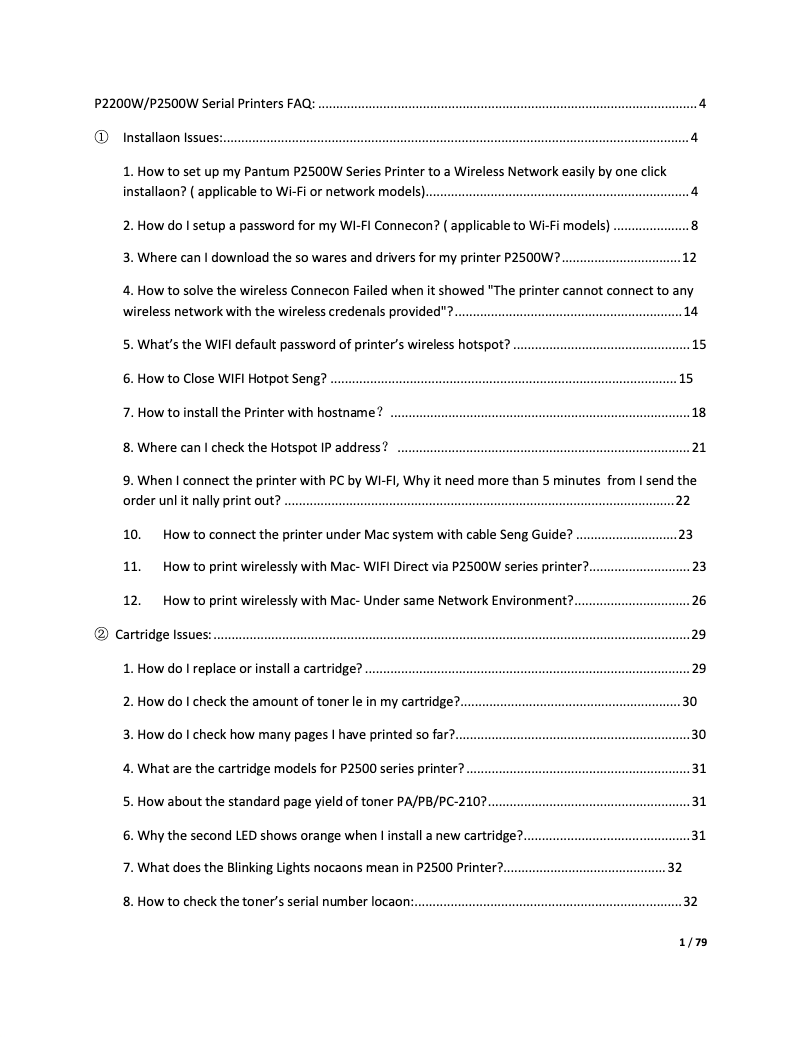
Is the manual for the Pantum P2502W available in French?
Similar products


More product categories from brand Pantum
More product types from brand Pantum

Presentation of product P2502W specifications from brand Pantum
General Information
The Pantum P2502W is a printer from the Pantum brand, known for its reliability and innovations in the office equipment sector. This model is specifically designed to deliver high-quality performance while ensuring an intuitive and pleasant user experience.
Advantages
This printer stands out for its wireless connectivity, allowing easy printing from various mobile devices and computers, which adds great flexibility of use. Its compact and lightweight design makes it easy to integrate into small workspaces and allows for easy relocation if necessary.
The Pantum P2502W ensures superior print quality, producing clear text and precise graphics, making it an ideal choice for professional documents. Additionally, it is designed for a cost-effective operation, thanks to long-lasting toners that help reduce the cost per page. Its ease of use is also a plus, with a user manual and a FAQ section to help users quickly familiarize themselves with its features.
Disadvantages
However, the Pantum P2502W has some disadvantages. It can be relatively noisy during printing, which may disrupt a quiet work environment. The wireless connectivity can sometimes be unstable, leading to interruptions during the printing process.
Moreover, this model is limited to monochrome printing, which may not suit all users, especially those needing color prints. The lack of advanced features, such as automatic duplex printing, may also be seen as a drawback by some. Finally, the cost of toner cartridges can be high, impacting the overall long-term usage cost.


