

Manuals of product TX-40DS503E

Editorial note
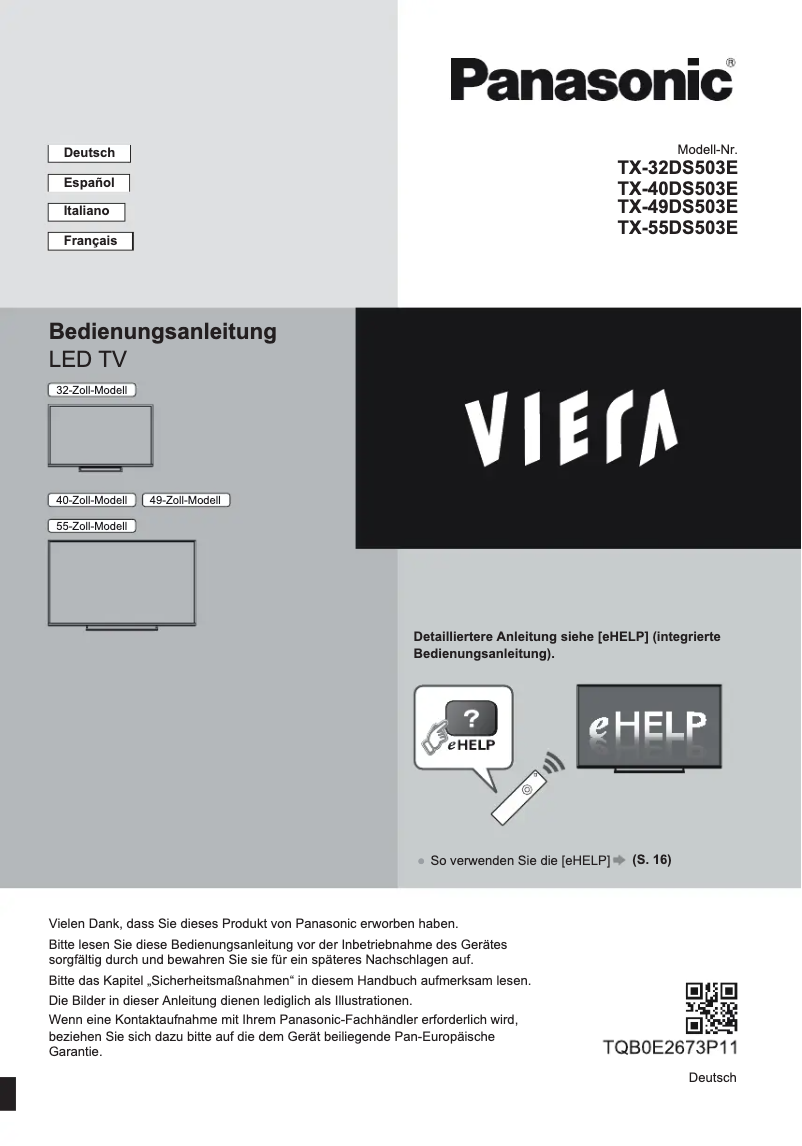
The Panasonic TX-40DS503E is a television that offers a satisfying visual experience thanks to its Full HD image quality of 1920 x 1080 pixels. The 400 Hz BMR motion interpolation technology enhances the fluidity of images, making action scenes more enjoyable to watch. Additionally, its built-in 20 W speakers provide decent sound, eliminating the need for an external audio system. However, this model has some drawbacks. The lack of Smart TV features limits access to streaming services and the Internet, which may disappoint users looking for online content. Furthermore, the Full HD resolution may seem insufficient compared to the 4K models available on the market. Other limitations include the absence of Bluetooth connectivity and USB 3.2 ports, which reduce connection options and may slow down data transfer. In terms of value for money, the Panasonic TX-40DS503E is positioned reasonably, but some missing features could be a drawback for certain users. On the other hand, its A+ energy efficiency class allows for savings on electricity bills, which is a positive point. Overall, this television stands out for its modern design and satisfactory performance for classic content, but it may not be suitable for those seeking more advanced features and higher resolution.Score details
User experience
The user experience is generally satisfactory thanks to the Full HD image quality and built-in speakers, but the lack of Smart TV features limits access to streaming services.
Performance
Performance is good for most content thanks to the 400 Hz BMR motion interpolation technology, but the Full HD resolution may seem insufficient for some users.
Battery life
The A+ energy efficiency class helps reduce energy consumption, contributing to savings on electricity bills.
Design
The design is modern and fits well in various spaces, although the 40-inch size may not be suitable for all users.
Value for money
The value for money is fair, but the lack of Bluetooth connectivity and USB 3.2 ports may be a drawback for some users.
Features
Features such as the built-in triple tuner add value, but the absence of Smart TV and advanced connectivity may disappoint some users.
Advantages
Full HD image 1920 x 1080 pixels
Motion interpolation BMR 400 Hz
Triple tuner DVB-C, DVB-S2, DVB-T, DVB-T2
Built-in speakers of 20 W
Energy class A+ for energy savings
Disadvantages
No Smart TV features
Full HD resolution, lacks 4K
No Bluetooth connectivity
High energy consumption
Limited 40-inch screen size
No USB 3.2 ports
Technical Specifications TX-40DS503E
General Information
-
ModelTX-40DS503E
-
Brand
-
Category
-
Type
-
SKU864563
-
MPN864563
Screen
-
Supported graphic resolutions-
-
Supported video modes-
-
Dynamic contrast report-
-
Supported graphic resolutions-
-
Dynamic contrast report-
-
Screen size40 "
-
Type HDFull HD
-
Screen brightness- cd/m²
-
Response time- ms
-
Interpolation movement technologyBMR
-
Motion interpolation frequency400 Hz
-
Screen diagonal (cm)100 cm
-
Screen resolution1920 x 1080 pixels
-
Image format16:9
-
Screen size40 "
-
Type HDFull HD
-
Screen brightness- cd/m²
-
Response time- ms
-
Interpolation movement technologyBMR 400 Hz
-
Screen diagonal (cm)100 cm
-
Screen resolution1920 x 1080 pixels
-
Image format16:9
Other features
-
Component output-
-
Built-in memory card reader-
-
3D CompatibilityNo
-
Certified DLNA (Digital Living New-York Alliance)Yes
-
Certified DLNA (Digital Living New-York Alliance)Yes
-
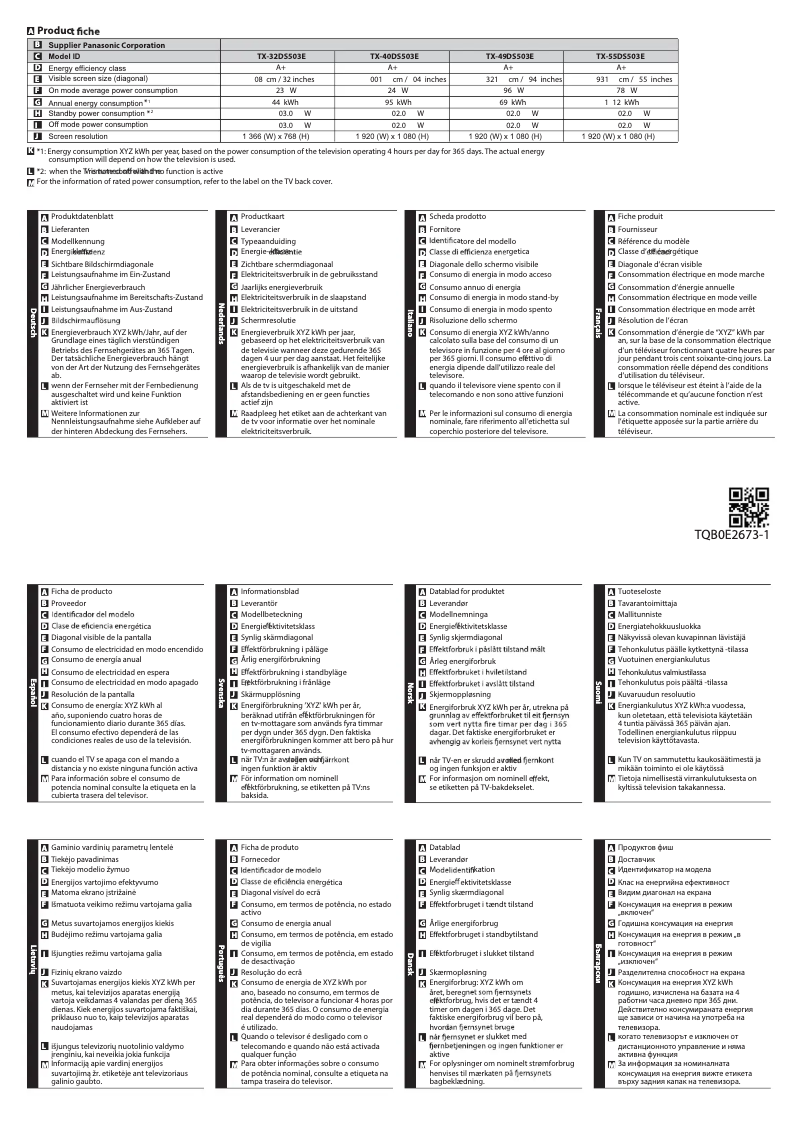
Energy efficiency class (old)A+
-
Annual energy consumption59 kWh
-
3D CompatibilityNo
-
Certified DLNA (Digital Living New-York Alliance)Yes
-
Energy efficiency class (old)A+
-
Annual energy consumption59 kWh
-
Certified DLNA (Digital Living New-York Alliance)Yes
TV Tuner
-
Analog signal format system-
-
Analog signal format system-
-
Tuner typeAnalog and digital
-
Digital signal system formatDVB-C, DVB-S2, DVB-T, DVB-T2
-
Tuner typeAnalog and digital
-
Digital signal system formatDVB-C, DVB-S2, DVB-T, DVB-T2
Smart TV / smart TV
-
Smart TV-
-
Internet TV-
-
HbbTV (Hybrid Broadcast Broadband TV)Yes
Audio
-
Number of speakers2
-
Rated power of RMS20 W
-
Sound modesEnvironment, Music, Standard
-
Number of speakers2
-
Rated power of RMS20 W
-
Sound modesEnvironment, Music, Standard
Connectivity
-
Integrated PC connector (D-Sub)-
-
DVI Port-
-
Quantity of DVI-D ports-
-
S-Video Input-
-
Input component of the audiovisual device (YPbPr/YCbCr)-
-
Component output-
-
Composite video input-
-
PC audio input-
-
Quantity of SCART ports-
-
Quantity of RF ports-
-
RS-232 port-
-
Integrated audio connector (L,R)-
-
Audio Output (Left, Right)-
-
Built-in memory card reader-
-
Integrated PC connector (D-Sub)-
-
DVI Port-
-
Quantity of DVI-D ports-
-
S-Video Input-
-
Input component of the audiovisual device (YPbPr/YCbCr)-
-
Composite video input-
-
PC audio input-
-
Quantity of SCART ports-
-
Quantity of RF ports-
-
RS-232 port-
-
Integrated audio connector (L,R)-
-
Audio Output (Left, Right)-
-
Quantity of HDMI ports2
-
Common Interface (CI)No
-
Digital Audio Output (Optical)1
-
Digital Audio Output (Optical)1
-
Number of USB 3.2 Gen 1 (3.1 Gen 1) type A ports0
-
Digital Audio Output (Optical)1
-
Common Interface (CI)No
-
Common Interface Plus (Cl+)Yes
-
Consumer Electronics Control (CEC)VIERA Link
-
Digital Audio Output (Optical)1
-
Quantity of HDMI ports2
-
Digital Audio Output (Optical)1
-
Digital Audio Output (Optical)1
-
Number of USB 3.2 Gen 1 (3.1 Gen 1) type A ports0
-
Common Interface (CI)No
-
Common Interface Plus (Cl+)Yes
-
Consumer Electronics Control (CEC)VIERA Link
-
Digital Audio Output (Optical)1
Network
-
Wifi-
-
Wifi-
-
Web BrowserYes
-
BluetoothNo
-
Web BrowserYes
-
Web BrowserYes
-
BluetoothNo
-
Web BrowserYes
Management features
-
Picture-in-Picture (PIP)-
-
Timer On/Off-
-
Basic hotel modeYes
-
Basic hotel modeYes
-
Number of OSD languages27
-
Basic hotel modeYes
Representation / realization
-
Smart TV-
-
Internet TV-
-
Picture-in-Picture (PIP)-
-
Teletext1000 pages
-
Teletext FunctionYes
-
Supported video format3GPP, AVI, FLV, M4V, MKV, MP4, PS, TS, VOB, VRO, WMV
-
Supported audio formatsAAC, FLAC, MP3, WAV, WMA
-
Supported image formatsJPG
-
Teletext FunctionYes
-
Teletext FunctionYes
-
Teletext FunctionYes
-
Backlight dimming technologyNo
-
Teletext1000 pages
-
Teletext FunctionYes
-
Supported video format3GPP, AVI, FLV, M4V, MKV, MP4, PS, TS, VOB, VRO, WMV
-
Supported audio formatsAAC, FLAC, MP3, WAV, WMA
Packaging contents
-
Remote control providedYes
-
Remote control providedYes
Weight and dimensions
-
Device width (support included)904 mm
-
Depth (without support)47 mm
-
Height (without support)518 mm
-
Weight (without support)10500 g
-
Device width (support included)904 mm
-
Depth (support included)194 mm
-
Height (support included)567 mm
-
Weight (with support)12500 g
-
Device width (support included)904 mm
-
Depth (without support)47 mm
-
Height (without support)518 mm
-
Weight (without support)10500 g
-
Device width (support included)904 mm
-
Depth (support included)194 mm
-
Height (support included)567 mm
-
Weight (with support)12500 g
Packaging information
-
Package width1302 mm
-
Package depth115 mm
-
Package height647 mm
-
Package width1302 mm
-
Package depth115 mm
-
Package height647 mm
Design
-
Product color-
-
Product color-
-
VESA mountYes
-
VESA mountYes
-
VESA standard200 x 100 mm
-
VESA mountYes
-
VESA mountYes
-
VESA standard200 x 100 mm
Power
-
Energy consumption (standby mode)0.2 W
-
Energy consumption (standby mode)0.2 W
-
AC input frequency50 - 60 Hz
-
AC input voltage220 - 240 V
-
Energy consumption (standby mode)0.2 W
-
AC input frequency50 - 60 Hz
-
AC input voltage220 - 240 V
Frequently Asked Questions
What is the recommended viewing distance for my Panasonic television?
What should I do if my television is not receiving a signal?
What are the dimensions of the screen on my television?
What does HDMI stand for?
Is it possible to connect devices from different brands via Bluetooth?
What is the screen size of the Panasonic TX-40DS503E?
What is the resolution of the screen on the Panasonic TX-40DS503E?
Is the Panasonic TX-40DS503E compatible with 3D?
What motion interpolation technology is used in the Panasonic TX-40DS503E?
How many HDMI ports does the Panasonic TX-40DS503E have?
Does the Panasonic TX-40DS503E have built-in speakers?
How do I access the help menu on the Panasonic TX-40DS503E television?
Why do some channels not adjust on the Panasonic TX-40DS503E?
What should I do if I observe mosaic issues or loss of image on the Panasonic TX-40DS503E?
How can weather conditions influence signal reception on the Panasonic TX-40DS503E?
What should I do if the DVB-S automatic tuning fails on the Panasonic TX-40DS503E?
How can I fix a black and white image on the Panasonic TX-40DS503E?
What should I do if the screen size adjusts automatically on the Panasonic TX-40DS503E?
How do I diagnose distorted images and noise on the Panasonic TX-40DS503E?
What should I do if the Panasonic TX-40DS503E displays no image?
What are common questions regarding the Panasonic TX-40DS503E?
How do I access the help menu on the Panasonic TX-40DS503E television?
Why does the aspect ratio not adjust correctly on my Panasonic TX-40DS503E?
How do I reduce noise on my Panasonic TX-40DS503E television?
How do I connect an external device to my Panasonic TX-40DS503E television?
How do I change the input source on my Panasonic TX-40DS503E television?
Is the manual for the Panasonic TX-40DS503E available in French?
Similar products


More product categories from brand Panasonic
Home appliances Panasonic
Phones Panasonic
Audio Panasonic
Camera and photography Panasonic
Personal care Panasonic
Other Panasonic
Tools Panasonic
Interior Panasonic
More product types from brand Panasonic








Presentation of product TX-40DS503E specifications from brand Panasonic
General Information
The Panasonic TX-40DS503E is a television from the Panasonic brand, known for its commitment to quality and innovation in the electronics sector. This model is designed to deliver optimal performance and an enriching user experience. Its EAN code, 5025232839926, allows for unique identification in the distribution system.
Screen
With a screen size of 40 inches (100 cm), the Panasonic TX-40DS503E offers an immersive visual experience, ideal for watching movies, series, or video games. It features a Full HD resolution of 1920 x 1080 pixels, ensuring sharp and detailed images. The BMR motion interpolation technology, combined with a 400 Hz refresh rate, provides remarkable smoothness when streaming dynamic content. The 16:9 aspect ratio also contributes to a pleasant viewing experience. Although brightness and response time are not specified, the television is designed to provide good visibility even in varying lighting conditions.
Other Features
The TX-40DS503E has a built-in triple tuner, allowing it to receive both analog and digital signals (DVB-C, DVB-S2, DVB-T, DVB-T2) simultaneously, thus offering increased flexibility for watching and recording your favorite programs. It is equipped with integrated speakers with a power of 20 W, ensuring satisfactory audio quality without the need for an external audio system. In terms of energy efficiency, it is rated A+, with an annual energy consumption of 59 kWh.
TV Tuner
The tuner type of the Panasonic TX-40DS503E is analog and digital, allowing it to receive various signals for a varied viewing experience. It supports digital signal formats DVB-C, DVB-S2, DVB-T, and DVB-T2, ensuring quality reception.
Connectivity
This model is equipped with 2 HDMI ports, facilitating connection with various multimedia devices. It also has an Ethernet port for stable network access. However, the Panasonic TX-40DS503E does not support Bluetooth connectivity, which limits wireless connection options.
Network
The television does not offer Smart TV features, meaning it is not possible to access applications or the Internet. However, it supports HbbTV, allowing access to interactive services and online content.
Audio
The Panasonic TX-40DS503E has two speakers, providing a pleasant sound experience. Available sound modes include Environment, Music, and Standard, allowing for sound adjustment based on the type of content being viewed.
Design
This television is designed to easily fit into various environments with its dimensions: 904 mm wide, 518 mm high, and 47 mm deep without the stand. It is also compatible with VESA mounting, making it easy to install on a wall.
Packaging Information
The product's package dimensions are: 1302 mm wide, 115 mm deep, and 647 mm high, ensuring adequate transport and storage.


