

Manual of product Toughpad FZ-M1
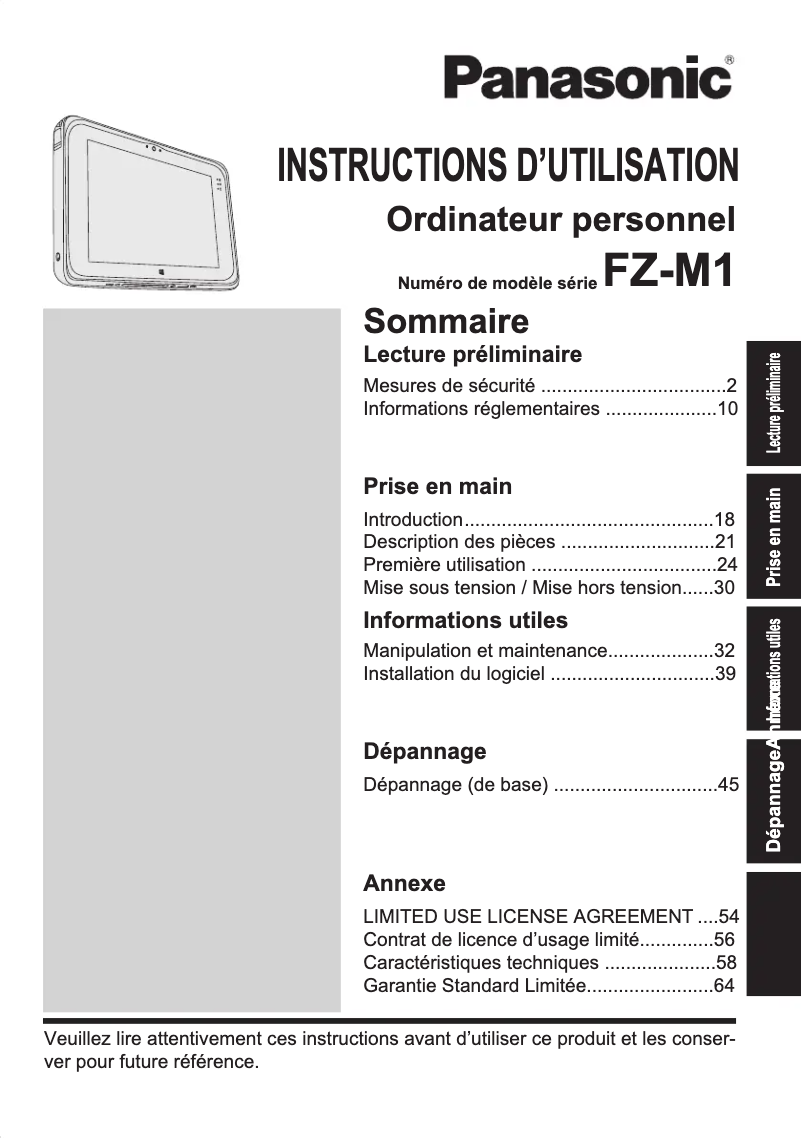
Editorial note
The Panasonic Toughpad FZ-M1 stands out for its rugged and waterproof design, certified IP65, making it an ideal choice for use in challenging environments. Its 7-inch capacitive touchscreen with a resolution of 1280 x 800 pixels ensures a pleasant visual experience, even outdoors. Additionally, the integration of various sensors, such as a gyroscope and an ambient light sensor, enriches user interaction. However, there are some drawbacks to consider. The Intel Core m5 processor, while effective for everyday tasks, may show limitations when running heavy software, leading to slowdowns. The internal memory of 8 GB may prove insufficient for users needing to manage multiple applications simultaneously. Furthermore, the battery life of 9 hours, while acceptable, may not be enough for long workdays without access to a power outlet. Finally, the lack of an HDMI port limits connectivity options. Overall, the Panasonic Toughpad FZ-M1 offers a satisfactory user experience with good value for money, but it is important to consider its limitations in terms of performance and connectivity to ensure it meets the specific needs of each user.Score details
User experience
The user experience is very satisfactory thanks to a 7-inch capacitive touchscreen offering good resolution, and the integration of various sensors that enhance interaction.
Performance
The Intel Core m5 processor is efficient for everyday tasks, but may show limitations when running heavy software, sometimes leading to slowdowns.
Battery life
The 9-hour battery life is adequate for extended use, but may not be enough for long workdays without access to a power outlet.
Design
The robust and waterproof design, certified IP65, is a major asset, making this tablet ideal for use in challenging environments.
Value for money
The tablet offers good value for money with interesting features, but the lack of certain connectivity ports may limit its use.
Usability
The 8 GB internal memory may be insufficient to manage multiple applications simultaneously, which can affect the user experience for some.
Advantages
Robust design, IP65 waterproof
High-performance Intel® Core™ m5 processor
7-inch touchscreen, resolution 1280 x 800
256 GB internal storage
Battery life of up to 9 hours
Built-in sensors for various applications
Disadvantages
Limiting processor for heavy multitasking
8 GB internal memory too tight
Insufficient battery life
Absence of HDMI port
Unpractical weight of 540 g
Technical Specifications Toughpad FZ-M1
General Information
-
ModelTOUGHPAD FZ-M1
-
Brand
-
Category
-
Type
-
SKU769147
-
MPN769147
Processor
-
Processor frequency1.1 GHz
-
Processor familyIntel® Core™ m5
-
Processor modelm5-6Y57
-
Number of processor cores2
-
Processor cache memory4 MB
-
Processor Turbo Frequency2.8 GHz
-
Processor cache typeSmart Cache
-
Processor code nameSkylake
-
Graphic lithography and IMC14 nm
-
Processor operating modes32-bit, 64-bit
-
Number of processor threads4
-
Tjunction100 °C
-
Thermal envelope (TDP, Thermal Design Power)4.5 W
-
Conflict-free processorYes
-
Bus typeOPI
-
Conflict-free processorYes
-
Graphic lithography and IMC14 nm
-
System bus processor- MHz
-
Processor codeSR2EG
-
Processor packaging size20 X 16.5 mm
-
SteppingD1
-
Supported instruction setSSE4.1, SSE4.2, AVX 2.0
-
PCI Express Configurations1x2+2x1, 2x2, 1x4, 4x1
-
Processor seriesIntel Core m5-6Y Series
-
Processor manufacturerIntel
-
Processor generationIntel® Core™ m5 6th generation
Representation / realization
-
Barometer-
-
Magnetometer-
-
Orientation sensor-
-
Location of position-
-
Assisted GPS (A-GPS)-
-
GPS (satellite)-
-
AccelerometerYes
-
AccelerometerYes
-
AccelerometerYes
-
AccelerometerYes
-
AccelerometerYes
Design
-
FormatSlate
-
Product colorBlack, silver
-
Device typeMobile tablet
-
International Protection Code (IP)IP65
Security
-
Fingerprint reader-
-
Cable lock location type-
-
Cable anti-theft lockNo
Memory
-
Type of internal memory-
-
Maximum internal memory8 GB
-
Maximum internal memory8 GB
Storage support
-
Internal storage capacity256 GB
-
Built-in memory card readerYes
-
Compatible memory cardsSD, SDXC
-
Maximum memory card size- GB
-
Storage mediaSSD
Screen
-
Number of colors displayed-
-
Reading mode-
-
Screen size7 "
-
Screen resolution
-
LED backlighting1280 x 800 pixels
-
Touch technologyYes
-
Touch screen typeMultiple pressures
-
Pixel densityCapacity
-
Image format- pixels per inch
-
Screen brightness16:10
-
Type of panel500 cd/m²
-
IPS
Graphique
-
Graphics adapter familyIntel
-
Graphics adapterHD Graphics 515
-
Video memory size16384 Mo
Camera
-
Front cameraYes
-
Resolution of the rear camera (digital)8 MP
-
Front cameraYes
-
Front cameraYes
-
Flash typeLED
-
Front cameraYes
-
Front cameraYes
-
Pivot for digital cameraNo
-
Front camera resolution (digital)2 MP
-
Rear camera typeSingle camera
Audio
-
Number of built-in speakers-
-
Speaker manufacturer-
-
Built-in microphoneYes
-
Built-in microphoneYes
Network
-
Wi-Fi standard-
-
Ethernet/LAN-
-
Contactless payment-
-
BluetoothYes
-
Wifi standards802.11a, Wi-Fi 5 (802.11ac), 802.11b, 802.11g, Wi-Fi 4 (802.11n)
-
Bluetooth model4.1
Battery
-
Number of battery cells-
-
Battery technologyLithium-Ion (Li-Ion)
-
Battery capacity3200 mAh
-
Battery capacity- Wh
-
Maximum battery life9 h
-
Battery voltage7.2 V
Connectivity
-
Microphone jack input-
-
Number of Ethernet LAN ports (RJ-45)0
-
Number of Ethernet LAN ports (RJ-45)0
-
Number of Ethernet LAN ports (RJ-45)0
-
Number of serial ports1
-
Number of Ethernet LAN ports (RJ-45)0
-
Number of Ethernet LAN ports (RJ-45)0
-
Number of Ethernet LAN ports (RJ-45)0
-
Number of Ethernet LAN ports (RJ-45)0
-
Headphone outputYes
-
Headset connection3.5 mm
-
Headphone outputYes
-
Headphone outputYes
-
Number of serial ports1
Power
-
Input voltage of the power adapter100 - 240 V
-
Power adapter frequency50 - 60 Hz
-
Output voltage of the power adapter16 V
-
Output current of the power adapter3.75 A
Software
-
PlatformWindows
-
Installed operating systemWindows 10 Pro
Phone features
-
Voice call-
-
Video call-
Weight and dimensions
-
Width203 mm
-
Depth18 mm
-
Height132 mm
-
Weight540 g
Packaging contents
-
Warranty cardYes
-
Warranty cardYes
-
Warranty cardYes
-
Provided keyboardNo
-
Warranty cardYes
Special features of the processor
-
Intel® Stable Image Platform Program (SIPP)Yes
-
Intel® Stable Image Platform Program (SIPP)Yes
-
The available built-in optionsNo
-
Intel® Stable Image Platform Program (SIPP)Yes
-
Intel® Stable Image Platform Program (SIPP)Yes
-
Intel® Stable Image Platform Program (SIPP)Yes
-
Intel® Stable Image Platform Program (SIPP)Yes
-
Intel® Stable Image Platform Program (SIPP)Yes
-
Intel® TSX-NI Version1.00
-
Intel® TSX-NI Version1.00
-
Intel® TSX-NI Version1.00
-
Intel® Stable Image Platform Program (SIPP)Yes
-
Intel® TSX-NI Version1.00
-
Intel® Stable Image Platform Program (SIPP)Yes
-
Intel® TSX-NI Version1.00
-
Intel® Stable Image Platform Program (SIPP)Yes
-
Intel® Stable Image Platform Program (SIPP)Yes
-
Intel® Stable Image Platform Program (SIPP)Yes
-
Intel® Stable Image Platform Program (SIPP)Yes
-
Intel® Stable Image Platform Program (SIPP)Yes
-
Intel® Turbo Boost Technology2.0
-
Intel® Stable Image Platform Program (SIPP)Yes
-
Intel® Stable Image Platform Program (SIPP)Yes
-
Intel® Stable Image Platform Program (SIPP)Yes
-
Intel® Stable Image Platform Program (SIPP)Yes
-
Intel® Stable Image Platform Program (SIPP)Yes
-
Intel® Stable Image Platform Program (SIPP)Yes
-
Intel® Stable Image Platform Program (SIPP)Yes
-
Intel® Stable Image Platform Program (SIPP)Yes
-
Intel® Stable Image Platform Program (SIPP)Yes
-
Intel® Stable Image Platform Program (SIPP)Yes
-
Intel® Stable Image Platform Program (SIPP)Yes
-
Intel® Stable Image Platform Program (SIPP)Yes
-
Intel® Stable Image Platform Program (SIPP)Yes
-
Intel® Stable Image Platform Program (SIPP)Yes
Other features
-
Processor socket (processor receptacle)BGA 1515
-
Processor ID ARK88197
Frequently Asked Questions
What operating system is installed on the Panasonic Toughpad FZ-M1?
What factors influence download speed on the Internet?
What are the dimensions of my tablet's screen?
What is the weight of the Panasonic Toughpad FZ-M1?
What is the screen size of the Panasonic Toughpad FZ-M1?
What is the height of the Panasonic Toughpad FZ-M1?
What is the resolution of the screen on the Panasonic Toughpad FZ-M1?
What is the width of the Panasonic Toughpad FZ-M1?
What is the depth of the Panasonic Toughpad FZ-M1?
What is the storage capacity of the Panasonic Toughpad FZ-M1?
How can I turn my Panasonic Toughpad FZ-M1 on or off?
How do I adjust the screen brightness on my Toughpad FZ-M1?
How do I connect my Toughpad FZ-M1 to a Wi-Fi network?
Can I increase the storage capacity of my Toughpad FZ-M1?
How do I take a screenshot on my Toughpad FZ-M1?
Does the Panasonic Toughpad FZ-M1 have an ambient light sensor?
Does the Panasonic Toughpad FZ-M1 have a gyroscope?
Does the Panasonic Toughpad FZ-M1 include an electronic compass?
Does the Panasonic Toughpad FZ-M1 have a Trusted Platform Module (TPM)?
What is the thermal design power (TDP) of the Panasonic Toughpad FZ-M1?
Is the manual for the Panasonic Toughpad FZ-M1 available in French?
Similar products


More product categories from brand Panasonic
Home appliances Panasonic
Phones Panasonic
Audio Panasonic
Camera and photography Panasonic
Personal care Panasonic
Other Panasonic
Tools Panasonic
Interior Panasonic
More product types from brand Panasonic








Presentation of product Toughpad FZ-M1 specifications from brand Panasonic
General Information
The Panasonic Toughpad FZ-M1 is a rugged tablet designed to meet the demands of challenging work environments. Manufactured by Panasonic, a brand known for its technological innovation, this model, identified by the reference FZ-M1 | FZ-M1F315XVM, ensures a smooth and efficient user experience.
Processor
Equipped with a 6th generation Intel® Core™ m5 processor, the Toughpad FZ-M1 operates at a base frequency of 1.1 GHz and can reach 2.8 GHz thanks to Turbo Boost technology. With 2 cores and 4 threads, it effectively manages multitasking. Its 4 MB cache memory optimizes data processing, ensuring adequate performance for various applications.
Representation / Realization
The tablet features several built-in sensors, such as a gyroscope and an ambient light sensor, which enhance the user experience in various situations. These sensors allow for automatic screen brightness adjustment and assess the tablet's orientation.
Design
The format of the Toughpad FZ-M1 is a bar, making it easy to hold and use. With a black and silver color, its modern design is both stylish and functional. It is also rated IP65, ensuring protection against dust and water splashes.
Security
Although the tablet does not have a fingerprint reader, it integrates a TPM chip (Trusted Platform Module) that enhances the security of sensitive data. This feature is essential for users concerned about protecting their information.
Memory
The internal memory of the Toughpad FZ-M1 is 8 GB, which may be sufficient for basic uses but might not suit users needing to manage multiple applications simultaneously.
Storage Support
It offers a capacity of 256 GB of internal storage with support for SD and SDXC memory cards, allowing for increased storage capacity as needed.
Screen
Featuring a 7-inch capacitive touchscreen with a resolution of 1280 x 800 pixels, the Toughpad FZ-M1 provides a satisfactory visual experience. The LED backlighting technology and its brightness of 500 cd/m² ensure good visibility, even outdoors.
Graphics
The graphics system is managed by a HD Graphics 515 adapter, providing adequate visual performance for common applications.
Camera
The tablet is equipped with a rear camera of 8 MP with autofocus and LED flash, allowing for capturing quality images and videos in various lighting conditions. It also has a front camera of 2 MP for selfies and video calls.
Audio
The Toughpad FZ-M1 includes speakers and a microphone, ensuring satisfactory audio quality for calls and multimedia playback.
Network
This tablet is compatible with Bluetooth 4.1 and Wi-Fi (802.11 a/b/g/n/ac), offering versatile wireless connectivity options.
Battery
The nickel-metal hybrid (NiMH) battery has a capacity of 3200 mAh, providing a maximum autonomy of about 9 hours, ideal for prolonged use. However, this aspect may not suit users with long workdays without access to a power outlet.
Connectivity
The Toughpad FZ-M1 offers several ports, including a Micro-USB 2.0 port for charging and data transfer. However, the absence of Type A USB or HDMI ports limits some connectivity options.
Weight and Dimensions
With dimensions of 203 mm wide, 18 mm deep, and 132 mm high, weighing 540 g, this tablet remains relatively portable and easy to handle.
Packaging Contents
The Toughpad FZ-M1 comes with a user manual, a power adapter, and a quick start guide, making it easy to get started.
Special Processor Features
The processor of this tablet benefits from several advanced technologies such as Turbo Boost technology and Intel® Clear Video Technology, providing optimized performance and better video quality.
Other Features
The processor socket is of type BGA 1515, ensuring optimal connection with the motherboard, and the processor's ARK ID is 88197, allowing for precise identification of its technical specifications.


