

Manual of product D-COPIA 1800
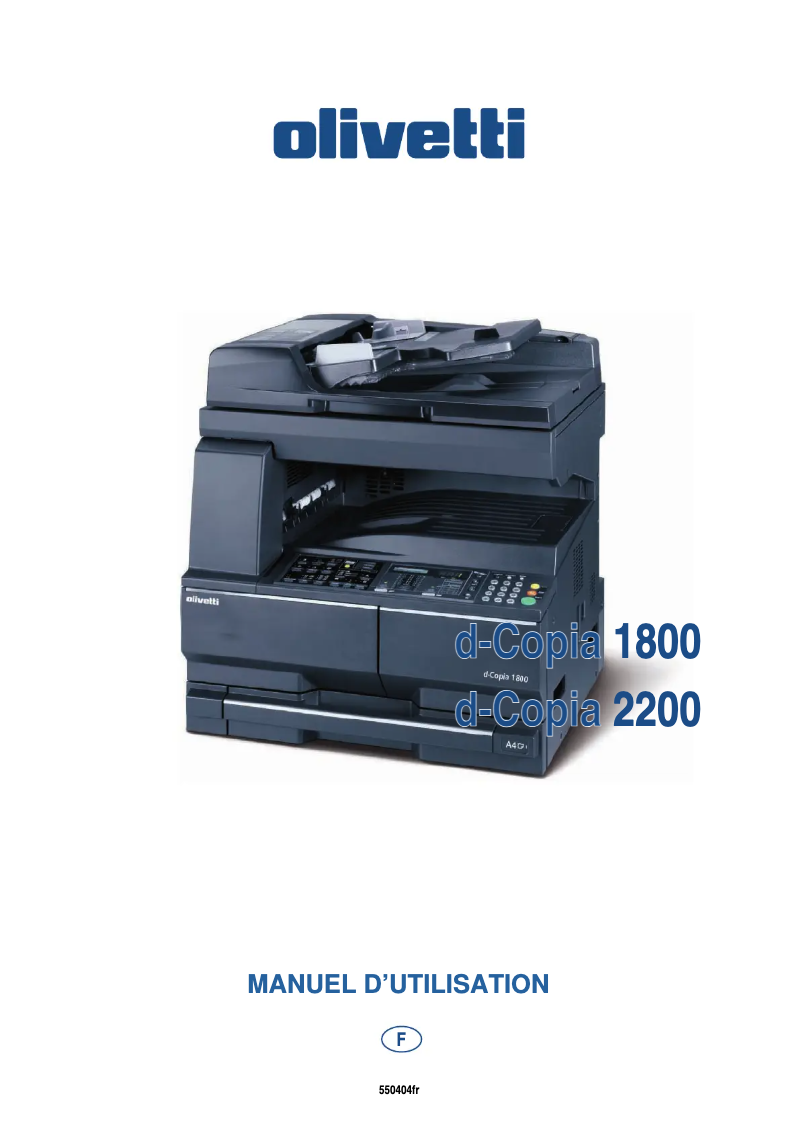
Editorial note
The Olivetti D-COPIA 1800 stands out for its impressive performance, offering a printing speed of 18 pages per minute and a maximum resolution of 1800 x 1800 DPI. These features ensure high-quality prints, ideal for both professional and personal needs. Additionally, its built-in duplex printing functionality optimizes paper usage, thereby helping to reduce printing costs. With a paper input capacity of 300 sheets, this device is well-suited to handle large volumes of documents without frequent interruptions. However, a few drawbacks deserve to be highlighted. The lack of compatibility with Mac operating systems limits its use for some users, as does the absence of Wi-Fi connectivity, which necessitates a physical connection. Furthermore, its weight of 33 kg may pose mobility issues in flexible work environments. Finally, the sound pressure level of 65.3 dB could be bothersome in noise-sensitive spaces. In terms of user experience, the intuitive interface and all-in-one features facilitate document management, with a positive rating of 80 out of 100. Performance is also well-rated with a score of 85, while the design, although functional, receives a score of 75 due to its weight. The value for money is considered reasonable at 70, despite some limitations. The printer's features, such as input capacity and duplex printing, are particularly appreciated with a score of 90. Overall, the Olivetti D-COPIA 1800 is a solid choice for users looking for a high-performing multifunction printer, although some limitations should be taken into account before purchase.Score details
User experience
The user experience is positive thanks to an intuitive interface and all-in-one features that facilitate document management.
Performance
The print speed of 18 ppm and a maximum resolution of 1800 x 1800 DPI ensure optimal performance for quality prints.
Design
The design is functional, but the weight of 33 kg can pose mobility issues in flexible work environments.
Value for money
The value for money is reasonable, although the lack of Wi-Fi and incompatibility with Mac limits its appeal for some users.
Support
The product comes with a user manual, but the lack of compatibility with certain operating systems can pose difficulties.
Features
Features such as duplex printing and a 300-sheet input capacity add great value for heavy users.
Usability
The use is simple and efficient, although the noise level of 65.3 dB may be disruptive in some work environments.
Advantages
Fast printing at 18 pages per minute
Print resolution of 1800 x 1800 DPI
Built-in duplex printing
300-sheet input capacity
All-in-one functions: printing, copying, scanning
Disadvantages
Not compatible with macOS
No Wi-Fi connectivity
Weight of 33 kg, difficult to move
Power capacity limited to 100 sheets
Noise level of 65.3 dB
Technical Specifications D-COPIA 1800
General Information
-
ModelD-COPIA 1800
-
Brand
-
Category
-
Type
-
SKU156002
-
MPN156002
Print speed
-
Maximum resolution1800 x 1800 DPI
-
Double-sided printingYes
-
Print speed (black, normal quality, A4/US Letter)18 ppm
-
Copy time for the first page (Black, normal)17.2 s
-
Printing technologyLaser
-
PrintingNo
-
Double-sided printingYes
Copier
-
Max. resolution of copies600 x 600 DPI
-
Release time of the first print (black, normal)5.7 s
-
CopySingle copy
Input and output capacity
-
Total output capacity250 sheets
-
Maximum input capacity300 sheets
-
Total power capacity100 sheets
Representation / realization
-
Built-in memory card reader-
-
Processor frequency150 MHz
-
Internal memory32 MB
-
Mac CompatibilityNo
-
Sound pressure level (impression)65.3 dB
-
Integrated into the processorYes
-
Processor familyARM9E
Design
-
ScreenLCD
-
Built-in screenYes
-
Market positionProfessional
Paper management
-
Type of paper tray supportOrdinary paper
-
Maximum print format297 x 420 mm
-
ISO, Format Series A (A0...A9)A3, A4, A5, A6
-
Non-ISO print support sizesFolio
-
Maximum ISO A series paper sizeA3
Other features
-
Compatible operating systemsWindows all
-
Power requirementsAC 220 ~ 240 V, 50/60 Hz
-
Dimensions (LxWxH)568 x 546 x 502 mm
-
All-in-one functionsCopy, Scan
-
All-in-one color functionsNo
Network
-
Ethernet/LANYes
-
WifiNo
Connectivity
-
Direct printing-
Power
-
Electricity consumption (average operation)424 W
Weight and dimensions
-
Weight33000 g
Digitization
-
DigitizationSingle scanning
Fax
-
FaxNo
Features
-
Digital senderNo
Frequently Asked Questions
What is the weight of the Olivetti D-COPIA 1800?
What is the recommended method for removing paper jammed in the printer?
Why is my printer not accepting original cartridges?
What could be the reasons for poor print quality?
What is the difference between a laser printer and an inkjet printer?
Why is my inkjet printer producing black streaks?
What does the acronym DPI mean?
Is the manual for the Olivetti D-COPIA 1800 available in French?
Similar products


More product categories from brand Olivetti
Other Olivetti
More product types from brand Olivetti


Presentation of product D-COPIA 1800 specifications from brand Olivetti
General Information
The Olivetti D-COPIA 1800 model, from the Olivetti brand, is recognized for its commitment to quality and innovation in the printing device sector. This model, referenced under the code D-COPIA 1800 | B5334000, ensures remarkable performance and a smooth user experience. The EAN code 8020334305765 allows for unique identification within distribution systems.
Print Speed
With a maximum resolution of 1800 x 1800 DPI, the Olivetti D-COPIA 1800 guarantees prints of exceptional clarity, suitable for both professional needs and personal use. Its print speed reaches 18 pages per minute for black and white documents, making it an efficient choice for daily use. The first page print time is 17.2 seconds, allowing for appreciable responsiveness in demanding environments. This model also includes a duplex printing function, optimizing paper use and reducing printing costs. In terms of color, it offers vibrant and accurate prints.
Copier
The maximum resolution for copies is 600 x 600 DPI, ensuring high-quality results. The output time for the first black and white copy is 5.7 seconds, thus facilitating daily tasks. The copier also offers a color copying feature, allowing for faithful reproductions.
Input and Output Capacity
The output capacity of the D-COPIA 1800 is 250 sheets, ensuring adequate performance for your printing needs. Its input capacity is 300 sheets, facilitating the management of large volumes without requiring frequent reloads. The paper tray can hold up to 100 sheets, which is essential for efficient use.
Representation / Performance
The processor of the Olivetti D-COPIA 1800 operates at a frequency of 150 MHz, directly influencing the device's performance. With 32 MB of internal memory, it allows for the storage of a significant amount of data for smooth operation. However, it is not compatible with Mac operating systems. The sound pressure level during printing is 65.3 dB, which may be noticeable in noise-sensitive environments.
Design
Equipped with a built-in LCD screen, the Olivetti D-COPIA 1800 offers a quality visual experience. Designed for professional use, this model meets the specific requirements of users in the workplace.
Paper Management
This model is compatible with plain paper and can print on formats up to 297 x 420 mm, including standard A3, A4, A5, and A6 formats. It also supports non-ISO media, such as Folio size, ensuring flexibility of use.
Other Features
Compatible with Windows XP, Vista, and 7 operating systems, the Olivetti D-COPIA 1800 requires a power supply of AC 220 ~ 240 V, 50/60 Hz for optimal operation. Its dimensions of 568 x 546 x 502 mm allow for easy integration into various spaces. Its all-in-one features, including color copying and scanning, make it a versatile device for various office needs.
Network
The D-COPIA 1800 is equipped with Ethernet/LAN connectivity, allowing for easy integration into corporate networks, but does not offer Wi-Fi connectivity.
Connectivity
There is no built-in direct printing function, limiting some quick printing options from external devices.
Power
Under average operation, the power consumption is 424 W, ensuring efficient use while maintaining high performance.
Weight and Dimensions
Weighing 33 kg, the Olivetti D-COPIA 1800 can be difficult to move, which may be a disadvantage in flexible work environments.
Scanning
This model allows for color scanning, ensuring faithful and vibrant reproductions of documents and images.
Fax
The D-COPIA 1800 does not have a fax function, which may be a consideration for users needing this feature.
Features
This model does not have a digital sender, which could limit some options for managing shipments.


