
Manual of product Page 14e
Editorial note
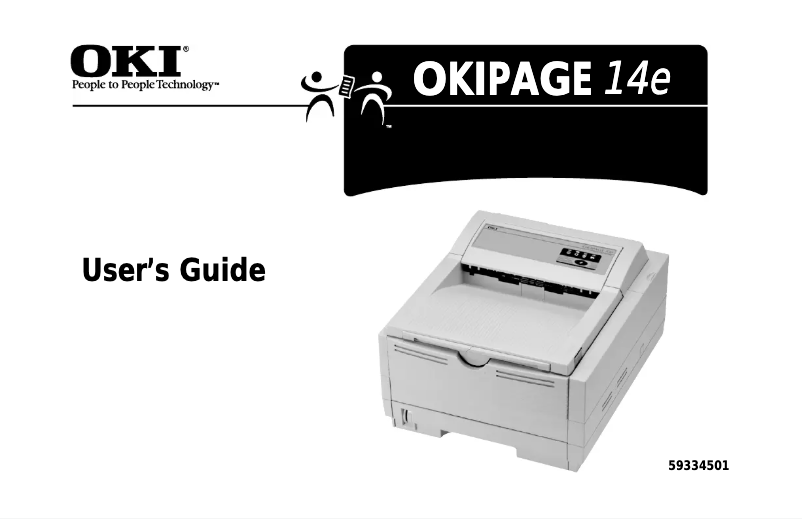
The OKI Page 14e printer stands out for its exceptional print quality for text documents, offering remarkable clarity and precision. Its reputation is based on the reliability of the OKI brand, well-established in the printer sector, which reassures users about the durability and performance of the device. Additionally, the ease of use of the printer, enhanced by a clear user manual, allows for easy handling, even for novices. However, there are some drawbacks to consider. The print quality for color documents is limited, which may not meet the expectations of users with advanced graphic needs. Furthermore, the printing speed is relatively slow compared to other similar models, which could be a downside for heavy use. The lack of wireless connectivity reduces usage flexibility, and the potentially high cost of toners and replacement parts can increase the total cost of ownership in the long run. Finally, the design of the printer may seem a bit dated compared to contemporary models. In summary, the OKI Page 14e is a solid choice for those looking for a reliable and efficient printer for text document printing, but it has limitations for users requiring advanced features and quality color printing.Score details
User experience
The user experience is positive due to the ease of use of the printer and the provided manual, which makes it easy to get started even for novices.
Performance
The printing performance is optimal for text documents, but the limited print quality for color documents and the relatively slow printing speed can be drawbacks.
Design
The design of the printer may seem outdated compared to contemporary models, which may not appeal to all users.
Value for money
Although the printer is reliable, the potentially high cost of toners and replacement parts can increase the total cost of ownership.
Features
The lack of wireless connectivity features limits the flexibility of use in a modern office environment.
Support
The provided documentation is comprehensive and helpful, making troubleshooting and daily use of the device easier.
Advantages
Exceptional print quality
Reliable and recognized brand
Ease of use for everyone
Consistent and reliable performance
Significant energy savings
Disadvantages
Limited color print quality
Slow print speed
No wireless connectivity
High cost of toners
Outdated design
Technical Specifications Page 14e
General Information
-
ModelPAGE 14E
-
Brand
-
Category
-
Type
-
SKU860357
-
MPN860357
Frequently Asked Questions
How can I remove paper jammed in the printer?
Why does my printer not recognize original cartridges?
What are the reasons for poor print quality?
What is the difference between a laser printer and an inkjet printer?
Why does my inkjet printer leave black streaks on prints?
What does the acronym DPI mean?
Is the OKI Page 14e manual available in French?
Similar products


More product categories from brand OKI
More product types from brand OKI


Presentation of product Page 14e specifications from brand OKI
General Information
The OKI Page 14e printer is a model from the OKI brand, known for its commitment to quality and innovation in the printing device sector. Designed to meet the varied needs of users, this printer stands out for its reliable performance and user-friendly interface, ensuring a pleasant user experience.
Advantages
This printer is particularly appreciated for its exceptional print quality, delivering clear and precise documents, making it a wise choice for those who prioritize quality. The reputation of the OKI brand also ensures a commendable reliability, promising durability and consistent performance over time.
One of the major strengths of the OKI Page 14e is its ease of use, facilitated by a clear instruction manual that accompanies the product, making it accessible even for less experienced users. Additionally, this printer is designed for optimal performance, even during repeated prints, making it suitable for both professional and home use.
It is also distinguished by its energy efficiency, contributing to reduced operating costs while being environmentally friendly.
Disadvantages
However, some aspects may pose problems for certain users. The print quality for color documents is limited, which may not be suitable for those requiring advanced graphic prints. Furthermore, the print speed is relatively slow compared to other models in the same category, which can be a disadvantage for heavy use.
The lack of wireless connectivity limits usage flexibility, especially in modern office environments. Finally, the cost of toners and replacement parts may prove to be high, increasing the total cost of ownership over the long term, and the design of the device may seem less attractive compared to other contemporary printers.


