

Manual of product MC861dn
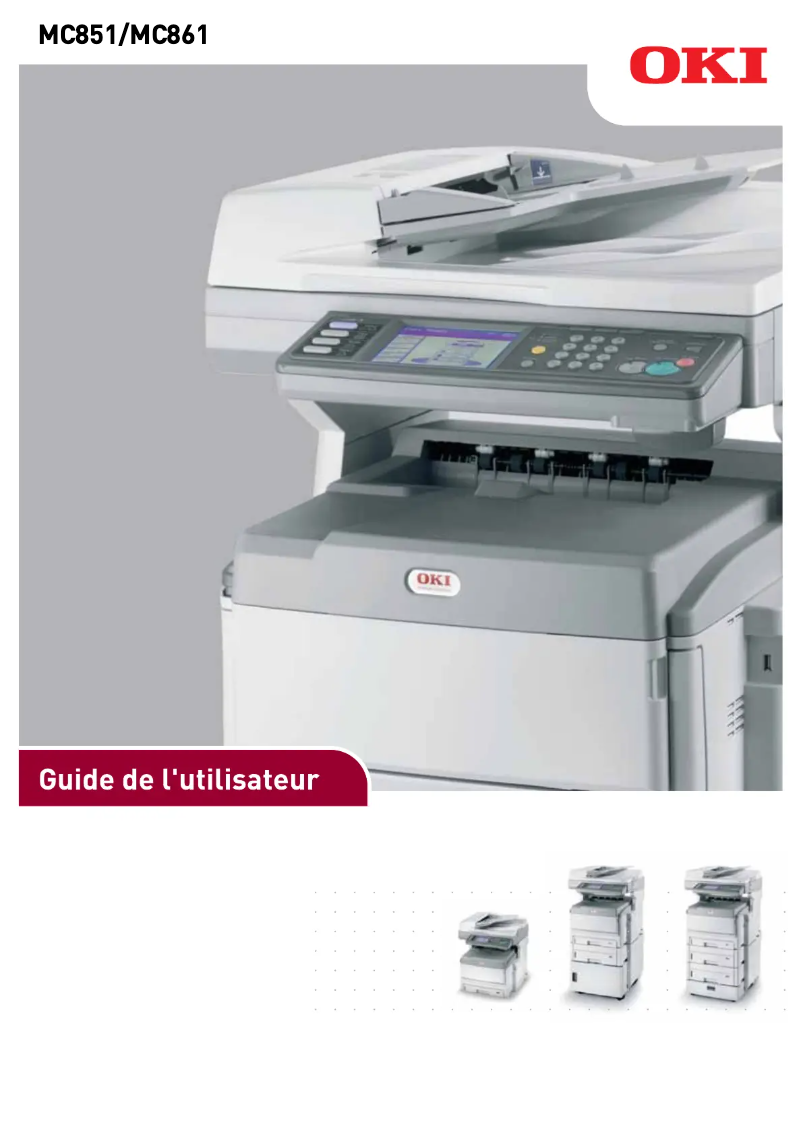
Editorial note
The OKI MC861dn printer stands out for its impressive performance and versatility. With a printing speed of 34 pages per minute in black and 26 in color, it is perfectly suited for demanding work environments. The LED printing technology combined with a maximum resolution of 1200 x 600 DPI ensures high-quality prints, whether for professional documents or images. Additionally, its various features, including printing, copying, scanning, and faxing, make it a very practical all-in-one device. However, a few drawbacks are worth mentioning. Its heavy weight of 95 kg can complicate its installation and movement, especially in tight spaces. The 90-second warm-up time can also be a disadvantage for those seeking instant printing. Although the OKI MC861dn offers advanced features, its relatively high initial cost may not suit all budgets. Furthermore, the total paper capacity of 300 sheets may prove insufficient for very busy work environments, requiring frequent reloads. In terms of design, while the device is functional, its noise level of 54 dB during operation can be disruptive in quiet offices. Finally, the lack of Wi-Fi connectivity limits the flexibility of use in modern environments where wireless connection is increasingly preferred. In summary, the OKI MC861dn is a high-performing and versatile printer, ideal for professionals, but some logistical and cost aspects may require careful consideration before purchase.Score details
User experience
The user experience is generally positive due to the device's functional versatility, although a high weight of 95 kg may complicate installation.
Performance
The performance is excellent with a print speed of 34 ppm in black and 26 ppm in color, ideal for demanding work environments.
Features
The OKI MC861dn offers various features such as printing, copying, scanning, and faxing, making this device very versatile.
Value for money
Although the features are advanced, the initial cost can be high, which may not suit all budgets.
Design
The design is functional, but the weight and noise level of 54 dB can be drawbacks in quiet workspaces.
Usability
The warm-up time of 90 seconds can be a disadvantage for those seeking instant printing, and the lack of Wi-Fi connectivity limits flexibility.
Advantages
Fast printing: 34 ppm black, 26 ppm color
Print quality: 1200 x 600 DPI
Multi-functionality: printing, copying, scanning, faxing
Paper capacity: up to 930 sheets
Secure and varied network connectivity
Disadvantages
Heavy weight, difficult to move.
Long preheating time of 90 seconds.
High initial cost.
Limited paper capacity of 300 sheets.
Noise level of 54 dB.
No Wi-Fi connectivity.
Technical Specifications MC861dn
General Information
-
ModelMC861DN
-
Brand
-
Category
-
Type
-
SKU1514600
-
MPN1514600
Print speed
-
Printing technologyLED
-
PrintingColor printing
-
Print speed (black, normal quality, A4/US Letter)34 ppm
-
Maximum resolution1200 x 600 DPI
-
Print speed (color, normal quality, A4/US Letter)26 ppm
-
Print speed (black, normal quality, A3)17 ppm
-
Print speed (color, normal quality, A3)15 ppm
-
Copy time for the first page (Black, normal)9.5 s
-
Copy time for the first page (color, normal)10 s
-
Preheating time90 s
Copier
-
CopyColor copy
-
Max. resolution of copies600 x 600 DPI
-
Copy speed (normal quality, black, A4)34 cpm
-
Copy speed (normal quality, color, A4)26 cpm
-
Maximum number of copies999 copies
-
Release time of the first print (black, normal)13 s
-
Release time of the first print (color, concept)14.5 s
Digitization
-
DigitizationColor scanning
-
Optical scanning resolution600 x 600 DPI
-
Type of scannerADF scanner
-
Scan toCIFS, E-mail, FTP, USB
-
Scanning speed (color)34 ppm
-
Supported image formatsJPEG XR
-
Support for text formatsPDF
Fax
-
Fax-
-
Modem speed33.6 Kbit/s
-
Fax memory1000 pages
-
Fax Memory16 MB
-
Fax transmission350 localizations
-
Maximum number of shortcuts for numbers500
Features
-
Digital sender-
-
Service cycle (Maximum)75000 pages per month
-
Service cycle (recommended)0 - 10000 pages per month
Network
-
Wifi-
-
Mobile printing technologies-
-
Security featuresIPSec
-
Ethernet/LAN802.1x authentication
-
SSL3/TLS
-
HTTPS encryption
-
Secure Erase
-
Data Encryption
-
Yes
Representation / realization
-
Built-in memory card reader-
-
Processor familyPowerPC
-
Processor frequency500 MHz
-
Internal memory40960 MB
-
Sound pressure level (copy)54 dB
-
Sound power level (standby)37 dB
Input and output capacity
-
Total power capacity300 sheets
-
Paper feed typePaper bin
-
Maximum input capacity930 sheets
-
Input capacity of multi-purpose trays100 sheets
-
Input capacity of multi-purpose trays100 sheets
-
Total number of power supply units1
-
Maximum number of feed bins3
-
Total output capacity250 sheets
Paper management
-
Maximum ISO A series paper sizeA3
-
Type of paper tray supportEnvelopes, Labels, Transparencies
-
ISO, Format Series A (A0...A9)A3, A4, A5, A6
-
ISO, Formats Series-B (B0...B9)B4, B5
-
ISO Paper Size, Series C Formats (C0…C9)C4, C5
-
Weight of paper tray support64 - 120 g/m²
Design
-
ScreenLCD
-
Screen size5.7 "
-
Built-in screenYes
-
Product colorGrey, White
-
Built-in screenYes
-
Market positionProfessional
-
Order typeTouchscreen
Connectivity
-
Direct printing-
-
Standard interfacesEthernet
-
Number of parallel portsParallel
-
USB portUSB
-
1
-
Yes
Power
-
Electricity consumption (average operation)700 W
-
Energy consumption (eco mode)25 W
-
Energy consumption (standby mode)160 W
-
AC input frequency50 - 60 Hz
-
AC input voltage220 - 240 V
Other features
-
Energy Saving ModeYes
Minimum system requirements
-
Support for the Windows operating systemWindows 2000
-
Support for the Mac operating systemWindows 2000 Professional
-
Windows 7 Home Basic
-
Windows 7 Home Basic x64
-
Windows 7 Home Premium
-
Windows 7 Home Premium x64
-
Windows 7 Professional
-
Windows 7 Professional x64
-
Windows 7 Starter
-
Windows 7 Starter x64
-
Windows 7 Ultimate
-
Windows 7 Ultimate x64
-
Windows Vista Business
-
Windows Vista Business x64
-
Windows Vista Enterprise
-
Windows Vista Enterprise x64
-
Windows Vista Home Basic
-
Windows Vista Home Basic x64
-
Windows Vista Home Premium
-
Windows Vista Home Premium x64
-
Windows Vista Ultimate
-
Windows Vista Ultimate x64
-
Windows XP Home
-
Windows XP Home x64
-
Windows XP Professional
-
Windows XP Professional x64
-
Mac OS X 10.3 Panther
-
Mac OS X 10.4 Tiger
-
Mac OS X 10.5 Leopard
-
Mac OS X 10.6 Snow Leopard
-
Mac OS X 10.7 Lion
-
Mac OS X 10.8 Mountain Lion
-
Mac OS X 10.9 Mavericks
Weight and dimensions
-
Width1130 mm
-
Depth766 mm
-
Height845 mm
-
Weight95000 g
Environmental conditions
-
Operating relative humidity (H-H)10 - 90 %
-
Operating temperature-10 - 43 °C
Frequently Asked Questions
What is the weight of the OKI MC861dn printer?
What is the recommended method for removing paper jammed in the printer?
Why is my printer not recognizing the original cartridges?
What could be the reasons for poor print quality?
What is the difference between a laser printer and an inkjet printer?
Why does my inkjet printer leave black streaks on prints?
What does the acronym DPI mean?
What is the size of the screen on the OKI MC861dn?
What is the height of the OKI MC861dn?
What is the width of the OKI MC861dn?
What is the depth of the OKI MC861dn?
Is the manual for the OKI MC861dn available in French?
Similar products


More product categories from brand OKI
More product types from brand OKI


Presentation of product MC861dn specifications from brand OKI
General Information
The OKI MC861dn printer, manufactured by the renowned brand OKI, is designed to deliver high-quality performance. This model, referenced as MC861dn | 01318207, is ideal for professionals seeking an efficient printing solution. The EAN code, which allows for unique product identification, is 5031713052470, 5031713060093, 5054484103332.
Print Speed
Equipped with LED printing technology, the OKI MC861dn ensures exceptional print quality. With a print speed of 34 pages per minute in black and 26 pages per minute in color, it is perfectly suited for demanding work environments. Its maximum resolution of 1200 x 600 DPI allows for documents and images of remarkable clarity. For A3 format, the print speed is 17 ppm in black and 15 ppm in color. The time to print the first page is 9.5 seconds for black and 10 seconds for color, while the warm-up time is 90 seconds.
Copier
The OKI MC861dn copier allows for color copies with a maximum resolution of 600 x 600 DPI. It offers a copy speed of 34 copies per minute in black and 26 copies per minute in color in A4 format. This model can make up to 999 copies and the time to output the first copy is 13 seconds for black and 14.5 seconds for color.
Scanning
The color scanning function of the OKI MC861dn allows for accurate reproductions of documents thanks to an optical resolution of 600 x 600 DPI. With an ADF scanner, it supports various protocols such as CIFS, E-mail, FTP, and USB, providing flexibility in use. The color scanning speed reaches 34 pages per minute, and it supports image formats like JPEG XR and text formats such as PDF.
Fax
Although the fax feature is not specified, the OKI MC861dn allows for sending and receiving documents with a modem at 33.6 Kbit/s. Its fax memory can store up to 1000 pages, facilitating the management of sends and receives. It is also equipped to handle up to 350 destinations and offers 500 shortcuts for ease of use.
Features
The maximum duty cycle of the OKI MC861dn is 75,000 pages per month, while the recommended cycle is 0 to 10,000 pages per month, allowing for intensive use while preserving the durability of the device.
Network
Integrated security features, such as IPSec and 802.1x authentication, ensure data protection. The printer is compatible with Ethernet/LAN but does not offer Wi-Fi connectivity. It supports various mobile printing technologies, facilitating integration into modern environments.
Technical Specifications
The PowerPC processor of the OKI MC861dn operates at 500 MHz and is supported by 40 MB of internal memory. Although no memory card reader is integrated, the device operates at a noise level of 54 dB during operation and 37 dB in standby, ensuring discreet use.
Input and Output Capacity
With a maximum paper feed capacity of 930 sheets and a total output capacity of 250 sheets, the OKI MC861dn is designed to efficiently handle a large volume of documents. The paper tray also accommodates various formats up to A3.
Paper Management
Compatible with several types of media, the OKI MC861dn supports formats such as A3, A4, B4, and C4, with a paper weight ranging from 64 to 120 g/m², ensuring versatile use.
Design
The printer features a 5.7-inch LCD screen, providing an intuitive user interface through its touch control system. Its modern design, in gray and white, easily integrates into a professional environment.
Connectivity
Although the OKI MC861dn does not offer direct printing, it has USB ports and standard interfaces for easy connection with various devices.
Power
The power consumption during operation is 700 W, while in energy-saving mode, it is 25 W. In standby, the consumption is reduced to 160 W, contributing to energy savings. The device operates with an input voltage of 220 to 240 V.
Other Features
The integrated energy-saving mode helps reduce power consumption, promoting savings while being environmentally friendly.
Minimum System Requirements
Compatible with several operating systems, including Windows (2000 to 7) and Mac OS X (10.3 to 10.9), the OKI MC861dn ensures a smooth user experience.
Weight and Dimensions
The printer measures 1130 mm in width, 766 mm in depth, and 845 mm in height, with a weight of 95 kg, which may require special attention during installation.
Environmental Conditions
Operating in humidity conditions of 10 to 90 % and an operating temperature of -10 to 43 °C, the OKI MC861dn is suitable for various work environments.


