
Manual of product MC562dw
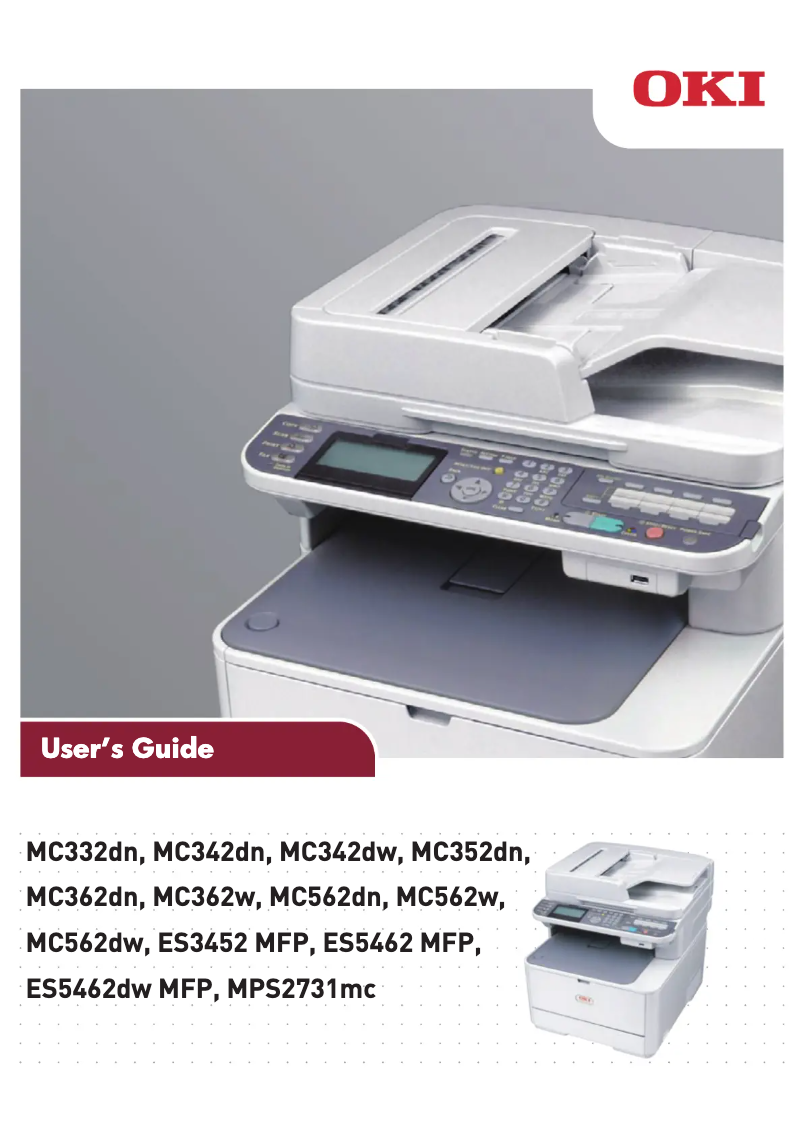
Editorial note
The OKI MC562dw printer stands out for its ability to deliver high-quality color printing, making professional documents and presentations particularly appealing. With versatile features such as automatic duplex printing, scanning, and copying, it effectively meets the diverse needs of users. Additionally, its Wi-Fi connectivity makes printing from various devices easy, which is a major asset for a modern work environment. However, the initial cost of the OKI MC562dw may seem high, especially compared to entry-level models. Furthermore, maintenance fees and the cost of ink cartridges can add up quickly, impacting the long-term budget. It is also important to note that its weight and dimensions may pose challenges during installation or relocation, particularly in tight spaces. Finally, although its printing performance is remarkable, the operating noise can be disruptive in a quiet office. In summary, the OKI MC562dw is a high-performing and feature-rich printer, but its acquisition and maintenance costs, as well as certain practical aspects, should be considered before purchase.Score details
User experience
The user experience is very good thanks to its user-friendly interface and detailed user manual, making setup and use easy even for novices.
Performance
Print performance is excellent with vibrant and accurate color, but the operating noise can be a drawback in a quiet work environment.
Features
The versatile features, including automatic double-sided printing and Wi-Fi connectivity, perfectly meet the varied needs of users.
Value for money
The initial cost of the printer is relatively high and the cost of ink cartridges can add up, which may be a deterrent for some users.
Design
The design is functional, but its weight and dimensions can make moving and installing it difficult in tight spaces.
Battery life
Energy consumption is relatively high, which could lead to additional costs on the electricity bill in the long term.
Advantages
Bright and precise color printing
Multiple features: printing, scanning, copying
Wi-Fi connectivity for mobile printing
Energy-efficient, reduces energy consumption
User-friendly and easy to use
Disadvantages
High initial cost for some users.
Weight and size complicate movement.
Higher operating noise.
Relatively high energy consumption.
High cost of cartridges and maintenance.
Technical Specifications MC562dw
General Information
-
ModelMC562DW
-
Brand
-
Category
-
Type
-
SKU87272
-
MPN87272
Frequently Asked Questions
What is the recommended method for removing a jammed paper from the printer?
Why does my printer not recognize original cartridges?
What are the reasons for poor print quality?
How does a laser printer differ from an inkjet printer?
Why does my inkjet printer leave black streaks on my prints?
What does the acronym DPI mean?
Is the manual for the OKI MC562dw available in French?
Similar products


More product categories from brand OKI
More product types from brand OKI


Presentation of product MC562dw specifications from brand OKI
General Information
The OKI MC562dw printer, from the renowned brand OKI, stands out for its commitment to quality and innovation in the printing device sector. This model, one of the most efficient in its category, is designed to provide a smooth and effective user experience, meeting the varied demands of modern office environments.
Advantages
High-quality color printing: The OKI MC562dw produces vibrant and accurate color prints, perfect for professional documents and visual presentations.
Versatile features: This printer includes practical options such as automatic duplex printing, scanning, and copying, making it a comprehensive tool for various office needs.
Wireless connectivity: With its Wi-Fi capability, the OKI MC562dw allows for easy printing from different devices, including smartphones and tablets, thus offering increased usage flexibility.
Energy efficiency: Designed to minimize energy consumption, this printer helps reduce the ecological footprint while optimizing operating costs.
Ease of use: With its intuitive interface and clear user manual, the OKI MC562dw is accessible even for inexperienced users.
Disadvantages
Initial cost: The purchase price of the OKI MC562dw may be higher than that of some entry-level models, which could be a barrier for some users.
Weight and dimensions: Its size and weight can make installation and relocation more complicated, especially in tight workspaces.
Noise level: The noise generated by its operation may be higher than that of other printers, which could be disruptive in quiet offices.
Energy consumption: Although designed to be energy-efficient, the energy consumption of the OKI MC562dw may contribute to higher electricity bills.
Cost of consumables: The expenses related to ink cartridges and maintenance can add up quickly, affecting the long-term budget.


