

Manual of product MC562dnw
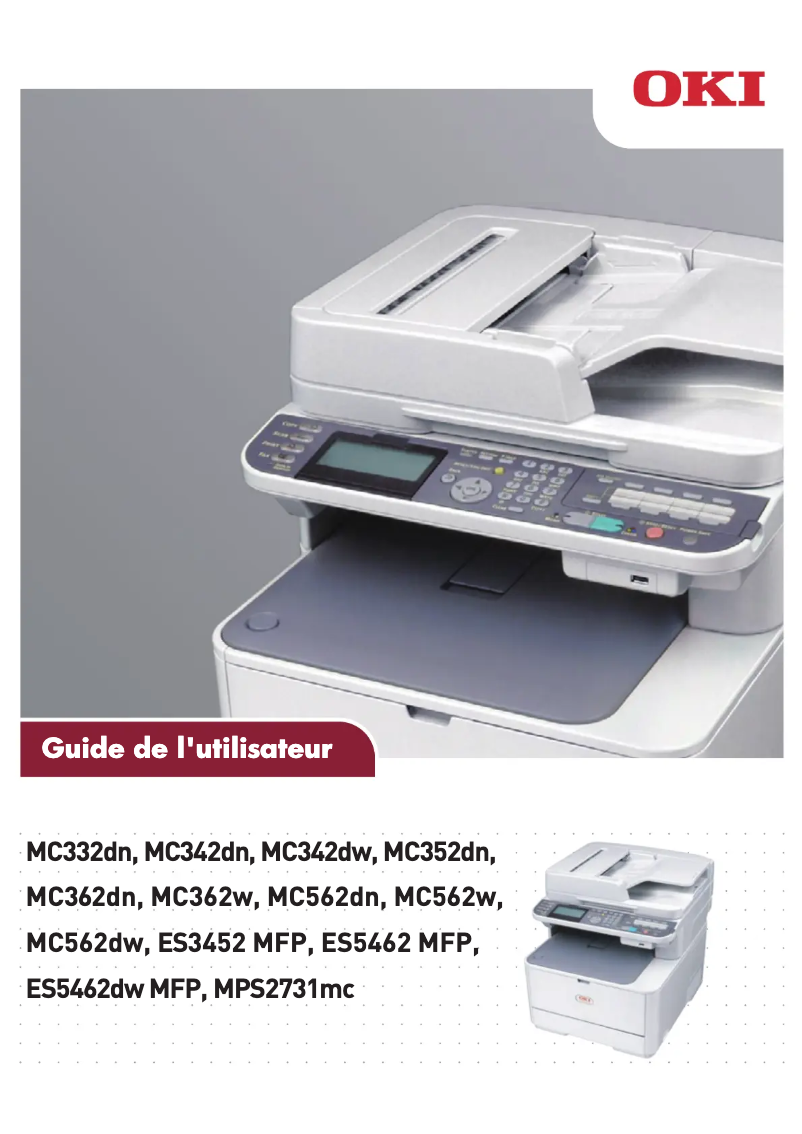
Editorial note
The OKI MC562dnw printer stands out for its impressive performance, offering a print speed of 30 pages per minute in black and 26 pages per minute in color. This speed makes it an ideal choice for demanding work environments. Additionally, its laser printing technology ensures exceptional quality with a maximum resolution of 1200 x 600 DPI, allowing for clear and precise documents. In terms of features, the model also excels with its color scanning capability at 1200 x 1200 DPI, providing faithful and detailed reproductions. Its maximum input capacity of 880 sheets allows for handling a large volume of documents without interruption, which is a significant advantage for users with intensive needs. However, the weight of 29 kg may pose mobility challenges, making the printer inconvenient to reposition frequently. Furthermore, the lack of Wi-Fi connectivity could disappoint users wishing to print wirelessly from their mobile devices. The warm-up time of 60 seconds could also slow down workflow, especially in offices where speed is essential. Finally, although the cost of replacement toners may be high, ENERGY STAR certifications ensure energy efficiency, which could offset these expenses in the long run. In summary, the OKI MC562dnw is a solid choice for professionals seeking a high-performance printer, despite some drawbacks to consider.Score details
User experience
The user experience is enhanced by advanced scanning features and an intuitive interface, although the 60-second warm-up time may slow down workflow.
Performance
With a printing speed of 30 ppm in black and 26 ppm in color, the OKI MC562dnw product offers exceptional performance, ideal for demanding work environments.
Design
Weighing 29 kg makes it difficult to move, which can be a disadvantage for users wanting to frequently reposition the printer.
Features
The color scanning features at 1200 x 1200 DPI and a maximum input capacity of 880 sheets allow for handling a large volume of documents without interruption.
Value for money
Although the cost of replacement toners can be high, ENERGY STAR certifications ensure energy efficiency, which can offset long-term costs.
connectivity
The lack of Wi-Fi connectivity can be a disadvantage for users who prefer wireless printing from their mobile devices.
Advantages
Fast printing: 30 ppm black, 26 ppm color
Laser print quality: 1200 x 600 DPI
Color scanning: 1200 x 1200 DPI
Input capacity: 880 sheets maximum
ENERGY STAR certified: energy efficiency
Disadvantages
Heavy weight, difficult to move
No Wi-Fi connectivity
Preheating time of 60 seconds
Output capacity limited to 150 sheets
High cost of replacement toners
Technical Specifications MC562dnw
General Information
-
ModelMC562DNW
-
Brand
-
Category
-
Type
-
SKU1514594
-
MPN1514594
Print speed
-
Printing technologyLaser
-
PrintingColor printing
-
Print speed (black, normal quality, A4/US Letter)30 ppm
-
Maximum resolution1200 x 600 DPI
-
Print speed (color, normal quality, A4/US Letter)26 ppm
-
Copy time for the first page (Black, normal)7.5 s
-
Copy time for the first page (color, normal)8 s
-
Preheating time60 s
Copier
-
CopyColor copy
-
Max. resolution of copies600 x 600 DPI
-
Copy speed (normal quality, black, A4)30 cpm
-
Copy speed (normal quality, color, A4)26 cpm
-
Resizing copy25 - 400 %
-
Maximum number of copies99 copies
-
Release time of the first print (black, normal)12 s
-
Release time of the first print (color, concept)14 s
Digitization
-
DigitizationColor scanning
-
Optical scanning resolution1200 x 1200 DPI
-
Scan toTWAIN, CIFS, E-mail, FTP, USB
-
Duplex scanning speed (color)20 ppm
-
Duplex scanning speed (black)30 ppm
-
Supported image formatsJPG
-
Support for text formatsPDF, XPS
-
Input color display depth48 bit
-
Output color display depth24 bit
-
Gray levels7
Fax
-
Fax-
-
Fax transmission speed3 sec/page
-
Modem speed33.6 Kbit/s
-
Fax memory200 pages
-
Fax Memory4 MB
-
Fax transmission100 localisations
Features
-
Digital sender-
-
Service cycle (Maximum)60000 pages per month
-
Languages of the page descriptionPCL 5c, PCL 6, PostScript 3, SIDM
Representation / realization
-
Processor frequency533 MHz
-
Internal memory256 MB
-
Built-in memory card readerYes
-
Maximum internal memory768 MB
-
Internal storage capacity4 GB
-
Compatible memory cardsSDHC
-
Sound pressure level (copy)54 dB
-
Sound power level (standby)33 dB
Input and output capacity
-
Total power capacity250 sheets
-
Maximum input capacity880 sheets
-
Automatic document feeder capacity50 sheets
-
Input capacity of multi-purpose trays100 sheets
-
Maximum output capacity150 sheets
-
Maximum output capacity150 sheets
Paper management
-
Maximum ISO A series paper sizeA4
-
Type of paper tray supportOrdinary paper
-
ISO, Format Series A (A0...A9)A4, A5, A6
-
ISO, Formats Series-B (B0...B9)B5
-
Envelope sizes9, 10, C5, DL, Monarch
-
Photo paper sizes4x6, 5x7 "
-
Photo paper formats12.5x17.5, 10x15 cm
-
Weight of the multifunctional tray support64 - 220 g/m²
-
Support weight supported in duplex mode64 - 176 g/m²
-
Weight of the media, automatic document feeder60 - 105 g/m²
-
Support weight supported in duplex mode64 - 176 g/m²
Design
-
ScreenLCD
-
Screen resolution320 x 128 pixels
-
Product colorGray
-
Built-in screenYes
-
Market positionProfessional
Network
-
Ethernet/LANYes
-
WifiNo
-
LAN Ethernet: data transfer rate10, 100 Mbit/s
-
Security-supported algorithmEAP, SSL/TLS
-
Mobile printing technologiesApple AirPrint, Google Cloud Print
-
Wiring technology10/100Base-T(X)
Connectivity
-
Direct printing-
-
Standard interfacesEthernet
-
Quantity of RJ-11 portsRJ-11
-
USB portUSB 2.0
-
1
-
Yes
Power
-
Electricity consumption (average operation)500 W
-
Energy consumption (eco mode)20 W
-
Energy consumption (standby mode)100 W
-
AC input frequency50 - 60 Hz
-
AC input voltage220 - 240 V
Minimum system requirements
-
Support for the Mac operating systemYes
-
Support for the Mac operating systemYes
-
Support for the server operating systemWindows Server 2003, Windows Server 2008
Sustainability
-
Sustainability certificatesENERGY STAR
Weight and dimensions
-
Width427 mm
-
Depth509 mm
-
Height444 mm
-
Weight29000 g
Environmental conditions
-
Operating relative humidity (H-H)20 - 80 %
-
Temperature out of operation-10 - 43 °C
-
Operating temperature10 - 32 °C
-
Relative humidity rate (storage)10 - 90 %
Other features
-
Supported network protocolsSMTP
-
POP3
-
HTTP
-
DHCP
-
DNS
-
LPR
-
Port9100
-
BOOTP
-
ARP
-
FTP
-
CIFS
-
LDAP
-
SLP
-
Bonjour
-
NetWare
-
EtherTalk
-
NetBEUI
-
LLTD
-
Web
Frequently Asked Questions
What is the weight of the OKI MC562dnw printer?
What is the best way to remove a jammed paper from the printer?
Why does my printer not recognize the original cartridges?
Why is the quality of my prints unsatisfactory?
What is the difference between a laser printer and an inkjet printer?
Why does my inkjet printer produce black streaks on prints?
What does the abbreviation DPI mean?
What is the height of the OKI MC562dnw?
What is the resolution of the OKI MC562dnw screen?
What is the width of the OKI MC562dnw?
What is the depth of the OKI MC562dnw?
What is the memory capacity of the OKI MC562dnw?
Is the manual for the OKI MC562dnw available in French?
Similar products


More product categories from brand OKI
More product types from brand OKI


Presentation of product MC562dnw specifications from brand OKI
General Information
The OKI MC562dnw printer is a model from the OKI brand, known for its innovation and reliability in the field of printing devices. This model, designated by the code MC562dnw | 01331501, is designed to deliver high performance and an optimized user experience. The EAN code 5031713057482 allows for product identification in the distribution system.
Print Speed
Equipped with laser printing technology, the OKI MC562dnw ensures optimal print quality. Its color printing capability allows for the production of documents and images in vibrant colors, offering superior quality. The print speed reaches 30 pages per minute (ppm) in black and 26 ppm in color, making this device particularly suitable for work environments where efficiency is paramount. The maximum resolution of 1200 x 600 DPI ensures remarkably clear prints. The warm-up time is set at 60 seconds, which can affect workflow in situations where speed is essential.
Copier
The integrated copier of the OKI MC562dnw offers a color copy function, producing faithful reproductions of original documents. It achieves a maximum resolution of 600 x 600 DPI and a copy speed of 30 copies per minute (cpm) in black, and 26 cpm in color. Resizing copies is possible from 25 to 400 %, providing appreciated flexibility. It can make up to 99 copies in a single operation, which is ideal for users with frequent printing needs.
Scanning
The OKI MC562dnw offers color scanning with an optical resolution of up to 1200 x 1200 DPI, ensuring high-quality images. It supports multiple scanning modes, including TWAIN, CIFS, E-mail, FTP, and USB, providing great flexibility. The duplex scanning speed is 20 ppm in color and 30 ppm in black. Supported formats include JPG, PDF, and XPS, allowing for a wide range of applications during scanning.
Fax
This printer does not have a fax function, but it allows for quick document sending with a transmission speed of 3 seconds per page and a modem operating at 33.6 Kbit/s. Its fax memory of 200 pages facilitates the management of outgoing faxes.
Features
The maximum duty cycle of the OKI MC562dnw is 60,000 pages per month, making it suitable for heavy use. It is compatible with several page description languages, including PCL 5c, PCL 6, and PostScript 3.
Representation / Performance
With a processor running at 533 MHz and an internal memory of 256 MB, the OKI MC562dnw ensures smooth operation. It is also equipped with a memory card reader, facilitating data access. The operating noise level is 54 dB, while it drops to 33 dB in sleep mode.
Input and Output Capacity
The paper feed capacity of the OKI MC562dnw is 250 sheets, with a maximum input capacity of 880 sheets. The automatic document feeder can hold up to 50 sheets, and the total output capacity is 150 sheets.
Paper Management
This printer supports various paper formats, primarily from the A series (A4, A5, A6) and B formats (B5). Supported media types include plain paper, and it is compatible with weights ranging from 64 to 220 g/m².
Design
The OKI MC562dnw model is equipped with an LCD screen with a resolution of 320 x 128 pixels, providing a clear user interface. Its sleek gray design fits well in professional environments.
Network
This printer is equipped with Ethernet/LAN connectivity but does not support Wi-Fi. The data transfer rate is 10/100 Mbit/s, and it supports various security protocols such as EAP and SSL/TLS.
Connectivity
It features a USB port for easy connection and an RJ-11 port, allowing for smooth integration with other devices.
Power
The power consumption during operation is 500 W, while in energy-saving mode, it drops to 20 W. In sleep mode, the consumption is 100 W.
Minimum System Requirements
The product is compatible with Windows and Mac operating systems, as well as Windows Server 2003 and 2008, ensuring flexible use in various environments.
Durability
Certified ENERGY STAR, the OKI MC562dnw meets high standards for energy efficiency, thus contributing to environmental protection.
Weight and Dimensions
The dimensions of the printer are as follows: 427 mm in width, 509 mm in depth, and 444 mm in height. Its weight is 29 kg, which may make it inconvenient to move.
Environmental Conditions
It operates in a relative humidity of 20 to 80 % and at temperatures ranging from 10 to 32 °C, supporting extreme conditions from -10 to 43 °C.
Other Features
Supported network protocols include SMTP, POP3, HTTP, DHCP, and many others, ensuring smooth and efficient communication within your network.


