

Manual of product C5950DN
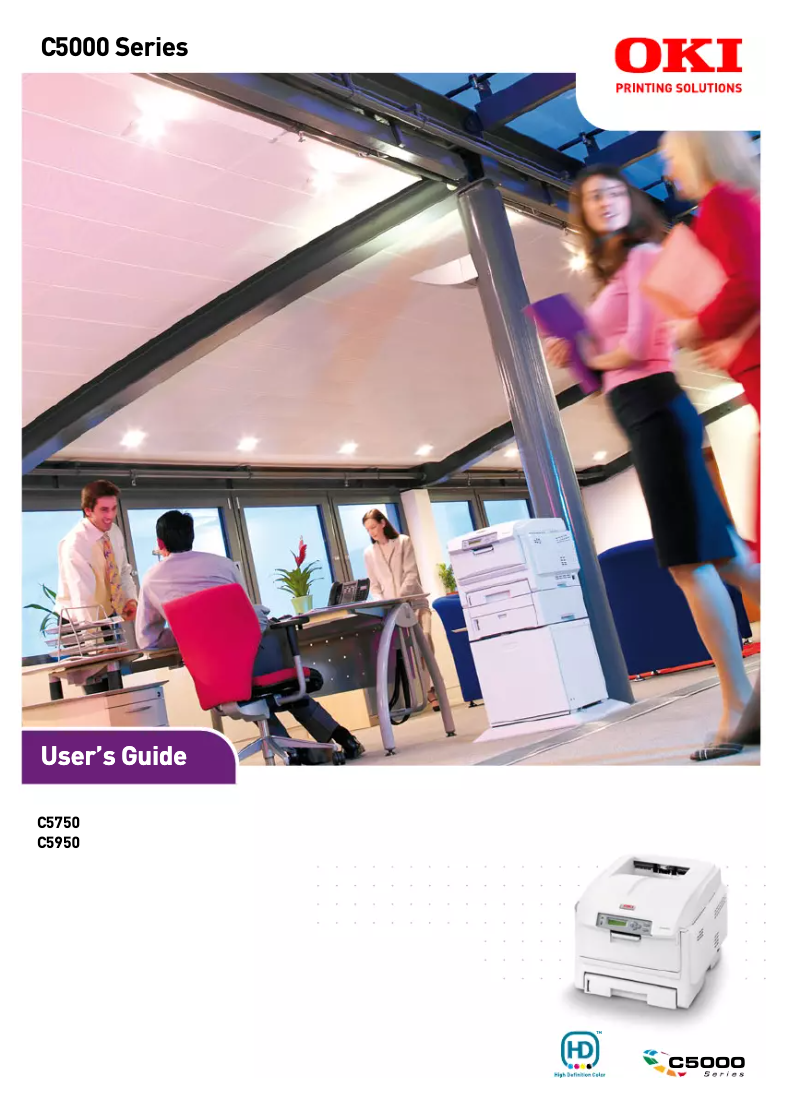
Editorial note
The OKI C5950DN printer stands out for its impressive performance and exceptional print quality. With a printing speed of 32 pages per minute in black and 26 pages in color, it is perfectly suited for demanding work environments. Additionally, its maximum resolution of 600 x 1200 DPI ensures sharp and clear prints, ideal for professional documents or presentations. The addition of automatic duplex printing functionality helps optimize paper usage, thus contributing to a reduced ecological footprint. However, some drawbacks deserve to be highlighted. The OKI C5950DN is not compatible with Mac operating systems, which limits its use for some users. Furthermore, its noise level of 55.6 dB in printing mode may be considered high, which could be bothersome for those in noise-sensitive environments. Its weight of 26 kg also makes handling and moving the printer difficult, especially in tight spaces. Finally, while the 300-sheet paper capacity is reasonable, it may not be sufficient for users with very high printing volumes, just like its power consumption of 1200 W which could lead to higher energy costs. Overall, the user experience is positive thanks to well-thought-out features and an intuitive interface. Despite some limitations, the added value of the OKI C5950DN, particularly its speed and print quality, justifies its price.Score details
User experience
The user experience is generally positive thanks to well-thought-out features such as automatic double-sided printing and an easy-to-use interface.
Performance
The printing speed of 32 ppm in black and 26 ppm in color is impressive, providing efficient performance for demanding work environments.
Battery life
The power consumption of 1200 W during operation can lead to higher energy costs, which may be a drawback for users concerned about their electricity bill.
Design
The design is functional, but its weight of 26 kg can make handling difficult, especially in tight spaces.
Value for money
The exceptional print quality and generous paper capacity justify the price, despite some limitations such as incompatibility with Mac systems.
Usability
Although the printer is user-friendly, the noise level of 55.6 dB in print mode can be disruptive in noise-sensitive work environments.
Advantages
Fast print speed: 32 ppm black, 26 ppm color
Automatic duplex printing for paper savings
Print quality 600 x 1200 DPI
300-sheet paper capacity
Ethernet connectivity for easy access
Disadvantages
Not compatible with Mac systems
High noise level at 55.6 dB
Weight of 26 kg difficult to move
Limited paper capacity of 300 sheets
High power consumption of 1200 W
Technical Specifications C5950DN
General Information
-
ModelC5950DN
-
Brand
-
Category
-
Type
-
SKU1366705
-
MPN1366705
Print speed
-
Double-sided printingYes
-
Maximum resolution600 x 1200 DPI
-
Print speed (black, normal quality, A4/US Letter)32 ppm
-
Preheating time60 s
-
Print speed (color, normal quality, A4/US Letter)26 ppm
-
Copy time for the first page (color, normal)9 s
-
Copy time for the first page (Black, normal)8 s
-
Double-sided printingYes
-
Printing technologyLaser
Representation / realization
-
Processor frequency500 MHz
-
Internal memory256 MB
-
Sound power level (standby)37 dB
-
Sound pressure level (impression)55.6 dB
-
Internal storage capacity40 GB
-
Maximum internal memory768 MB
-
Storage mediaHDD
Other features
-
Standby LEDYes
-
Network features10/100-TX Ethernet, IEEE 1284
-
Standby LEDYes
-
Compatible operating systemsWindows 98, Me, NT, 2000, XP, 2003
-
Type of power supplyMac OS 9.0, X PowerPC 10.2, X Intel 10.4.4
-
Power requirementsSector
-
Standby LED220 - 240V, 50/60 Hz
-
Type of support and capacity (bin 2)Yes
-
Type of support and capacity (bin 2)A4, A5, B5
-
Support weight, bin 2A4, A5, B5
-
Electricity consumption in operation64 – 176 gsm
-
Recommended humidity level for use1200 W
-
Recommended operating temperature50 - 70 %
-
17 - 27 °C
Features
-
Number of print cartridges4
-
Service cycle (Maximum)60000 pages per month
-
Languages of the page descriptionPostScript 3
Input and output capacity
-
Total power capacity300 sheets
-
Paper tray 2 feed capacity530 sheets
-
Input capacity of multi-purpose trays100 sheets
-
Total output capacity250 sheets
-
Multifunctional trayYes
Paper management
-
Support formats, tray 1A4
-
ISO, Format Series A (A0...A9)A5
-
ISO, Formats Series-B (B0...B9)B5
-
Envelope sizesA6
-
Type of paper tray supportA4
-
Maximum print formatA5
-
Weight of the multifunctional tray supportA6
-
Maximum ISO A series paper sizeB5
-
9
-
10
-
C5
-
DL
-
Envelopes
-
Labels
-
Plain paper
-
Transparencies
-
210 x 297 mm
-
75–203 gsm g/m²
-
A4
Network
-
Ethernet/LANYes
-
Ethernet/LANYes
-
WifiNo
Power
-
Average power consumption in Print mode490 W
-
Energy consumption (eco mode)17 W
Weight and dimensions
-
Dimensions (LxWxH)400 x 528 x 339.5 mm
-
Weight26000 g
Design
-
ScreenLCD
Environmental conditions
-
Operating relative humidity (H-H)20 - 80 %
-
Temperature out of operation-10 - 43 °C
-
Operating temperature10 - 32 °C
-
Relative humidity rate (storage)10 - 90 %
Frequently Asked Questions
What is the weight of the OKI C5950DN printer?
What is the recommended method for removing paper jammed in the printer?
Why does my printer not recognize original cartridges?
What could be the causes of poor print quality?
How does a laser printer differ from an inkjet printer?
Why does my inkjet printer leave black streaks on prints?
What does the acronym DPI mean?
How many cartridges can be installed in the OKI C5950DN?
What is the memory capacity of the OKI C5950DN?
Is the user manual for the OKI C5950DN available in French?
Similar products


More product categories from brand OKI
More product types from brand OKI


Presentation of product C5950DN specifications from brand OKI
General Information
The OKI C5950DN printer is a recognized model from the OKI brand, famous for its innovation and reliability in the field of printing technologies. This specific model, identified by the reference C5950DN | 1213201, is designed to deliver optimal performance and enhance the user experience, combining speed and print quality.
Print Speed
This printer supports color printing, thus meeting the varied needs of users. Its maximum resolution of 600 x 1200 DPI ensures remarkable print clarity, perfect for professional documents. With a print speed of 32 pages per minute in black and 26 pages per minute in color, the OKI C5950DN facilitates an efficient workflow. Its warm-up time of 60 seconds ensures quick availability, while the first page copy delay is 8 seconds for black and 9 seconds for color. Additionally, the automatic duplex printing feature helps optimize paper consumption.
Performance / Execution
Equipped with a processor running at 500 MHz and an internal memory of 256 MB, the OKI C5950DN ensures rapid task execution. Its idle noise level is 37 dB, guaranteeing discreet use. In print mode, the sound pressure level reaches 55.6 dB, which may be a factor to consider in noise-sensitive environments. The internal storage capacity is 40 GB, with a maximum memory reaching 768 MB, allowing for efficient data management.
Other Features
The printer uses toner cartridges, essential for ensuring consistent print quality. It is equipped with network connectivity such as 10/100-TX Ethernet and IEEE 1284, allowing for easy integration into office environments. However, it is important to note that the OKI C5950DN is not compatible with Mac systems, which may limit its use for some users. It operates under Windows XP, Vista, and 7, with a power supply of 220 - 240V, 50/60 Hz. In standby mode, it features a standby LED, promoting energy savings.
Specifications
This model requires 4 print cartridges and is designed for a maximum service cycle of 60,000 pages per month, making it ideal for high-volume work environments. It supports the PostScript 3 page description language for increased flexibility.
Input and Output Capacity
With a total feed capacity of 300 sheets and a paper tray of 530 sheets, the OKI C5950DN is designed to efficiently handle large print volumes. Its multifunction tray can hold up to 100 sheets for varied use tailored to different printing needs, while the output capacity is 250 sheets.
Paper Management
This printer supports various paper sizes, including A4, A5, B5, and A6, ensuring great flexibility. It is compatible with standard ISO formats, thus facilitating the printing of common documents. The paper tray can handle different types of media such as envelopes, labels, and transparencies, and its media weight ranges from 75 to 203 g/m².
Network
The OKI C5950DN is ready to use with built-in Ethernet/LAN connectivity, although it does not offer Wifi connection, which could restrict mobility of use.
Power
The power consumption in print mode is 490 W, while in energy-saving mode, it drops to 17 W, promoting responsible energy use.
Weight and Dimensions
The dimensions of the OKI C5950DN are 400 x 528 x 339.5 mm, with a weight of 26 kg, which may make its movement a bit complicated in tight spaces.
Design
Equipped with an LCD screen, the printer offers a clear and intuitive interface to facilitate its use.
Environmental Conditions
For optimal operation, the OKI C5950DN is designed to operate in a relative humidity of 20 to 80 % and an ambient temperature of 10 to 32 °C. Its storage temperature can reach -10 to 43 °C, ensuring its durability in various environmental conditions.


