
Manual of product C310
Editorial note
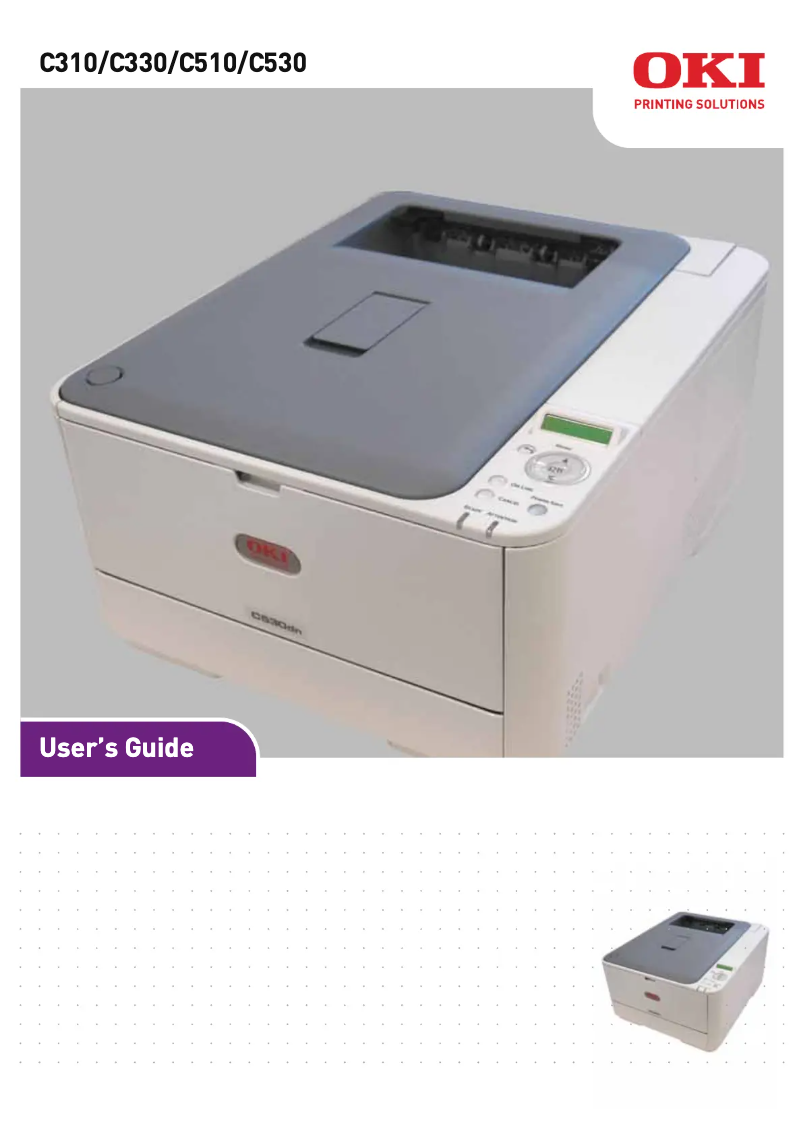
The OKI C310 printer stands out for its exceptional print quality, delivering clear documents and vibrant colors, making it ideal for professional use. Its robustness, characteristic of the OKI brand, ensures a long lifespan and reliable performance over time. Additionally, it is designed to be user-friendly, with an accessible user manual that allows for quick familiarization, even for technology novices. However, some drawbacks are worth mentioning. The high cost of consumables, particularly toners, can increase long-term expenses for users. The printer can also be noisy during operation, which may be disruptive in quiet work environments. Furthermore, wireless connectivity may sometimes encounter stability issues, while its bulky design limits integration into tight spaces. Finally, the user interface, although functional, is not always intuitive, which can make navigating the settings less user-friendly. Overall, the OKI C310 is a robust and high-performing printer, but it is important to consider the costs of consumables and the practical aspects related to its use in specific work environments.Score details
User experience
The user experience is generally positive due to the ease of use and an accessible user manual, although the interface can sometimes lack intuitiveness.
Performance
The OKI C310 printer offers excellent print quality with vibrant colors and clear documents, ideal for professional use.
Design
The design is functional, but the relatively bulky size can be an issue in tight workspaces.
Value for money
The cost of consumables, particularly toners, is high, which can increase long-term expenses for users.
Robustness
The OKI brand is known for the robustness of its products, ensuring a long lifespan and consistent performance.
Usability
The printer is designed for quick handling, but the wireless connectivity can sometimes be unstable, making usage less user-friendly.
Features
The versatility of the OKI C310 allows it to handle different types of print media, providing appreciated flexibility.
Advantages
Exceptional print quality
Guaranteed robustness and durability
Intuitive and quick to use
Optimal energy efficiency
Flexible for various media
Disadvantages
High cost of toners
Noisy in operation
Unstable wireless connectivity
Bulky volume
Unintuitive user interface
Technical Specifications C310
General Information
-
ModelC310
-
Brand
-
Category
-
Type
-
SKU87228
-
MPN87228
Frequently Asked Questions
What is the recommended method for removing a jammed paper from the printer?
Why is my printer refusing to accept original cartridges?
What are the possible reasons for poor print quality?
What is the difference between a laser printer and an inkjet printer?
Why is my inkjet printer producing black lines?
What does the acronym DPI mean?
Is the manual for the OKI C310 available in French?
Similar products


More product categories from brand OKI
More product types from brand OKI


Presentation of product C310 specifications from brand OKI
General Information
The model OKI C310, designed by the brand OKI, is a printing device that stands out for its reputation for innovation and quality in the printer sector. This model is specifically developed to offer superior printing performance and an optimized user experience.
Advantages
Among the strengths of the OKI C310, there is an excellent print quality, capable of producing documents with vibrant colors and remarkable clarity, making it ideal for professional use. Additionally, its reliability and durability are major assets, ensuring prolonged use without compromising performance.
This model is also characterized by its ease of use, thanks to a clear user manual that allows for quick handling, even for those who are not familiar with printing technologies. Furthermore, the energy efficiency of the OKI C310 helps reduce operating costs while being environmentally friendly. Its versatility allows it to handle different types of printing media, providing appreciated flexibility for various needs.
Disadvantages
However, there are a few disadvantages to consider. The cost of consumables, such as toners, can be high, thus increasing long-term expenses for users. Additionally, the printer may prove to be noisy during operation, which could disrupt a quiet work environment.
The wireless connectivity can sometimes be unstable, leading to difficulties when printing from mobile devices. Moreover, its relatively bulky format may pose integration issues in restricted workspaces, while its user interface may lack intuitiveness, making navigation through settings less user-friendly.


