

Manual of product B721DN
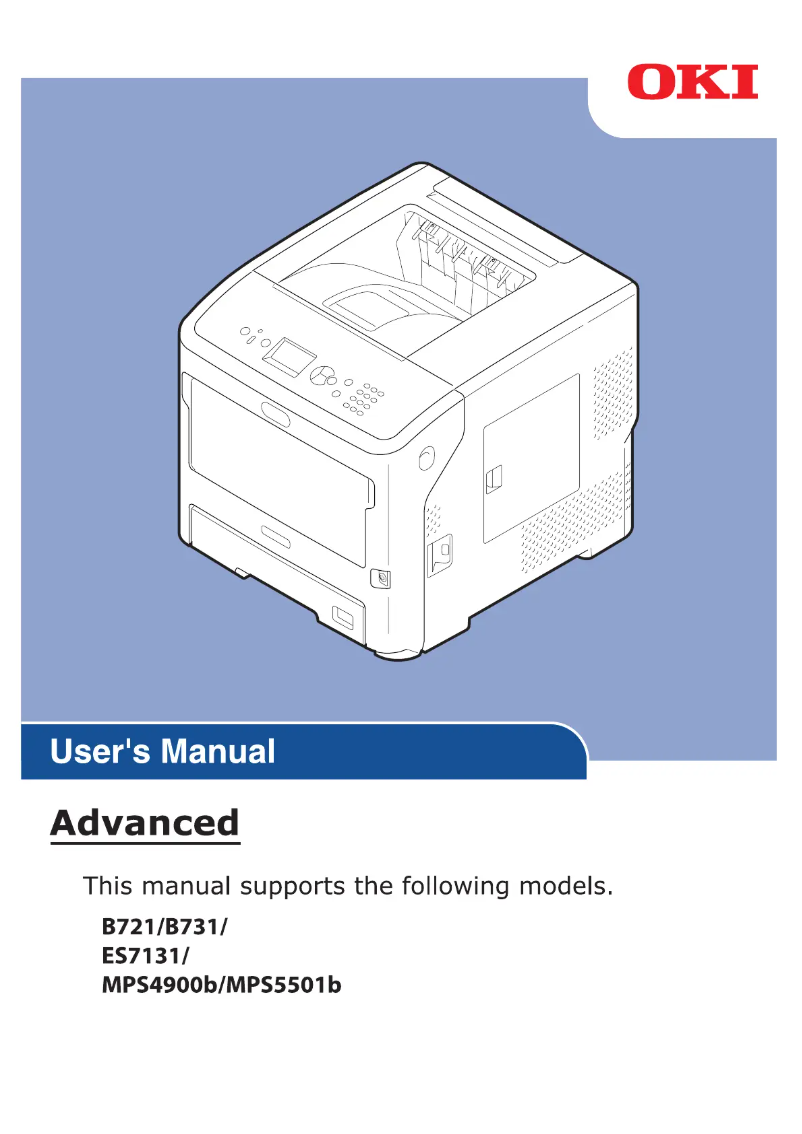
Editorial note
The OKI B721DN printer stands out with its impressive printing speed of 47 pages per minute and laser technology, offering a maximum resolution of 1200 x 1200 DPI. These features make it an ideal choice for demanding work environments where productivity is essential. Additionally, the built-in duplex printing feature helps reduce paper consumption, thus promoting more sustainable practices. However, some drawbacks must be considered. The lack of color printing may be a drawback for users needing color documents for presentations or marketing materials. Furthermore, its weight of 27 kg makes it less mobile, which can be an issue in offices where flexibility is required. Wi-Fi connectivity is also absent, limiting wireless printing options. Finally, the power consumption in printing mode of 800 W can lead to higher energy costs for intensive use. Overall, the OKI B721DN offers good value for money, particularly due to its maximum paper capacity of 3160 sheets and its monthly duty cycle of 20,000 pages. Although it is not without flaws, its performance and features make it a solid option for users with high printing needs.Score details
User experience
The user experience is generally good, with an integrated duplex printing feature that promotes sustainable practices, but the lack of Wi-Fi connectivity can be limiting.
Performance
The printing speed of 47 pages per minute and laser printing technology with a resolution of 1200 x 1200 DPI ensure exceptional performance for demanding work environments.
Battery life
The power consumption in printing mode of 800 W can lead to higher energy costs, which is a factor to consider for heavy use.
Design
Although the design is modern, the weight of 27 kg makes the printer difficult to move, which can be an issue in flexible office environments.
Value for money
With a maximum paper capacity of 3160 sheets and high-quality features, the OKI B721DN offers good value for users with high printing needs.
Features
Although the printer does not offer color printing, it has many useful features, such as Ethernet connectivity and a maximum service cycle of 20,000 pages per month.
Advantages
Fast printing at 47 pages per minute
Built-in duplex printing for paper savings
Paper capacity of up to 3160 sheets
High-quality laser printing 1200 x 1200 DPI
Ethernet connectivity for easy network access
Disadvantages
No color printing
Weight of 27 kg
No Wi-Fi connectivity
High power consumption
Preheating time of 25 seconds
Technical Specifications B721DN
General Information
-
ModelB721DN
-
Brand
-
Category
-
Type
-
SKU1368145
-
MPN1368145
Print speed
-
ColorNo
-
Maximum resolution1200 x 1200 DPI
-
Double-sided printingYes
-
Printing technologyLaser
-
Print speed (black, normal quality, A4/US Letter)47 ppm
-
Preheating time25 s
-
Copy time for the first page (Black, normal)5 s
Features
-
Number of print cartridges-
-
Service cycle (Maximum)20000 pages per month
-
Languages of the page descriptionPCXL, Epson FX, IBM ProPrinter, Microsoft XPS, PCL 5e, PostScript 3
-
Printing colorsBlack
Input and output capacity
-
Total power capacity530 sheets
-
Maximum input capacity3160 sheets
-
Input capacity of multi-purpose trays100 sheets
-
Maximum output capacity500 sheets
-
Maximum output capacity500 sheets
-
Multifunctional trayYes
Paper management
-
Maximum ISO A series paper sizeA4
-
Type of paper tray supportOrdinary paper
-
Types of multi-purpose binsEnvelopes
-
ISO, Format Series A (A0...A9)A4, A5
-
ISO, Formats Series-B (B0...B9)B5
-
Support weight supported in duplex mode64 - 220 g/m²
-
Weight of the multifunctional tray support64 - 253 g/m²
-
Support weight supported in duplex mode64 - 220 g/m²
Network
-
Ready-to-use network-
-
Mobile printing technologies-
-
Ethernet/LANYes
-
WifiNo
Connectivity
-
Standard interfacesEthernet, USB 2.0
-
Quantity of USB 2.0 Ports2
Representation / realization
-
Internal memory256 MB
-
Maximum internal memory768 MB
-
Sound pressure level (impression)55 dB
-
Sound pressure level (silent mode)53 dB
-
Processor frequency800 MHz
Design
-
Product colorGrey, White
-
Built-in screenYes
-
CertificationCE, GS
Power
-
AC input voltage220 - 240 V
-
AC input frequency50 - 60 Hz
-
Average power consumption in Print mode800 W
-
Consumption (max)1400 W
-
Energy consumption (eco mode)19 W
-
Electricity consumption (stop)1.5 W
Sustainability
-
Sustainability certificatesENERGY STAR
Minimum system requirements
-
Support for the Linux operating systemYes
-
Support for the Linux operating systemYes
-
Support for the Linux operating systemYes
Environmental conditions
-
Operating temperature10 - 32 °C
-
Temperature out of operation20 - 80 °C
-
Operating relative humidity (H-H)-10 - 43 %
-
Relative humidity rate (storage)10 - 90 %
Weight and dimensions
-
Width435 mm
-
Depth798 mm
-
Height410 mm
-
Weight27000 g
Other features
-
Supported network protocolsTCP
-
SMTP
-
HTTP
-
HTTPS
-
SNMPv1&v3
-
DHCP
-
DNS
-
IPP
-
IPPS
-
BOOTP
-
DDNS
-
WINS
-
UPnP
-
SNTP
-
IGMP
-
IGMPv2
-
ICMP
-
IMCPv6
-
LPR
-
Port9100
-
FTP
-
Telnet
-
Bonjour
-
LLTD
Frequently Asked Questions
What is the weight of the OKI B721DN printer?
What is the best method to remove a paper jam in the printer?
Why does my printer not recognize original cartridges?
What could be the reasons for poor print quality?
What is the difference between a laser printer and an inkjet printer?
Why is my inkjet printer printing black streaks?
What does the acronym DPI mean?
What certifications does the OKI B721DN have?
How many cartridges can be installed in the OKI B721DN?
What is the height of the OKI B721DN printer?
What is the width of the OKI B721DN printer?
What is the depth of the OKI B721DN printer?
Is the manual for the OKI B721DN available in French?
Similar products


More product categories from brand OKI
More product types from brand OKI


Presentation of product B721DN specifications from brand OKI
General Information
The OKI B721DN model from the OKI brand is a device recognized for its reliability and innovation in the field of printing. This model, identified by the code B721DN | 01334001, ensures optimal performance, accompanied by an enhanced user experience. Its EAN code, 5031713060031, allows for unique identification within distribution systems.
Print Speed
This printer does not offer color printing, which may be a disadvantage for some users. However, it compensates for this with a maximum resolution of 1200 x 1200 DPI, ensuring sharp and precise prints. The OKI B721DN offers integrated duplex printing, thus facilitating resource use and reducing paper waste. With a print speed of 47 pages per minute in black and white, it is ideal for demanding work environments. Its warm-up time is 25 seconds, and the first page print delay is only 5 seconds, allowing for appreciable responsiveness in a professional setting.
Features
Designed for a maximum service cycle of 20,000 pages per month, the OKI B721DN meets the needs of intensive use. It operates with a single cartridge, thus optimizing consumable management. The model supports multiple page description languages, including PCXL, Epson FX, and PostScript 3, offering printing flexibility. Its print color is exclusively black, ensuring high-quality visual output.
Input and Output Capacity
The OKI B721DN has a total feed capacity of 530 sheets, while its maximum input capacity reaches 3160 sheets. This allows for handling large volumes of documents without interruption. The multifunction tray, capable of holding 100 sheets, allows for varied use, and its output capacity is 500 sheets, ensuring optimized performance.
Paper Management
Compatible with A4 and A5 paper formats, the OKI B721DN primarily uses plain paper and also supports various types such as envelopes and labels. The supported paper weight ranges from 64 to 220 g/m², ensuring print quality across a wide range of media.
Network
This printer is equipped with Ethernet connectivity, facilitating network access for multiple workstations. However, it does not support Wi-Fi, which may limit certain connection options. Mobile printing technologies are also available for greater flexibility in printing from mobile devices.
Connectivity
With two available USB 2.0 ports, the OKI B721DN ensures a fast and efficient connection with other devices. The built-in standard interfaces guarantee optimal compatibility with various equipment.
Representation / Performance
Equipped with 256 MB of internal memory, expandable up to 768 MB, the OKI B721DN allows for efficient data management. Its sound pressure level is 55 dB in print mode and 53 dB in silent mode, ensuring relatively quiet operation. The frequency of its processor is 800 MHz, directly influencing the device's performance.
Design
The design of the OKI B721DN is distinguished by its gray and white tones, offering a modern appearance. The printer is also equipped with a built-in display, facilitating its use, and meets safety standards with CE and GS certifications.
Power
With an input voltage of 220 - 240 V and a frequency of 50 - 60 Hz, the OKI B721DN is compatible with standard electrical systems. Its power consumption in print mode is 800 W, with a peak of 1400 W. In economy mode, it consumes only 19 W, and in standby, 1.5 W, thus contributing to better energy efficiency.
Durability
This printer is ENERGY STAR certified, ensuring that it meets strict standards for energy efficiency and environmental sustainability.
Minimum System Requirements
Compatible with Windows, Mac, and Linux operating systems, the OKI B721DN offers a smooth user experience regardless of the computing environment used.
Environmental Conditions
It operates within a temperature range of 10 to 32 °C, and can be stored in conditions ranging from -20 to 80 °C. Its relative humidity of operation is 10 to 43%, ensuring optimal performance in various environments.
Weight and Dimensions
Dimensions of the OKI B721DN: width of 435 mm, depth of 798 mm, and height of 410 mm. With a weight of 27 kg, it remains relatively heavy, which may limit its mobility in some offices.
Other Features
Supported network protocols include TCP, SMTP, HTTP, and many others, ensuring smooth and efficient communication for network printing needs.


