

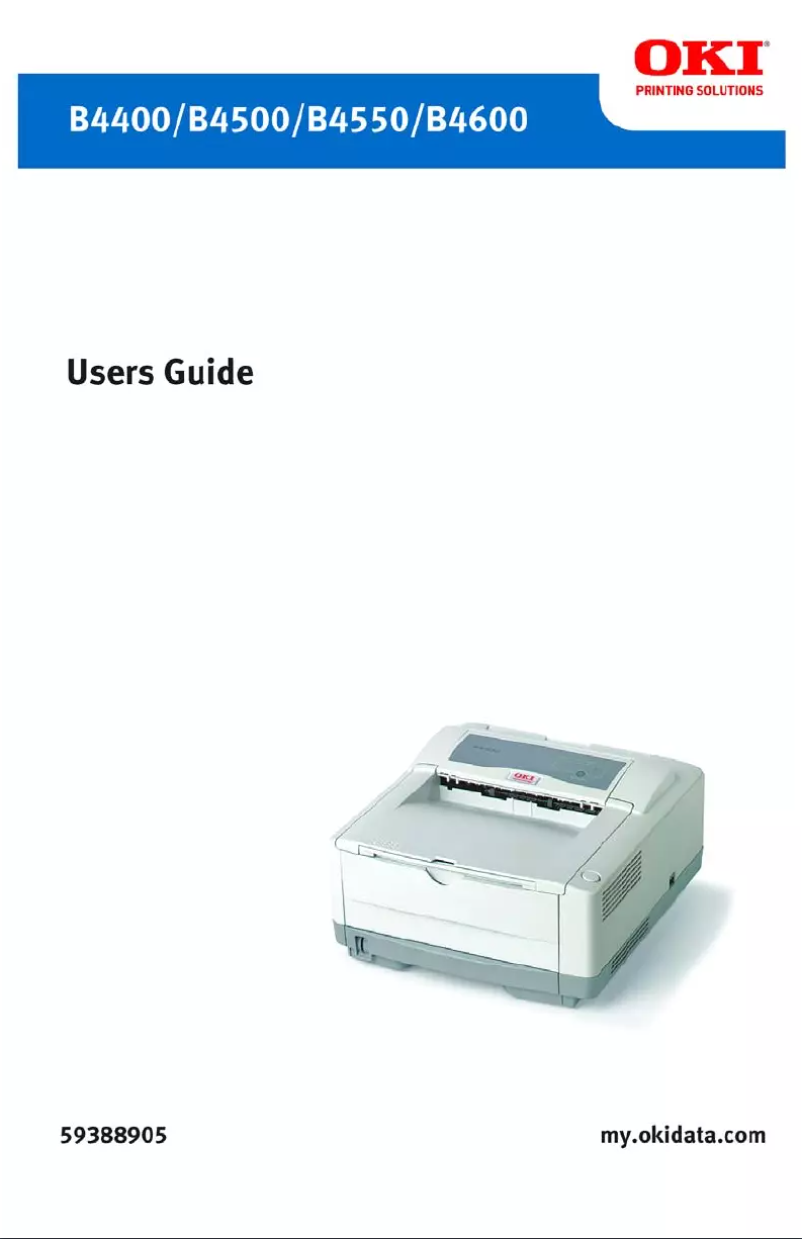
Manual of product B4550
Editorial note
The OKI B4550 printer stands out with its impressive printing speed of 24 pages per minute and a maximum resolution of 2400 x 600 DPI, ensuring prints of exceptional clarity. With an input capacity of 750 sheets, it is designed to efficiently handle a large volume of documents, making it an ideal choice for demanding work environments. Additionally, its wide range of 223 printer fonts offers valuable flexibility for various printing projects. However, some drawbacks deserve to be highlighted. The lack of duplex printing functionality may lead to excessive paper use and less efficient resource management. Limited compatibility with operating systems, particularly the absence of support for Mac, may also restrict its use in certain environments. Furthermore, the internal memory of 32 MB may prove insufficient for more complex printing tasks, which could slow down the device's performance. The lack of out-of-the-box network connectivity also complicates its installation in shared offices. Overall, the OKI B4550 offers good value for money, with solid performance and a functional design. However, it is important to consider the mentioned limitations to ensure it meets the specific needs of your work environment.Score details
User experience
The user experience is generally positive due to the fast printing speed and high resolution, but the limited compatibility with Mac systems can be frustrating.
Performance
The performance is good for regular prints, but the 32 MB internal memory may prove insufficient for more complex tasks.
Design
The design is functional, although the weight of 10 kg may pose mobility issues in flexible work environments.
Value for money
The value for money is excellent considering the features offered, including printing speed and input capacity.
repairability
The repairability is reasonable, but the lack of ready-to-use network connectivity can complicate use in a shared office.
Robustness
The printer appears robust and capable of supporting a maximum service cycle of 40,000 pages per month.
Usability
Ease of use is affected by the absence of duplex printing and compatibility with Mac systems.
Features
The features are solid, but the lack of duplex printing and limited memory are notable drawbacks.
Support
Support is acceptable, but the absence of specific documentation for Mac users could pose issues.
Documentation
The user manual is comprehensive and covers most questions, making it easier to get acquainted with the product.
Advantages
Fast printing at 24 pages per minute
Maximum resolution of 2400 x 600 DPI
Input capacity of 750 sheets
223 available printer fonts
High-quality laser printing technology
Disadvantages
No double-sided printing
Limited compatibility with Mac systems
Only 32 MB of internal memory
No built-in network connectivity
10 kg weight difficult to move
Technical Specifications B4550
General Information
-
ModelB4550
-
Brand
-
Category
-
Type
-
SKU1370000
-
MPN1370000
Print speed
-
Double-sided printingNo
-
Maximum resolution2400 x 600 DPI
-
Print speed (black, normal quality, A4/US Letter)24 ppm
-
Copy time for the first page (Black, normal)5 s
-
Printing technologyLaser
-
Double-sided printingNo
Representation / realization
-
Processor model32 bit PowerPC
-
Processor frequency266 MHz
-
Internal memory32 MB
-
Maximum internal memory288 MB
-
Integrated into the processorYes
Input and output capacity
-
Maximum input capacity750 sheets
-
Total power capacity250 sheets
Network
-
Ready-to-use networkNo
Other features
-
Included fontsYes
-
Compatible operating systemsWindows Vista/Vista x64, XP (Home Edition, Professional/x64 Edition); 2003 Server/x64 Edition, Enterprise Server/x64 Edition, Data Center Server/x64 Edition; 2000 Workstation, Professional, Server, Advanced Server – SP4 +; NT 4.0 Workstation, Server – SP6 +; ME; 98/98 SE; Mac OS 9.1/OS 10.2
-
EmulationsPCL 5e, PCL 6; IBM ProPrinter III XL; Epson FX
-
Included fontsYes
Weight and dimensions
-
Dimensions (LxWxH)355 x 396 x 216 mm
-
Weight10000 g
Features
-
Service cycle (Maximum)40000 pages per month
-
Printer fontsPCL, PostScript
-
PCL® Fonts87
-
PostScript® Fonts136
-
Number of printer fonts223
Frequently Asked Questions
What is the weight of the OKI B4550 printer?
What is the recommended method for removing paper jammed in the printer?
Why is my printer refusing to accept original cartridges?
What are the causes if my prints are of poor quality?
What is the difference between a laser printer and an inkjet printer?
Why is my inkjet printer producing black streaks on prints?
What does DPI mean?
Is the manual for the OKI B4550 available in French?
Similar products


More product categories from brand OKI
More product types from brand OKI


Presentation of product B4550 specifications from brand OKI
General Information
The OKI B4550 printer, from the renowned brand OKI, is designed to provide reliable performance and an optimal user experience. This model, identified by the code B4550 | 62429601, is particularly appreciated for its robustness and efficiency. The product is also identifiable by its various EAN codes: 0051851160894, 0051851160924, 0051851161372, 0799666148781, 0807027557179.
Print Speed
This monochrome printer offers an impressive print speed of 24 pages per minute (ppm), allowing for quick and efficient document production. With a maximum resolution of 2400 x 600 DPI, prints benefit from exceptional clarity, ideal for professional documents. The first page print time is only 5 seconds, making it a wise choice for demanding work environments. However, it is important to note that the OKI B4550 does not include duplex printing functionality, which may limit the efficiency of paper usage.
Representation / Performance
The processor of the OKI B4550 operates on a 32-bit PowerPC architecture with a frequency of 266 MHz, ensuring smooth task execution. Its internal memory of 32 MB may seem limited, but it effectively manages routine operations. Additionally, the maximum internal memory can reach 288 MB, thus providing increased capacity for storing necessary data and applications.
Input and Output Capacity
The OKI B4550 has a maximum input capacity of 750 sheets, facilitating the management of a large volume of documents without interruption. Its total feed capacity is 250 sheets, contributing to a commendable autonomy when printing large runs.
Network
It is worth noting that the OKI B4550 model does not offer out-of-the-box network connectivity, which may complicate its integration into office environments where multiple users need to access the printer.
Other Features
This model is not compatible with Mac systems, but it works perfectly with several versions of Windows, including Windows XP, Windows Vista, and Windows 7. The included emulation mode, featuring PCL 5e, PCL 6, IBM ProPrinter III XL, and Epson FX, ensures broad compatibility with various printing systems. Additionally, the OKI B4550 offers a collection of 223 printer fonts, including 66 in PCL and 6 in PostScript, providing great flexibility for your printing projects.
Weight and Dimensions
The dimensions of the OKI B4550 are 355 x 396 x 216 mm, allowing for optimal fitting in various workspaces. With a weight of 10 kg, this printer may be less mobile, thus limiting its flexibility of use.
Specifications
The maximum duty cycle of the OKI B4550 is 40,000 pages per month, allowing for intensive use suited to the needs of demanding users. Thanks to its laser printing technology, the OKI B4550 ensures precise and consistent results, guaranteeing optimal print quality for all your documents.


