
Manual of product MPDC100 BT
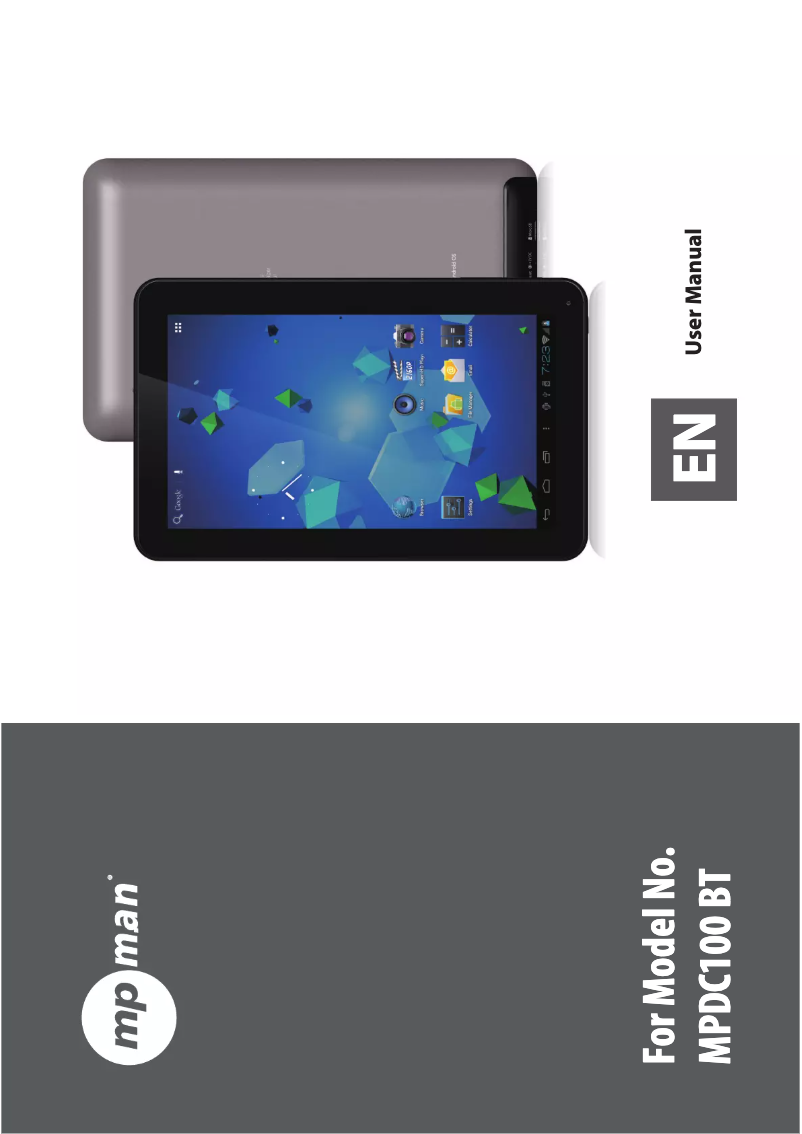
Editorial note
The Mpman MPDC100 BT tablet stands out for its compact and lightweight design, making it easy to carry and use while on the go. Performance is satisfactory for basic use, providing a smooth user experience. However, it is worth noting that the interface can sometimes lack responsiveness, which may affect navigation. Battery life is a weak point, being lower than that of some competitors. This can lead to frequent recharges during intensive use, which could be a drawback for users needing prolonged usage. On the other hand, the display quality of the screen may not meet expectations, especially regarding viewing angles and brightness. The integrated Bluetooth connectivity is a significant advantage, allowing for wireless use with other compatible devices. However, the choice of available applications on the platform remains limited compared to other models, which may restrict access to certain popular apps. In terms of value for money, the Mpman MPDC100 BT offers good value, backed by a brand known for its quality. The provided documentation, including a user manual, is comprehensive and allows for quick familiarization. Overall, this tablet will suit users looking for a lightweight and easy-to-carry device while being aware of its limitations in terms of performance and battery life.Score details
User experience
The user experience is generally satisfactory, but the interface may lack fluidity and responsiveness, which affects navigation.
Performance
Performance is optimal for basic use, but may be limited for demanding applications, particularly in graphics processing.
Battery life
Battery life is shorter than that of some competitors, requiring frequent recharges during intensive use.
Design
The design is compact and lightweight, making it easy to carry and use on the go.
Value for money
The value for money is interesting due to a brand recognized for its quality, but performance limitations may make some users hesitant.
Documentation
The documentation is comprehensive, including a user manual that allows for quick onboarding.
Features
The built-in Bluetooth connectivity is an asset, but the available app stock may be limited compared to other tablets.
Advantages
Lightweight and portable design
Optimal performance for smooth use
Reputable brand for its quality
User manual included
Wireless Bluetooth connectivity
Disadvantages
Limited performance compared to high-end models
Battery life inferior to the competition
Display quality and viewing angles are mediocre
User interface is not very smooth and responsive
Limited number of available applications
Technical Specifications MPDC100 BT
General Information
-
ModelMPDC100 BT
-
Brand
-
Category
-
Type
-
SKU910242
-
MPN910242
Frequently Asked Questions
What factors influence download speed on the Internet?
What are the dimensions of my tablet's screen?
Is the manual for the Mpman MPDC100 BT available in French?
Similar products


More product categories from brand Mpman
Audio Mpman
Phones Mpman
More product types from brand Mpman


Presentation of product MPDC100 BT specifications from brand Mpman
General Information
The Mpman MPDC100 BT is a tablet from the brand Mpman, known for its commitment to quality and innovation in the electronics sector. This model, the MPDC100 BT, stands out for its optimal performance, providing a smooth and satisfying user experience.
Advantages
This tablet has several strengths:
- Compact and lightweight design, making it easy to carry and use on the go.
- Optimal performance ensuring a pleasant user experience, ideal for everyday tasks.
- Well-known brand for its quality and innovation, thus providing increased confidence in the product.
- Comprehensive documentation available, including a user manual for quick familiarization.
- Integrated Bluetooth connectivity, allowing for wireless use with other compatible devices.
Disadvantages
However, the Mpman MPDC100 BT has some limitations:
- The performance may be lower than that of higher-end models, particularly in terms of graphics processing and application execution speed.
- The battery life may not match that of some competing tablets, leading to frequent recharges during intensive use.
- The display quality of the screen may not be up to par, with viewing angles and brightness potentially being problematic.
- The user interface may lack fluidity and responsiveness, which can detract from the overall browsing experience.
- The stock of applications available on the platform may be limited, restricting access to certain popular applications.


