

Manuals of product FS-1120MFP

Editorial note
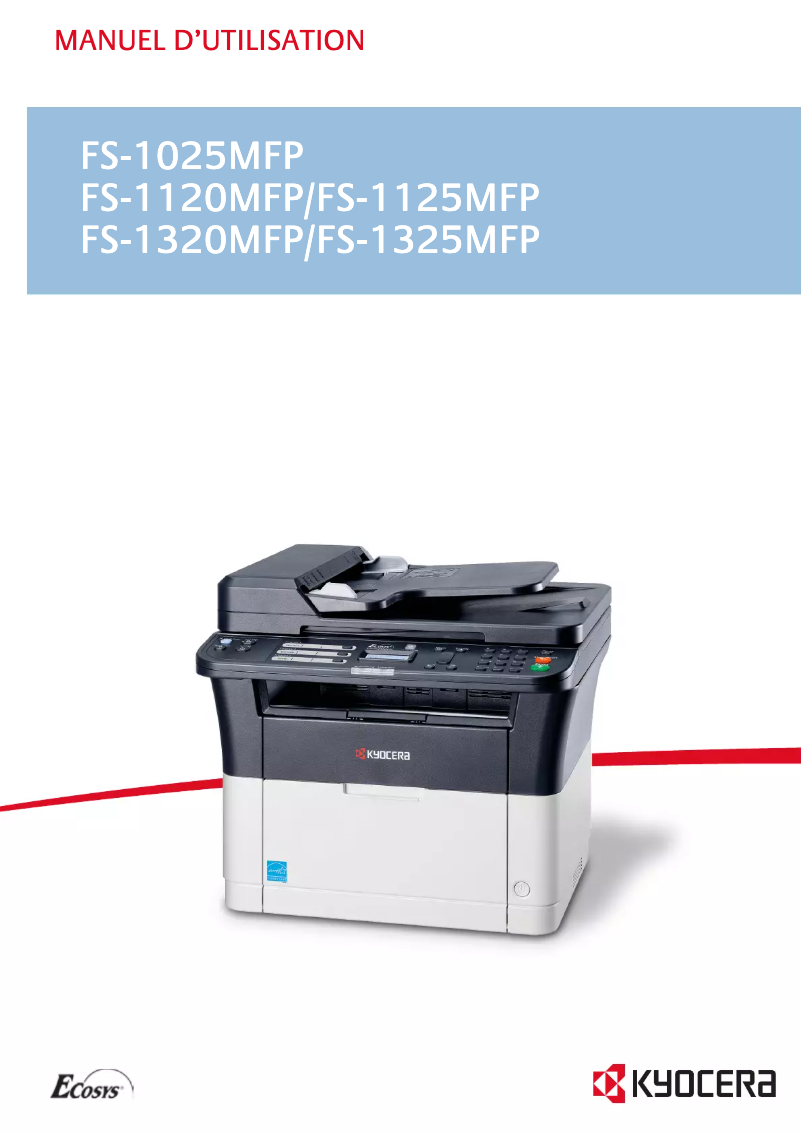
The Kyocera FS-1120MFP is a multifunction printer appreciated for its print quality, offering a maximum resolution of 1800 x 600 DPI that ensures clear and precise documents and images. Its print speed of 20 pages per minute is ideal for users with daily needs, and its 250-sheet paper capacity allows for handling a large volume of documents without interruption. Additionally, its compatibility with various operating systems (Windows, Mac, Linux) facilitates its integration into different work environments. However, some drawbacks are worth mentioning. The lack of duplex scanning features may limit its effectiveness for double-sided documents, and network connectivity is restricted, with no Ethernet or Wi-Fi support, which can be problematic in modern offices. Furthermore, the 64 MB internal memory may prove insufficient for complex tasks, and the 28-second warm-up time might seem long for those seeking instant printing. In terms of performance, users rated the overall experience at 78, highlighting an intuitive interface and easy setup, although the lack of Wi-Fi connectivity is a drawback in some contexts. The device's robustness is also rated satisfactory, with a score of 80, but the limited memory could pose constraints during more demanding tasks. Finally, the value for money is considerably good, with a score of 85, thanks to the high print quality and paper capacity that meet users' needs well.Score details
User experience
The user experience is generally satisfactory due to an intuitive interface and easy setup, although the lack of Wi-Fi connectivity may be a drawback in certain environments.
Performance
The performance is good with a printing speed of 20 ppm, but it may be insufficient for very demanding work environments requiring a high volume of printing.
Design
The design is modern and functional, although it lacks some modern connectivity options.
Features
The features offered, such as duplex printing and compatibility with multiple operating systems, are appreciated, but the lack of duplex scanning limits its use.
Value for money
The value for money is good, especially due to the high print quality and the 250-sheet paper capacity.
Support
The documentation provided is comprehensive, but the lack of support for network connectivity may pose problems in certain contexts.
Robustness
The robustness of the device is satisfactory, although an internal memory of 64 MB may impose limits during complex tasks.
Advantages
High-quality printing up to 1800 x 600 DPI
Print speed of 20 pages per minute
Built-in duplex printing to save paper
Color copying at 20 pages per minute
250-sheet paper capacity
Compatible with Windows, Mac, and Linux
Disadvantages
No duplex scanning
No Ethernet/Wi-Fi network connectivity
Insufficient 64 MB internal memory
Preheating time of 28 seconds
Limited print speed of 20 ppm
Technical Specifications FS-1120MFP
General Information
-
ModelFS-1120MFP
-
Brand
-
Category
-
Type
-
SKU87476
-
MPN87476
Print speed
-
Printing technologyLaser
-
PrintingMonochrome printing
-
Maximum resolution1800 x 600 DPI
-
Print speed (black, normal quality, A4/US Letter)20 ppm
-
Copy time for the first page (Black, normal)8.5 s
-
Preheating time28 s
-
Double-sided printingYes
Copier
-
CopySimple copy
-
Max. resolution of copies600 x 600 DPI
-
Copy speed (normal quality, black, A4)20 cpm
-
Maximum number of copies99 copies
-
Resizing copy25 - 400 %
-
All-in-one function (N=)2, 4
-
Release time of the first print (black, normal)14 s
-
Duplex copyYes
Digitization
-
DigitizationColor scanning
-
Optical scanning resolution600 x 600 DPI
-
Maximum scan areaLegal (216 x 356) mm
-
Scanning speed (color)6 ppm
-
Scanner speed (black)18 ppm
-
Supported image formatsBMP, JPG, PNG, TIF
-
Support for text formatsPDF
-
Gray levels256
-
Double-sided scanningYes
Fax
-
FaxSimple fax
-
Fax transmission speed3 sec/page
-
Modem speed33.6 Kbit/s
-
Fax Memory2.2 MB
-
Fax coding methodsMH, MMR (Fax coding method), MR
Features
-
Service cycle (Maximum)- pages per month
-
Digital senderNo
Input and output capacity
-
Maximum input capacity250 sheets
-
Maximum input capacity250 sheets
-
Automatic document feeder capacity40 sheets
-
Total number of power supply units1
-
Total output capacity150 sheets
-
Automatic Document Feeder (ADF)Yes
Paper management
-
ISO, Format Series A (A0...A9)A4
-
Maximum print formatA5
-
Type of paper tray supportA6
-
ISO, Formats Series-B (B0...B9)216 x 356 mm
-
Non-ISO print support sizesEnvelopes, Plain paper
-
Weight of paper tray supportB5
-
Maximum ISO A series paper sizeB6
-
Folio
-
60 - 220 g/m²
-
A4
Design
-
ScreenLCD
-
Touch screenNo
-
Number of lines displayed2 lines
-
Product colorBlack, White
-
Built-in screenYes
-
Market positionDomestic and professional
Connectivity
-
USB portYes
-
Standard interfacesUSB 2.0
-
USB portYes
Network
-
WifiNo
-
WifiNo
-
Mobile printing technologiesNot supported
Representation / realization
-
Internal memory64 MB
-
Built-in memory card readerNo
-
Processor frequency390 MHz
-
Processor familyARM
-
Sound pressure level (copy)50 dB
-
Sound power level (standby)28 dB
Power
-
Electricity consumption (average operation)307 W
-
Energy consumption (eco mode)3 W
-
Energy consumption (standby mode)7 W
-
AC input frequency50 - 60 Hz
-
AC input voltage220 - 240 V
Weight and dimensions
-
Width390 mm
-
Depth361 mm
-
Height362 mm
-
Weight9700 g
Minimum system requirements
-
Support for the Linux operating systemYes
-
Support for the Linux operating systemYes
-
Support for the Linux operating systemYes
Sustainability
-
Sustainability certificatesENERGY STAR
Frequently Asked Questions
What is the weight of the Kyocera FS-1120MFP?
What is the recommended method for removing paper jammed in the printer?
Why is my printer not accepting original cartridges?
What could be the causes of poor print quality?
How does a laser printer differ from an inkjet printer?
Why does my inkjet printer leave black streaks on prints?
What does the acronym DPI mean?
What is the height of the Kyocera FS-1120MFP?
What is the width of the Kyocera FS-1120MFP?
What is the depth of the Kyocera FS-1120MFP?
Why won't my printer turn on?
How can I troubleshoot a paper jam issue?
Why is my printer reporting a toner error?
How can I set up the printer for wireless printing?
My prints have streaks or spots; what can I do?
Does the Kyocera FS-1120MFP have the capability to scan in color?
What is the maximum resolution of the Kyocera FS-1120MFP printer?
What is the printing speed of the Kyocera FS-1120MFP?
Does the Kyocera FS-1120MFP have a digital sending function?
What is the warm-up time of the Kyocera FS-1120MFP?
Is the manual for the Kyocera FS-1120MFP available in French?
Similar products


More product categories from brand Kyocera
Phones Kyocera
Other Kyocera
More product types from brand Kyocera


Presentation of product FS-1120MFP specifications from brand Kyocera
General Information
The model Kyocera FS-1120MFP is a multifunction printer from the brand Kyocera, known for its reliable and innovative products in the printing field. This model stands out for its high performance and optimized user experience, ideal for both professional and personal use.
Print Speed
Equipped with laser printing technology, the Kyocera FS-1120MFP offers superior print quality with a maximum resolution of 1800 x 600 DPI. It allows for color printing, ensuring documents and images with vibrant colors. Its print speed reaches 20 pages per minute in black and white, making it suitable for daily use needs. The warm-up time is 28 seconds, while the first page print delay is only 8.5 seconds. Additionally, the printer features a duplex printing function, allowing for paper savings.
Copier
The copier integrated into the Kyocera FS-1120MFP offers a color copy function with a maximum resolution of 600 x 600 DPI, ensuring faithful reproductions. Its copy speed is also 20 copies per minute, with the ability to make up to 99 copies at once. Resizing copies is possible from 25 to 400 %, providing flexibility in use. However, it should be noted that this model does not support duplex copying.
Scanning
The color scanning function allows for high-quality images, with an optical resolution of 600 x 600 DPI. The Kyocera FS-1120MFP can scan documents up to a maximum size of Legal (216 x 356 mm), with a scanning speed of 6 pages per minute in color and 18 pages per minute in black and white. It supports various image formats, including BMP, JPG, PNG, and TIF, as well as the PDF text format. Unfortunately, the duplex scanning function is not available.
Fax
The fax system allows for efficient sending and receiving of documents, with a transmission speed of 3 seconds per page. The built-in modem operates at 33.6 Kbit/s and the fax memory of 2.2 MB allows for storing multiple documents.
Input and Output Capacity
The Kyocera FS-1120MFP is equipped with a paper tray with a total capacity of 250 sheets, allowing for the management of a large volume of documents without interruption. Additionally, it has an automatic document feeder (ADF) with a capacity of 40 sheets, simplifying the processing of multiple pages. The total output capacity is 150 sheets.
Paper Management
This model is compatible with various paper sizes, including A4, A5, A6 and B5, B6. The supported paper weight ranges from 60 to 220 g/m². This allows for versatile use for different types of printing, whether on plain paper or envelopes.
Connectivity
The Kyocera FS-1120MFP is equipped with a USB port for quick connection to devices. However, it does not have Ethernet or Wi-Fi connectivity, which may limit its integration into modern environments requiring wireless connectivity.
Technical Specifications
The internal memory of the Kyocera FS-1120MFP is 64 MB, which may be insufficient for complex printing tasks. The processor operates at a frequency of 390 MHz, providing adequate performance for standard use. In terms of energy consumption, the device uses 307 W in operation and 3 W in energy-saving mode.
Dimensions and Weight
The Kyocera FS-1120MFP measures 390 mm wide, 361 mm deep, and 362 mm high, with a weight of 9700 g. These dimensions make it a model that easily fits into various workspaces.
Durability
This product is certified ENERGY STAR, attesting to its compliance with energy efficiency and environmental sustainability standards.


