

Manuals of product Smartlab Frontier-S DX100

Editorial note
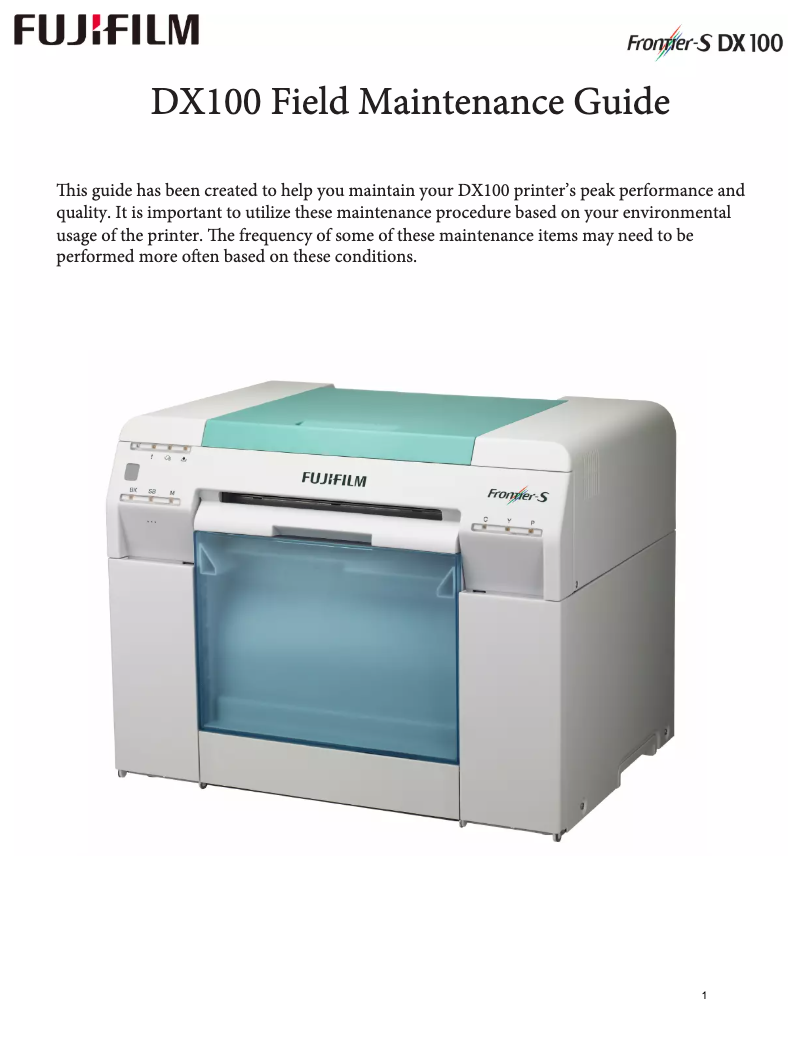
The Fujifilm Smartlab Frontier-S DX100 stands out for its exceptional print quality, offering remarkable clarity and precision, ideal for both photographs and professional documents. Its intuitive design and user-friendly features make it a wise choice even for those who are not technology experts. Additionally, it is versatile, supporting a wide range of formats and types of paper, allowing for various prints. However, it is important to note that the initial acquisition cost of the printer may be a barrier for small businesses or individual users. Its size and weight can also complicate its installation and movement, especially in tight workspaces. While the print speed is satisfactory, it may not meet the needs of users with very high print volumes. Furthermore, the noise generated during printing can disrupt concentration in quiet environments. In terms of robustness, the Frontier-S DX100 benefits from Fujifilm's reputation for durable and reliable products. Technical support is satisfactory thanks to the available user manuals and technical sheets, although additional maintenance costs may need to be anticipated. Overall, the Fujifilm Smartlab Frontier-S DX100 is an excellent choice for those seeking a high-quality printer, but it requires a significant initial investment and careful attention to its installation and maintenance.Score details
User experience
The user experience is very positive thanks to an intuitive design and user-friendly features, making it easy to use even for non-experts.
Performance
The printing performance is excellent, offering exceptional clarity and precision, although the printing speed may be insufficient for high volumes.
Value for money
The initial acquisition cost is high, which can be a barrier for small businesses, but the print quality partly justifies this investment.
Robustness
The durability and reliability of the printer are remarkable, thanks to Fujifilm's reputation for robust and high-performing products.
Support
The technical support is satisfactory, with user manuals and technical sheets available, although additional maintenance costs may arise.
Usability
The versatility of the printer is a major asset, supporting various formats and types of paper, but its weight and size can complicate installation.
Advantages
High-quality and accurate prints
Easy and intuitive to use
Supports various formats and types of paper
Durable and reliable in the long term
Documentation and technical support included
Disadvantages
High acquisition cost for small businesses.
Size and weight complicate installation and movement.
Maintenance and spare parts are expensive.
Software compatibility is sometimes limited.
Insufficient printing speed for large volumes.
Annoying noise in a quiet environment.
Technical Specifications Smartlab Frontier-S DX100
General Information
-
ModelSMARTLAB FRONTIER-S DX100
-
Brand
-
Category
-
Type
-
SKU1305959
-
MPN1305959
Frequently Asked Questions
What is the recommended method for removing jammed paper from the printer?
Why is my printer not recognizing the original cartridges?
What are the possible reasons for poor print quality?
What is the difference between a laser printer and an inkjet printer?
Why does my inkjet printer leave black streaks on prints?
What does the acronym DPI mean?
Is the manual for the Fujifilm Smartlab Frontier-S DX100 available in French?
Similar products


More product categories from brand Fujifilm
More product types from brand Fujifilm


Presentation of product Smartlab Frontier-S DX100 specifications from brand Fujifilm
General Information
The model Fujifilm Smartlab Frontier-S DX100 is a printer from the renowned brand Fujifilm, known for its commitment to quality and innovation in the home appliance sector. This model is designed to deliver exceptional performance and an optimized user experience, thus meeting the demands of printing professionals.
Features and Benefits
This printer stands out for its ability to produce high-quality prints, thanks to the advanced technology developed by Fujifilm, ensuring remarkable clarity and precision, whether for photos or professional documents. Its intuitive design and user-friendly features make it easy to use, even for those who are not technology experts.
The versatility of the Frontier-S DX100 is a major asset, as it supports a wide variety of formats and types of paper, allowing for various prints tailored to the specific needs of users. Additionally, this printer is designed to be durable and reliable, ensuring consistent performance over the long term due to Fujifilm's reputation for robustness.
The product also comes with technical support and comprehensive documentation, facilitating maintenance and optimization of its performance.
Disadvantages
However, some aspects may pose a problem. The initial cost of acquiring the Fujifilm Smartlab Frontier-S DX100 can be high, which may be a barrier for small businesses or individual users. Furthermore, its size and weight can complicate installation and relocation, especially in tight workspaces.
Users must also consider the regular maintenance costs and spare parts, which can increase the total cost of ownership. The compatibility with certain operating systems or software may be limited, which could create integration difficulties in specific environments. Finally, while the printing speed is satisfactory, it may not meet the needs of those with very high printing volumes, and the noise generated during printing can be disruptive in quiet work environments.


