

Manual of product Stylus NX430
Editorial note
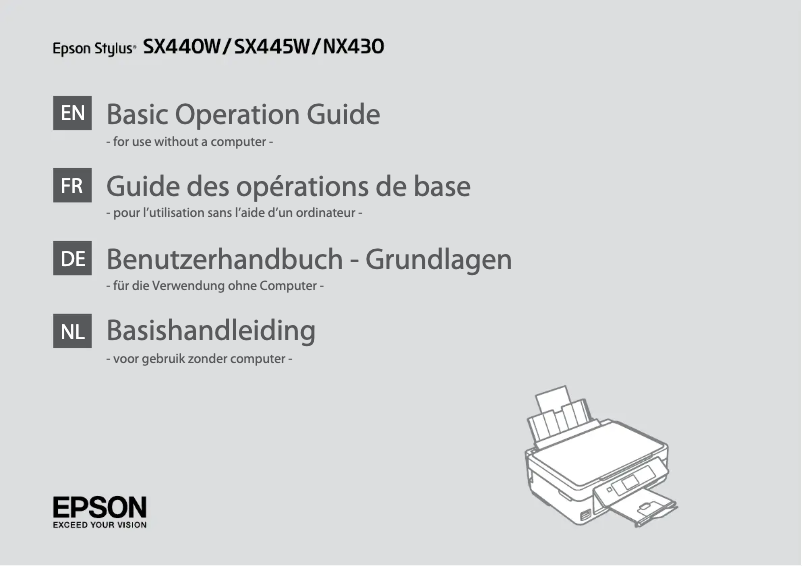
The Epson Stylus NX430 is an all-in-one printer that stands out for its versatility, offering printing, scanning, and copying features. With a maximum print resolution of 5760 x 1440 DPI, it ensures superior image quality, ideal for professional documents and photos. Its compact design makes it easy to integrate into tight workspaces, which is a considerable advantage for users with space constraints. However, some drawbacks should be noted. The print speed is relatively slow, at 6.2 pages per minute in black and 3.2 pages per minute in color, which may not be suitable for those with frequent and high-volume printing needs. Additionally, the lack of automatic duplex printing can lead to excessive paper consumption. The paper tray's input capacity, limited to 100 sheets, also requires frequent reloading, which can disrupt workflow. In terms of connectivity, the Epson Stylus NX430 offers convenient wireless options, but the lack of Ethernet/LAN support limits possibilities for office environments requiring a stable network connection. Despite this, its moderate energy consumption, especially in economy mode, helps reduce environmental impact while maintaining optimal performance. Overall, the Epson Stylus NX430 represents good value for money, although its limitations in print speed and input capacity may be points to consider before purchase.Score details
User experience
The user experience is generally positive thanks to the all-in-one versatility of the Epson Stylus NX430, which combines printing, scanning, and copying.
Performance
The print quality is superior with a maximum resolution of 5760 x 1440 DPI, but the print speed is relatively slow, at 6.2 ppm in black and 3.2 ppm in color.
connectivity
Connectivity is flexible with wireless options, but the lack of Ethernet/LAN support limits options for a office environment.
Design
The compact design of the printer allows for easy integration into even limited workspaces, which is an advantage.
Value for money
The Epson Stylus NX430 offers good value for money, but the input capacity limited to 100 sheets and the lack of advanced features like automatic duplex printing can be drawbacks.
Battery life
The moderate energy consumption, especially in economy mode, helps reduce environmental impact while maintaining optimal performance.
Advantages
All-in-one printer: printing, scanning, copying
High-quality printing, 5760 x 1440 DPI
Flexible connectivity, wireless or wired
Compact design, fits any space
Reduced energy consumption in economy mode
Disadvantages
No automatic duplex printing
Slow printing speed
No Ethernet/LAN connectivity
No memory card reader
Paper tray capacity limited to 100 sheets
Technical Specifications Stylus NX430
General Information
-
ModelSTYLUS NX430
-
Brand
-
Category
-
Type
-
SKU107153
-
MPN107153
Other features
-
All-in-one functionsCopy
-
All-in-one color functionsPrint
-
Dimensions (LxWxH)Scan
-
Security
-
Compatible operating systemscopy
-
Color scanningprint
-
Connectivity technologyscan
-
Resolution of hardware scanning
-
391 x 528 x 279 mm
-
-
UL60950, CSA C22.2 No. 60950, EMI FCC Part 15 subpart B class B, CAN / CSA – CEI / IEC CISPR 22 class B
-
-
- Windows 7 (32-bit, 64-bit)
-
- Windows Vista (32-bit, 64-bit)
-
- Windows XP SP1 or higher (32-bit)
-
- Windows XP Professional x64 Edition
-
- Mac OS X 10.4.11, 10.5.8, 10.6.x, and 10.7.x
-
-
Yes
-
-
Wired & wireless
-
-
2400 x 2400 DPI
Print speed
-
Printing technologyInkjet
-
Maximum resolution5760 x 1440 DPI
-
Print speed (black, normal quality, A4/US Letter)6.2 ppm
-
Print speed (color, normal quality, A4/US Letter)3.2 ppm
-
PrintingColor printing
-
Double-sided printingNo
Features
-
Service cycle (Maximum)- pages per month
-
All-in-one multitaskingYes
-
Number of print cartridges4
-
Printing colorsBlack, Cyan, Magenta, Yellow
-
Digital senderNo
Copier
-
Max. resolution of copies- DPI
-
Maximum number of copies99 copies
-
CopyColor copy
-
Duplex copyNo
Digitization
-
Optical scanning resolution1200 x 1200 DPI
-
Maximum scanning resolution9600 x 9600 DPI
-
Input color display depth48 bit
-
Output color display depth24 bit
-
Type of scannerFlatbed scanning
-
Scanning technologyCIS
-
DigitizationColor scanning
-
Double-sided scanningNo
Input and output capacity
-
Total output capacity- sheets
-
Maximum input capacity100 sheets
-
Total output capacity- sheets
Paper management
-
Maximum print format210 x 297 mm
-
Type of paper tray supportPhoto paper, Plain paper
-
Maximum ISO A series paper sizeA4
-
Photo paper sizes4x6, 5x7, 8x10 "
-
Maximum ISO A series paper sizeA4
-
Maximum ISO A series paper sizeA4
Design
-
ScreenLCD
-
Screen size2.5 "
-
Built-in screenYes
-
Market positionDomestic and professional
Connectivity
-
Standard interfacesUSB 2.0
-
USB portWireless LAN
-
Quantity of USB 2.0 PortsYes
-
USB port1
-
Yes
Network
-
Ethernet/LANNo
-
WifiYes
-
Wifi standards802.11b, 802.11g, Wi-Fi 4 (802.11n)
Representation / realization
-
Internal memory- Mo
-
Built-in memory card readerNo
-
Sound power level (standby)38 dB
Power
-
Electricity consumption (average operation)13 W
-
Energy consumption (eco mode)0.2 W
-
AC input frequency50 - 60 Hz
-
AC input voltage100 - 240 V
Weight and dimensions
-
Weight4218 g
Minimum system requirements
-
Support for the Mac operating systemYes
-
Support for the Mac operating systemYes
Environmental conditions
-
Operating temperature10 - 35 °C
-
Operating relative humidity (H-H)20 - 80 %
-
Temperature out of operation-20 - 40 °C
-
Relative humidity rate (storage)5 - 85 %
-
Operating temperature50 - 95 °F
Fax
-
Duplex faxNo
-
Duplex faxNo
Frequently Asked Questions
What is the weight of the Epson Stylus NX430?
What is the recommended method for removing a jammed paper from the printer?
Why does my printer not recognize the original cartridges?
What could be the reasons for poor print quality?
What is the difference between a laser printer and an inkjet printer?
Why does my inkjet printer leave black streaks?
What does DPI mean?
How many cartridges can be inserted into the Epson Stylus NX430?
What is the size of the screen on the Epson Stylus NX430?
Is the manual for the Epson Stylus NX430 available in French?
Similar products


More product categories from brand Epson
More product types from brand Epson




Presentation of product Stylus NX430 specifications from brand Epson
General Information
The Epson Stylus NX430 is a multifunction printer from the Epson brand, known for its innovation and quality in the field of electronic devices. This model, identified by the code Stylus NX430 | C11CB22201, promises reliable performance and an enhanced user experience. The EAN code 10343882881 allows for unique identification of this product within the distribution network.
Other Features
This all-in-one printer offers copy, print, and scan functions, providing valuable flexibility for various needs. With dimensions of 391 x 528 x 279 mm, it easily fits into different workspaces. In terms of safety, it complies with several standards, including UL60950 and CSA C22.2 No. 60950, ensuring adequate protection against electrical hazards. Compatible with operating systems such as Windows XP, Windows Vista, and Windows 7, the Epson Stylus NX430 ensures smooth usage. Its color scanning function allows for precise image capture, while its wired and wireless connectivity options add to its practicality.
Print Speed
The Epson Stylus NX430 uses Inkjet printing technology, offering a maximum resolution of 5760 x 1440 DPI. The print speed reaches 6.2 pages per minute in black and 3.2 pages per minute in color, which may be considered relatively slow for high-volume printing. It is worth noting that this printer does not support automatic duplex printing, which may lead to increased paper usage.
Features
The maximum service cycle of the Epson Stylus NX430 is designed for intensive use. With four ink cartridges (black, cyan, magenta, and yellow), it ensures optimal print quality. However, the lack of a digital sender may limit some shipping management features.
Copier
The built-in copier can produce up to 99 copies and offers color copy quality. However, it does not support duplex functionality, meaning users must manually perform double-sided copies.
Scanning
The optical scanning resolution of the Epson Stylus NX430 is 1200 x 1200 DPI, with a maximum scanning resolution of 9600 x 9600 DPI, ensuring precise details. The flatbed scanner and CIS scanning technology provide optimal image quality, although the lack of duplex scanning may be a drawback for some users.
Input and Output Capacity
The input tray can hold up to 100 sheets, which may require frequent reloading, especially in a high-volume environment.
Paper Management
The maximum print size is 210 x 297 mm, allowing printing on standard formats like A4 and A5. The product supports various types of paper, including photo paper and plain paper, and can print borderless on A4 size, providing a professional finish.
Design
Equipped with a 2.5-inch LCD screen, the Epson Stylus NX430 makes usage easy with its intuitive interface. Designed for home and professional use, it offers features suited to the varied needs of users.
Connectivity
This printer has standard interfaces for optimal connectivity. It allows direct printing and has a USB 2.0 port, but does not support Ethernet/LAN connections, which may limit its use in certain office environments.
Network
The built-in Wi-Fi of the Epson Stylus NX430 facilitates a fast and reliable wireless connection, compatible with 802.11b, 802.11g, and Wi-Fi 4 (802.11n) standards.
Power
The power consumption during operation is 13 W, while in economy mode, it is reduced to 0.2 W, contributing to a more eco-friendly usage.
Weight and Dimensions
Weighing 4218 g, this model is designed to be easily manageable while offering solid performance.
Minimum System Requirements
Compatible with Windows and Mac operating systems, the Epson Stylus NX430 ensures easy integration into various computing environments.
Environmental Conditions
Designed to operate within a temperature range of 10 to 35 °C and a relative humidity of 20 to 80 %, it is suitable for various work environments.
Fax
This model does not have fax functionality, nor duplex faxing, limiting its features in this area.


